6 Setup Web Server Security
6.1 Navigate to the Login Page
• Open a web browser and connect to the FieldServer’s default IP Address. The default IP Address of the FieldServer is
192.168.1.24, Subnet Mask is 255.255.255.0.
NOTE:If the IP Address of the ProtoNode has been changed, the IP Address can be discovered using the FS
Toolbox utility. See Section 10.1 Lost or Incorrect IP Address for instructions.
6.2 Login to the FieldServer
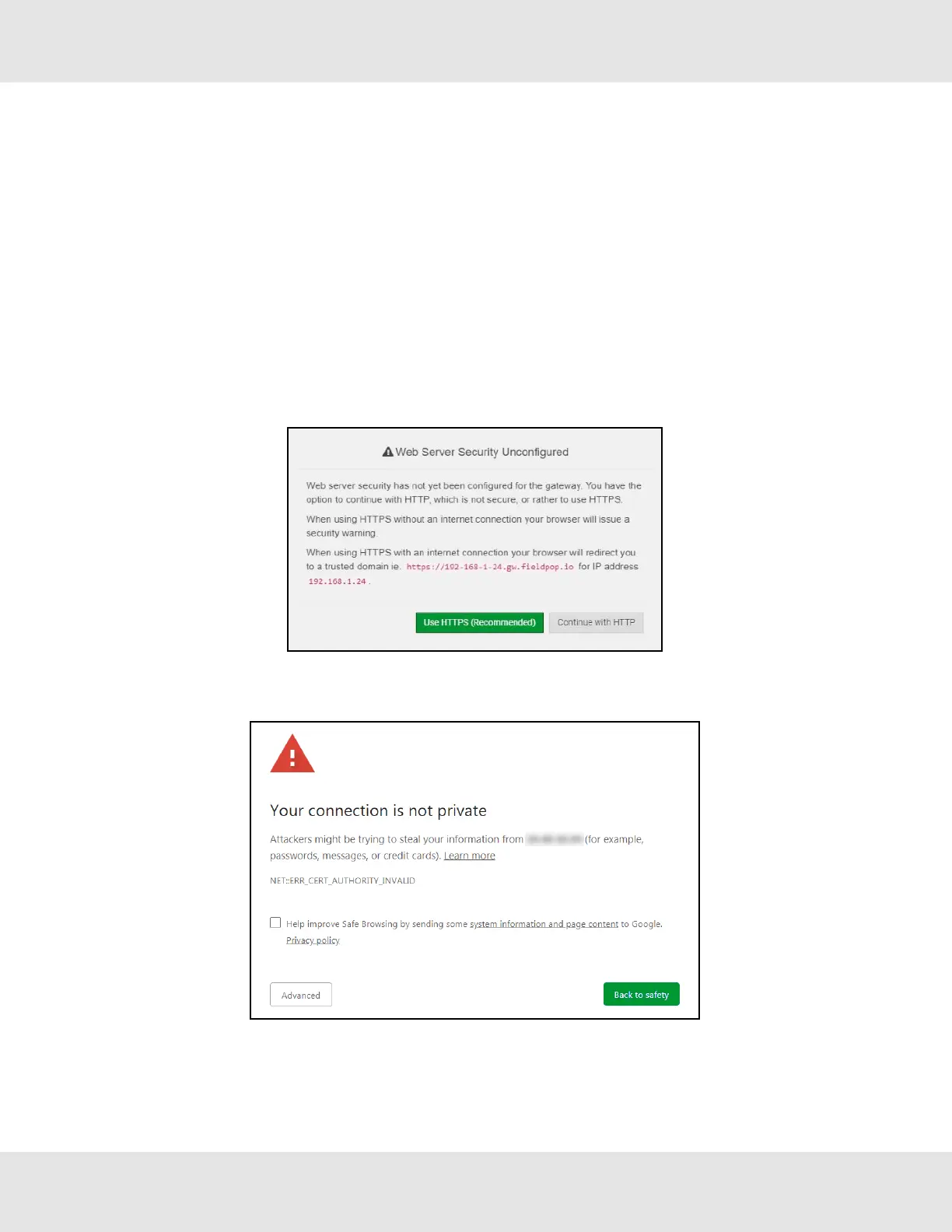
The first time the FieldServer GUI is opened in a browser, the IP Address for the gateway will appear as untrusted. This will
cause the following pop-up windows to appear.
• When the Web Server Security Unconfigured window appears, read the text and choose whether to move forward
with HTTPS or HTTP.
• When the warning that “Your connection is not private” appears, click the advanced button on the bottom left corner of
the screen.
13 Hunter Fans ProtoNode FPC-N64



 To Next Page