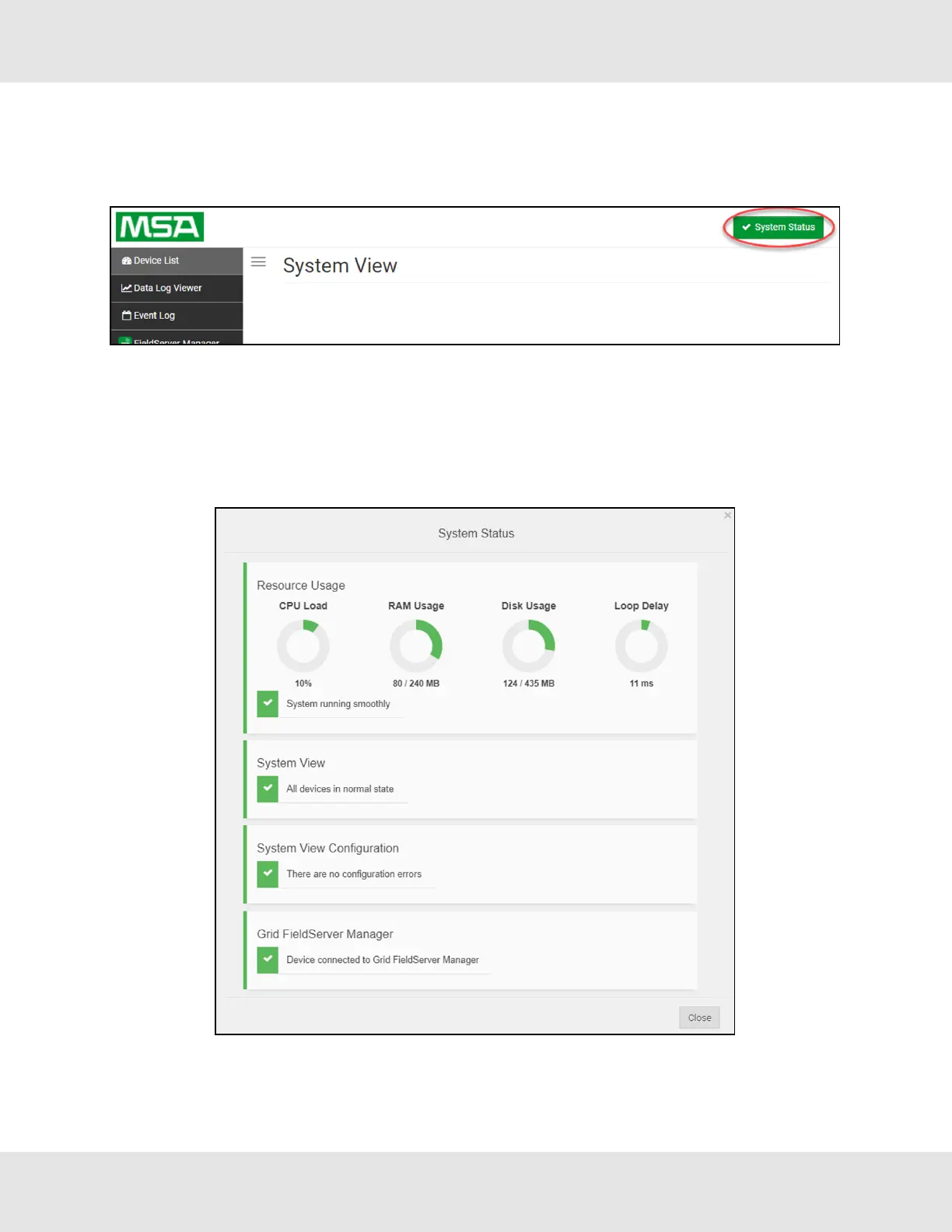
11.9 System Status Button
The System Status Button can be found on any page of the web apps. This shows the level of alert/functionality for the
customer device. This is an aggregate of the Web App page’s resource usage upon the local PC or mobile device,
connectivity and device alert level.
The color of the button represents the status of one to all three systems:
Green – Normal status
Yellow – Warning status
Red – Alarm status
Click on the System Status Button to open the System Status window, showing more details on the status of each system.
NOTE:If it was selected to opt out of the FieldServer Manager, the Grid FieldServer Manager status will not
appear in the System Status window. This means the status will show as green even if the gateway is not
connected to the FieldServer Manager.
Hunter Fans ProtoNode FPC-N64 54



 To Next Page