8 MSA Grid - FieldSever Manager Setup
The MSA Grid is MSA Safety’s device cloud solution for IIoT. Integration with the MSA Grid - FieldServer Manager
enables the a secure remote connection to field devices through a FieldServer and hosts local applications for
device configuration, management, as well as maintenance. For more information about the FieldServer
Manager, refer to the MSA Grid - FieldServer Manager Start-up Guide.
8.1 Choose Whether to Integrate the FieldServer Manager
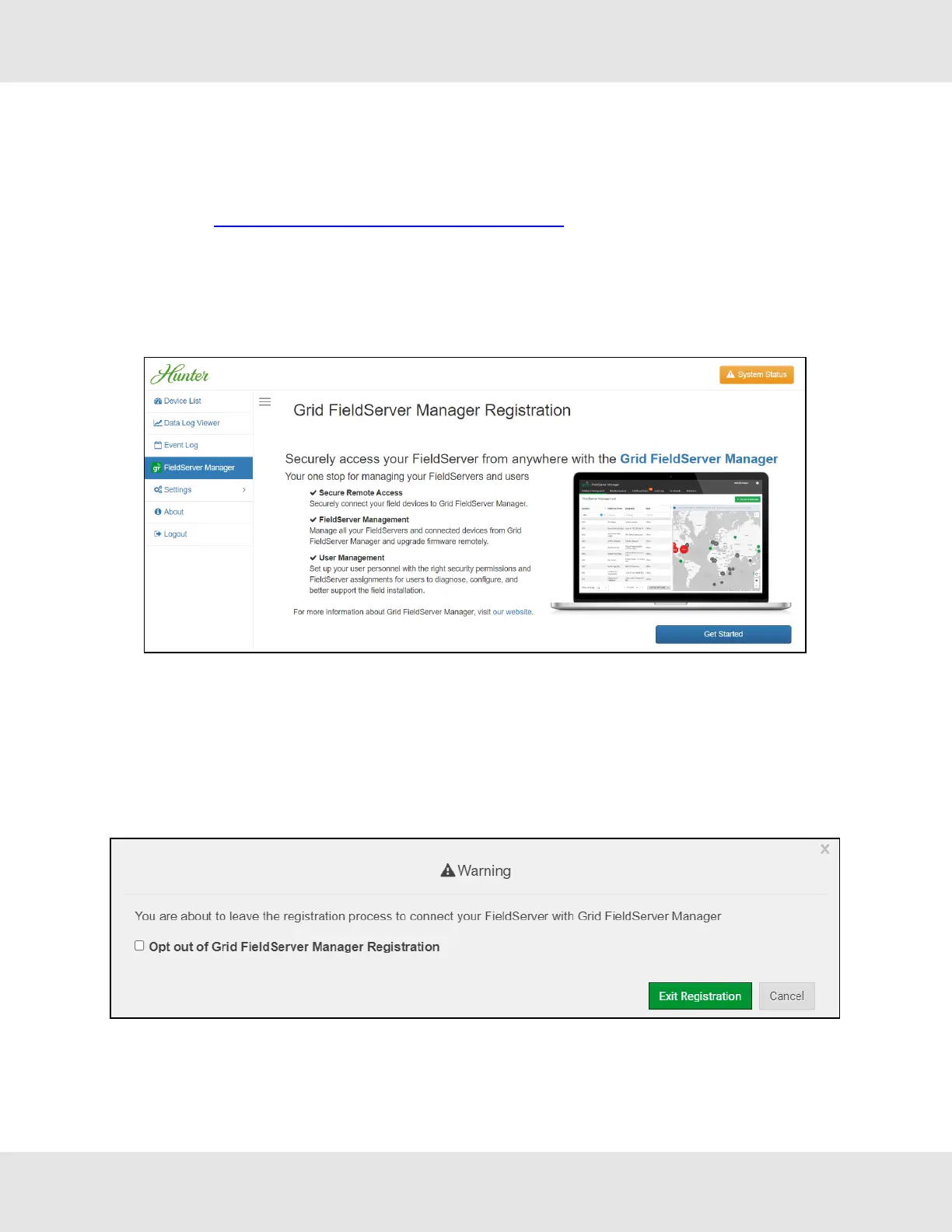
When first logging onto the ProtoNode, the Web App will open on the FieldServer Manager page.
NOTE:If a warning message appears instead, go to Section 11.8 FieldServer Manager Connection Warning
Message to resolve the conneqsction issue.
• Either go through the FieldServer Manager setup to integrate cloud functionality to the FieldServer or opt out.
◦ For FieldServer Manager setup, continue with instructions in the following sections
◦ To opt out of the FieldServer Manager, click on a tab other than the Grid FieldServer Manger tab, click the
checkbox next to “Opt out of Grid FieldServer Manager Registration” in the Warning window that appears and
click the Exit Registration button
◦ To ignore FieldServer Manager setup until the next time the Web App is opened, click a tab other than Grid
FieldServer Manager and then click the Exit Registration button with the “Opt out” checkbox unchecked
NOTE:If user setup is already complete go to Section 8.3 Registration Process.
21 Hunter Fans ProtoNode FPC-N64



 To Next Page