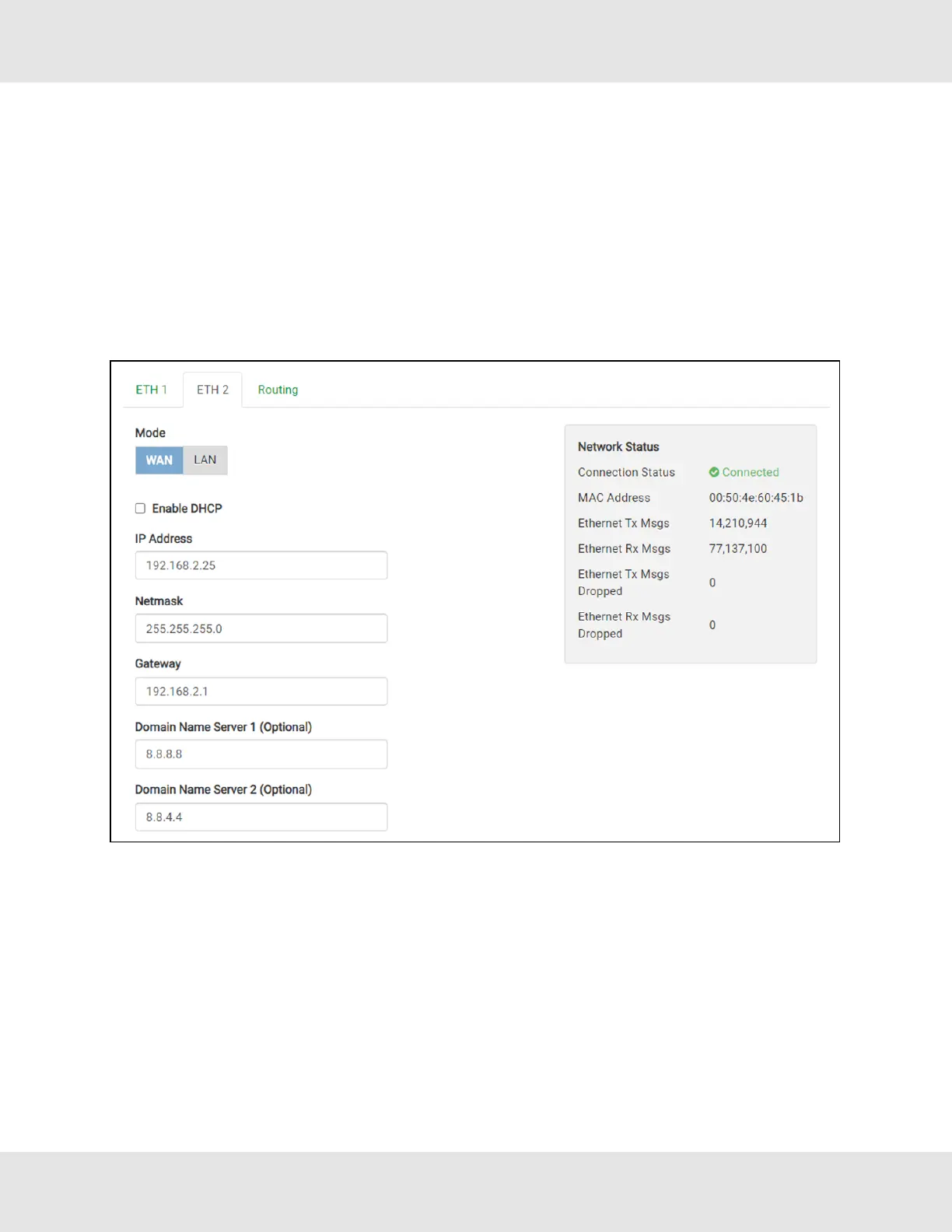
7.3 Ethernet 1 and Ethernet 2 Network Settings – LAN Mode
• Check that the Mode is set to LAN, if not click LAN to change the ETH 2 port to LAN mode.
• Enable DHCP to automatically assign IP Settings or modify the IP Settings manually as needed, via these fields: IP
Address, Netmask, Gateway, and Domain Name Server1/2.
NOTE:If connected to a router, set the Gateway to the same IP Address as the router.
• Click Save to record and activate the new IP Address.
• Connect the FieldServer to the local network or router.
NOTE:If the webpage was open in a browser, the browser will need to be pointed to the new IP Address of the
FieldServer before the webpage will be accessible again.
19 Hunter Fans ProtoNode FPC-N64



 To Next Page