9.5 BACnet: Setting Node_Offset to Assign Specific Device Instances
• Follow the steps outlined in Section 6 Setup Web Server Security to access the ProtoNode Web Configurator.
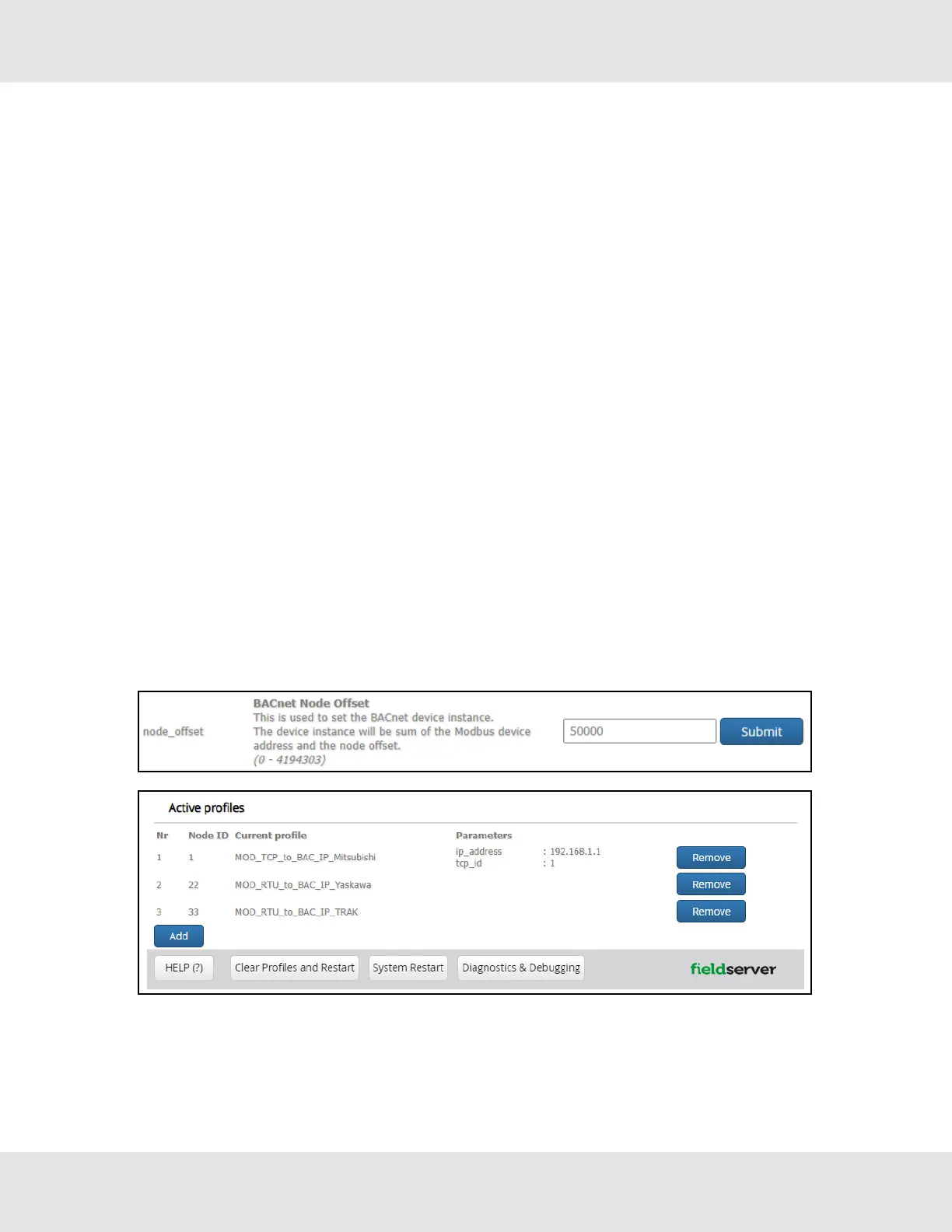
• The Node_Offset field shows the current value (default = 50,000).
◦ The values allowed for a BACnet Device Instance can range from 1 to 4,194,303
• To assign a specific Device Instance (or range); change the Node_Offset value as needed using the calculation
below:
Device Instance (desired) = Node_Offset + Node_ID
For example, if the desired Device Instance for the device 1 is 50,001 and the following is true:
n
Device 1 has a Node-ID of 1
n
Device 2 has a Node-ID of 22
n
Device 3 has a Node-ID of 33
Then plug the device 1’s information into the formula to find the desired Node_Offset:
50,001 = Node_Offset + 1
50,000 = Node_Offset
Once the Node_Offset value is input, it will be applied as shown below:
n
Device 1 Instance = 50,000 + Node_ID = 50,000 + 1 = 50,001
n
Device 2 Instance = 50,000 + Node_ID = 50,000 + 22 = 50,022
n
Device 3 Instance = 50,000 + Node_ID = 50,000 + 33 = 50,033
Click “Submit” once the desired value is entered.
Hunter Fans ProtoNode FPC-N64 34



 To Next Page