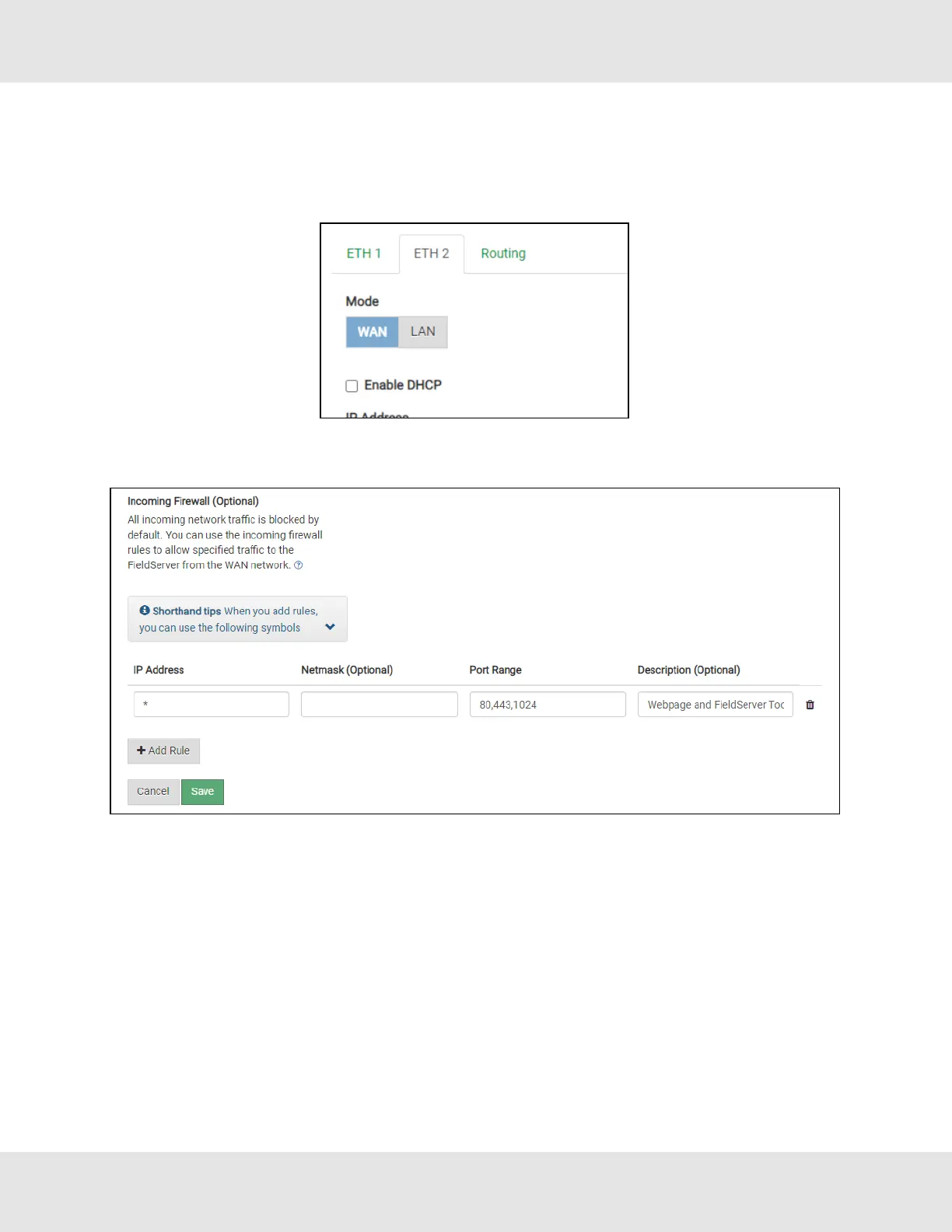
7.4 Ethernet 2 Network Settings – WAN Mode
• Click the blue WAN box to change the ETH 2 port to WAN mode.
◦ This prevents all but allowed incoming traffic on the ETH 2 port it does allow a connection to the internet via port
80 & 443
• Scroll below the network settings to get to the firewall options with rules that allow specific incoming traffic (through
setting rules) and outgoing options.
NOTE the following options for setting firewall rules:
• Add 1023 to the Port Range field to allow the FieldServer Toolbox access.
• Add 47808 to the Port Range field for BACnet access.
• Add 80 & 443 to the Port Range field for web browser access.
• Use a “*” as a wild card for IP Address.
Hunter Fans ProtoNode FPC-N64 20



 To Next Page