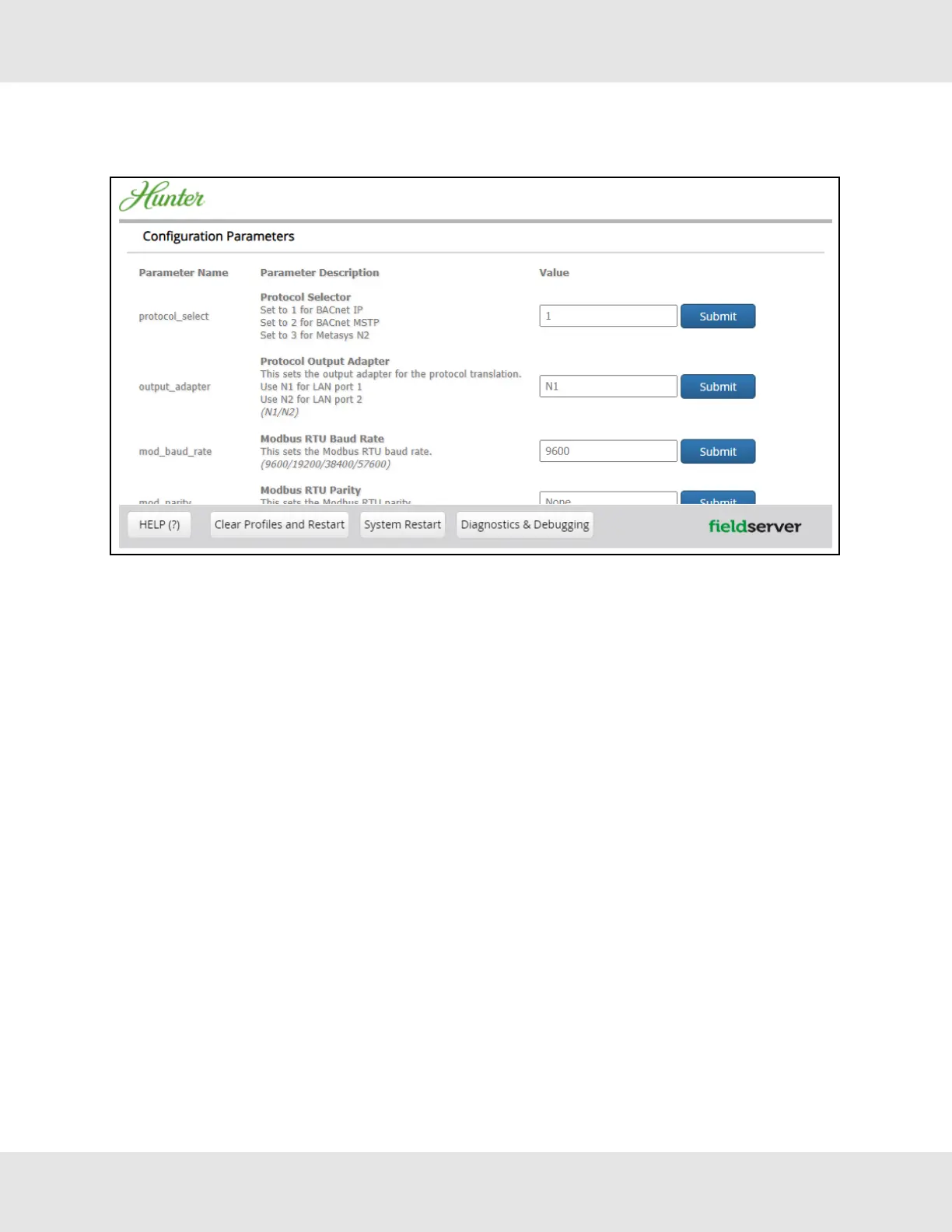
9.2 Select Field Protocol and Set Configuration Parameters
• On the Web Configurator page, the first configuration parameter is the Protocol Selector.
• Select the field protocol by entering the appropriate number into the Protocol Selector Value. Click the Submit button.
Click the System Restart button to save the updated configuration.
NOTE:Protocol specific parameters are only visible when the associated protocol is selected.
• Ensure that all parameters are entered for successful operation of the gateway. Find the legal value options for each
parameter under the Parameter Description in parentheses.
NOTE:If multiple devices are connected to the ProtoNode, set the BACnet Virtual Server Nodes field to “Yes”;
otherwise leave the field on the default “No” setting.
31 Hunter Fans ProtoNode FPC-N64



 To Next Page