4.8 Relay Operation
4.8.1 Startup
If relays are used the alarm threshold will be displayed at startup
4.8.2 Menu Sequence
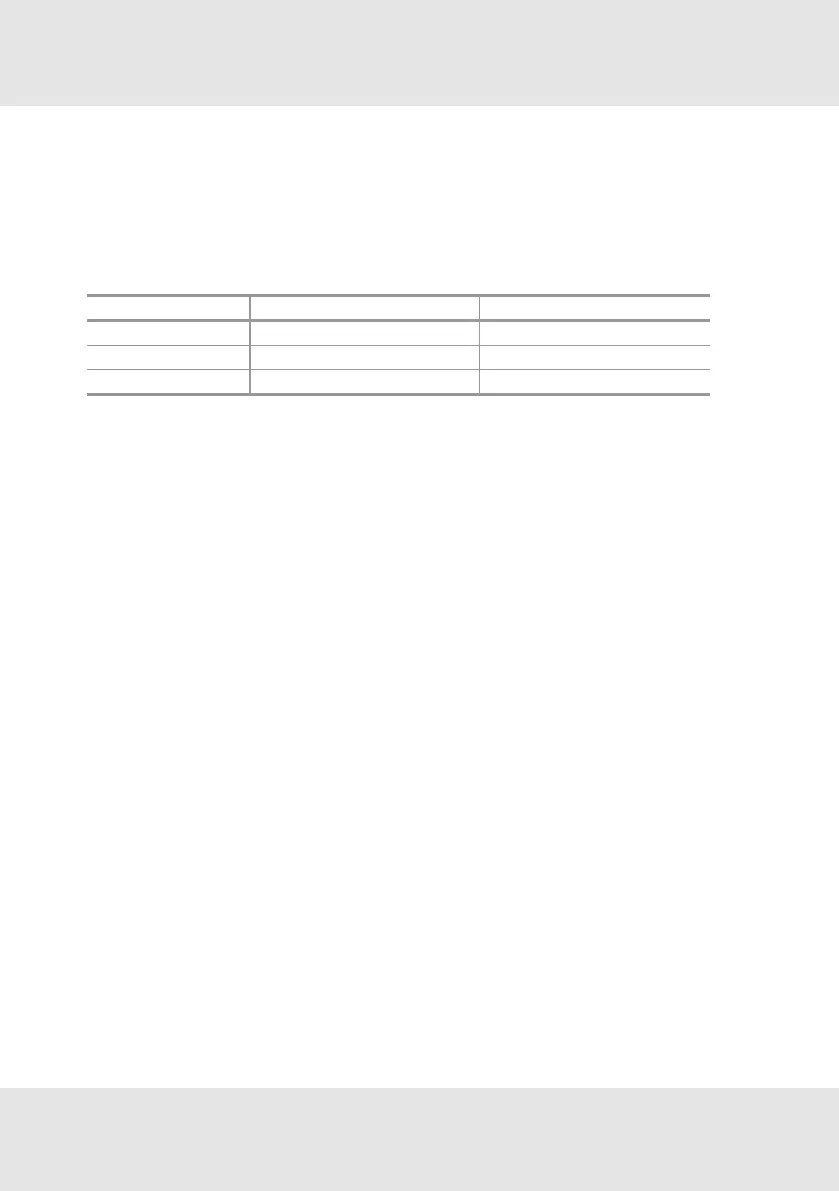
Menu item Text Password?
M-11
Relay Info No
M-12
Relay Setup Yes
M-13
Relay Test Yes
[M-11] - Relay Info
1. Press ENTER and select menu 11.
2. Press ENTER button.
3. Go through the information with the ENTER button.
It shows:
• The alarm threshold and if the alarm is activated with a rising or falling gas concentration.
• if an alarm would be latched.
• the alarm relay delay time in seconds.
• if the alarm relay is normally energised.
• the failure relay delay time in seconds.
• if the failure relay is normally energised.
[M-12] - Relay Setup
1. Press ENTER and select menu 12.
2. Press ENTER button.
3. Enter password [→chapter4.5 Password].
4. Set the alarm threshold with the UP or DOWN button.
5. Press ENTER button.
6. Set rising or falling alarm option with the UP or DOWN button.
7. Press ENTER button.
8. Set if latched with the UP or DOWN button.
9. Press ENTER button.
10. Set the alarm relay delay with the UP or DOWN button.
11. Press ENTER button.
12. Set alarm relay normally energized option with the UP or DOWN button.
13. Press ENTER button.
14. Set the failure relay delay with the UP or DOWN button.
15. Press ENTER button.
16. Set the failure relay normally energized option with the UP or DOWN button.
29 PrimaX GB
4 Operation



 To Next Page