○ Paintsolvents(acetone,turpentine,toluene,mineralspirits,etc.)inhigherconcentrationslargerthan1000ppm
orprolongedexposuretolowerconcentrations
• ProlongedexposureoftheH
2
SDigitalSensortohumiditylevelsof5%RHorlowerwillresultingasmeasurement
readingsofH
2
Sthataregreaterthantheactualgasconcentrationpresent.
• ItisnotrecommendedtoexposetheO
2
,H
2
SandCODigitalSensorstoenvironmentscontainingOxygenlevels
above30%(v/v)orbelow5%(v/v).TheO
2
sensorwilloperateatconcentrationsbelow5%(v/v)butnotforprolonged
periodsoftime.
• Protectthedevicefromextremevibration.
• Donotmountthesensingheadindirectsunlightwithoutasunshield(P/N10180254).
• TheULTIMAXIRPLUSSensorcontainsnouser-orfield-serviceablepartsandmustbereturnedtothefactoryfor
repair.Anyattempttoopenthesensorwilldamagetheunitandvoidthewarranty.
• ExposuretocontinuouslevelsofHCNsensorandcanresultinerroneouslylowgasreadings.Thiscanoccurinas
littleas30minutesofexposure.DonotoperateinthepresenceofcontinuouslowlevelbackgroundHCNgas.Use
latchingalarmstoavoidanerroneousalarmclearance.
• SensorsensitivitywillrecoveroverthecourseofseveralhoursonceHCNgasisremoved.Useanindependent
instrumenttoconfirmtheabsenseofHCNgasandallowthesensortoreturntozeropriortorestartingoperations.
• Useofsomeaccessoriesarenotcoveredundertheperformanceapproval.ContactMSAfordetails.
Failuretofollowthiswarningcanresultinseriouspersonalinjuryordeath.
NOTICE
WheninstallingtheXIRPLUSsensor,undernocircumstancesshouldapry-barbeappliedtothetwolegsthatsupportthe
unit'sreflectorsduringinstallationorremovalofthesensor.ApplyingforcetothelegscanpermanentlydamagetheXIR
PLUSsensor.
3.2 ReviewingShipmentandIdentifyingProductModel
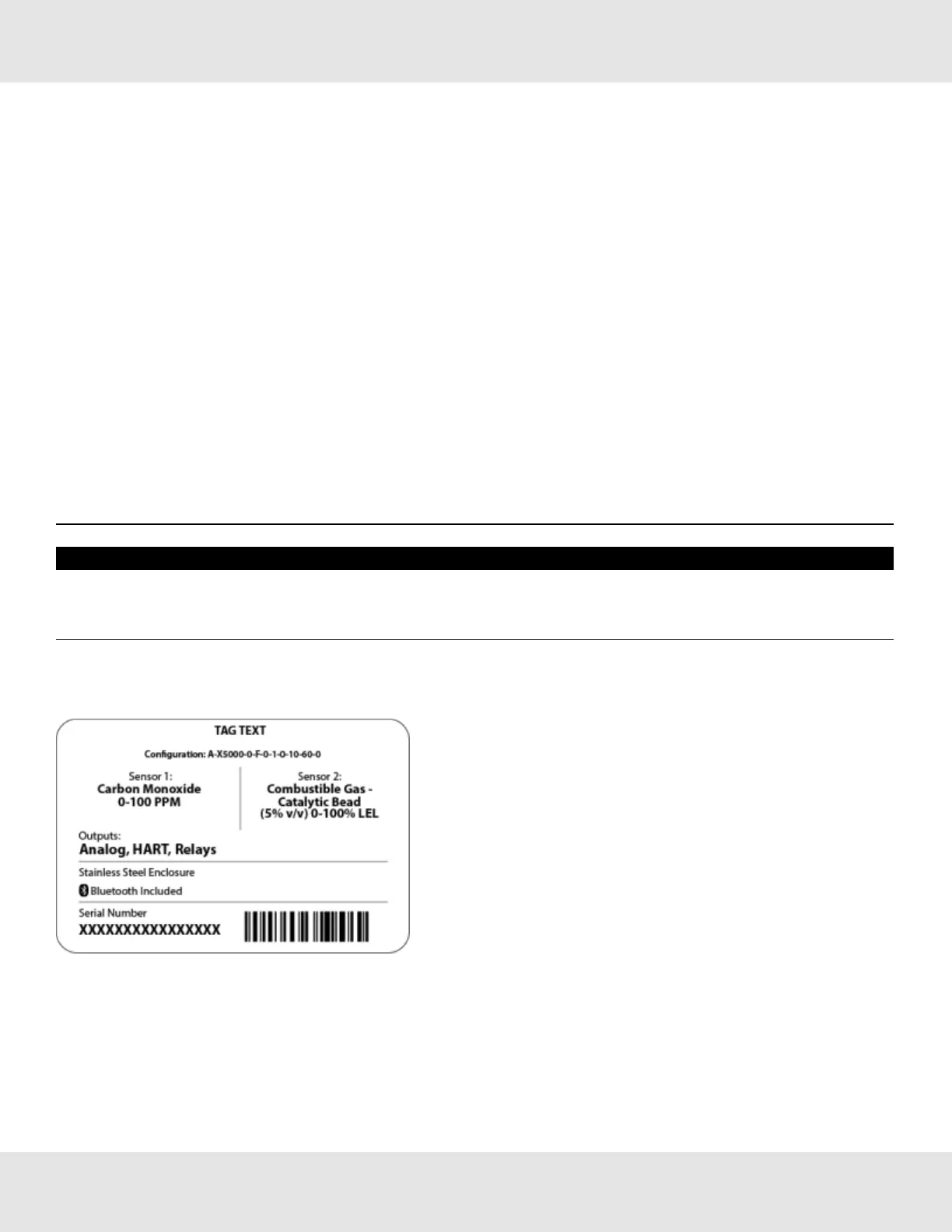
Todetermineyoursensortypeandoptions,checktheshippingcarton.
Figure 8 Shipping Label
Thedeviceisnotshippedwiththesensorsattachedtothehousing.TheXIRPLUSisaonepiecesensor,butallother
sensorsarecomprisedoftwoparts;theSensorBodyAssemblyandtheXCellSensor.Checkthesensordetailsbefore
attachingtothedevicehousingtoensurethatthecorrectsensortypeisbeinginstalled.Thesensordetailsarelistedonthe
insideoftheXCellSensor.UnscrewtheXCellSensorfromtheSensorBodyAssemblyandcheckthelabelontheinsidefor
gastype,range,replacementATOconfiguration,serialnumber,andfirmwarerevisionnumber.
13 Ultima X5000 Gas Monitor US
3 Installation



 To Next Page