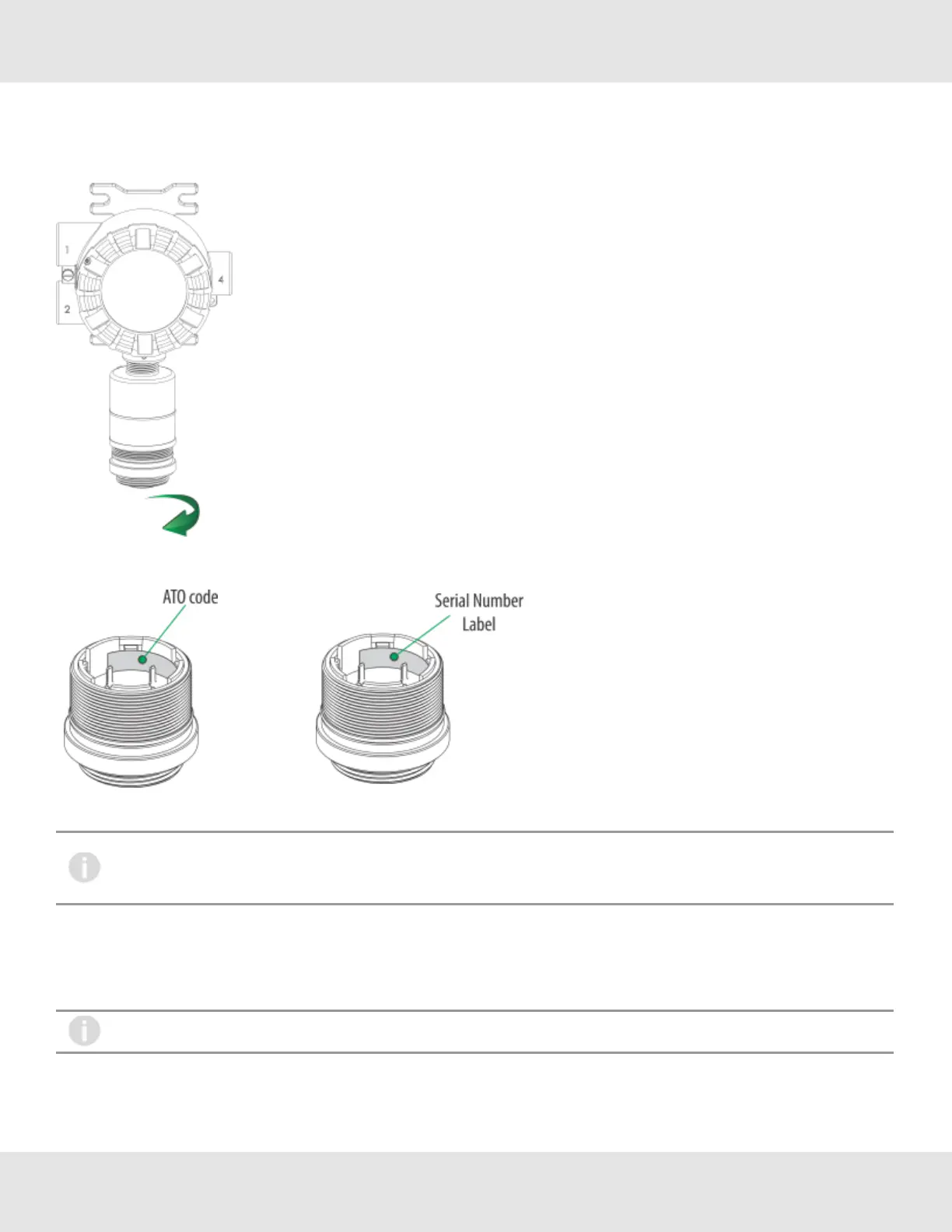
IdentifythesensorassemblyneededviatheA-5K-SENScodeontheinteriorsensorlabelandobtaintheappropriatesensor
assembly.ScrewthereplacementXCellsensorontotheSensorBodyAssembly,ensuringthattheXCellsensormatesflush
againstthebottomedgeoftheSensorBodyAssembly.
Figure 42 Removing the XCell Sensor
Figure 43 Digital Sensor - Position of Labels
Alarmsetpoints,spanvalue,fullscalelimitandalarmdirectionwillnotchangewhenreplacingasensorwiththe
samegasandrange.Alarmsetpoints,spanvalue,fullscalelimitandalarmdirectionwillchangetothenew
sensorsettingswhenreplacingasensorwithadifferentgasand/orrange.
TheULTIMAX5000GasMonitorisshippedwiththeSensorSwapDelayenabled.Thismeansthatthe4-20mAoutput
signalandtheFAULTrelaywillholdoffafaultindicationfortwominutesbeforethemissingsensorindicationisdisplayedon
thedevice.ThissettingallowstheoperatortoexchangesensormoduleswithoutaFAULTindication.SeeSwapDelayin
4.2.1InstrumentSettingsformoredetails.
ItisrecommendedthatallothermaintenancebeperformedatanMSAfactory-authorizedservicecenter.
70 Ultima X5000 Gas Monitor US
6 Maintenance



 To Next Page