0=H@M=HA5AJKF
2-3
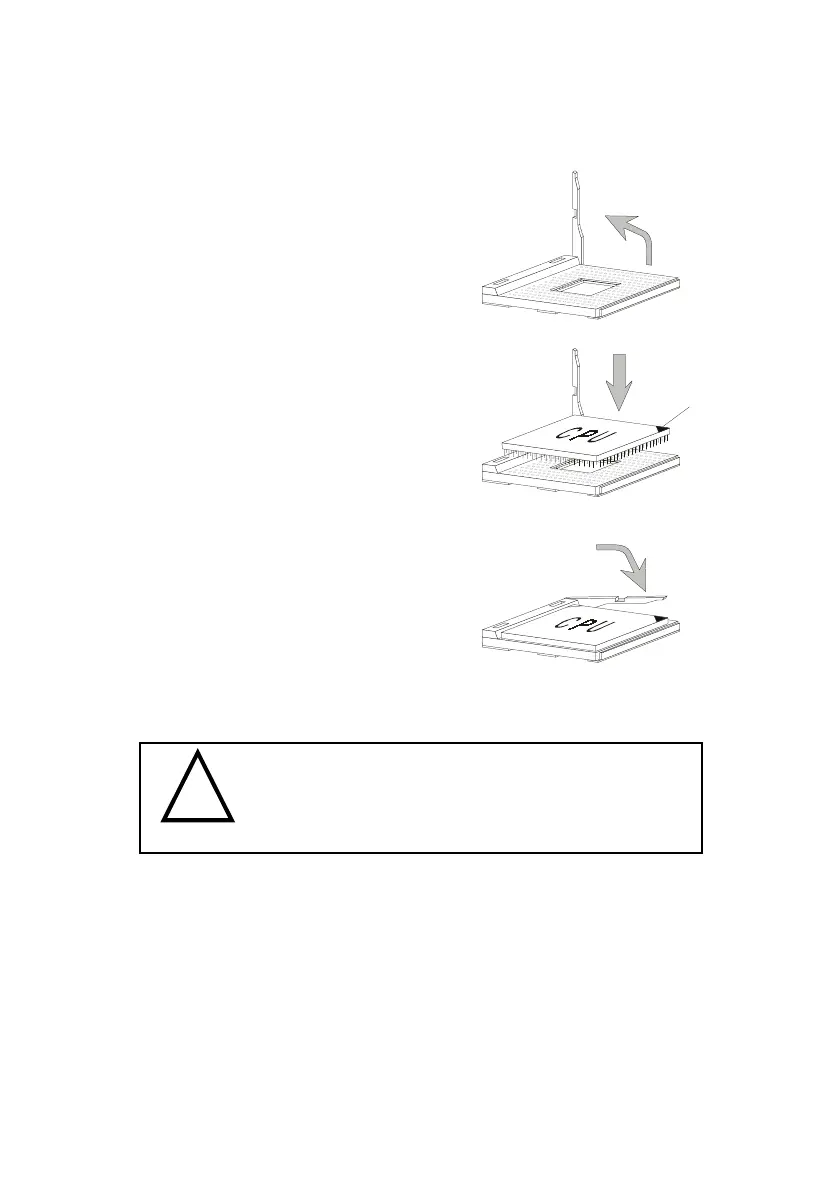
1. Pull the lever sideways away
from the socket. Then, raise
the lever up to a 90-degree
angle.
CPU Installation Procedures
Overheating will seriously damage the CPU
and system, always make sure the cooling fan can work
properly to protect the CPU from overheating.
!
WARNING!
2. Look for the gold arrow.
The gold arrow should point
towards the end of lever.
The CPU will only fit in the
correct orientation.
3. Hold the CPU down firmly,
and then close the lever to
complete the installation.
Open Lever
Gold Arrow
Sliding
Plate
Close
Lever



 To Next Page