2-3
Hardware Setup
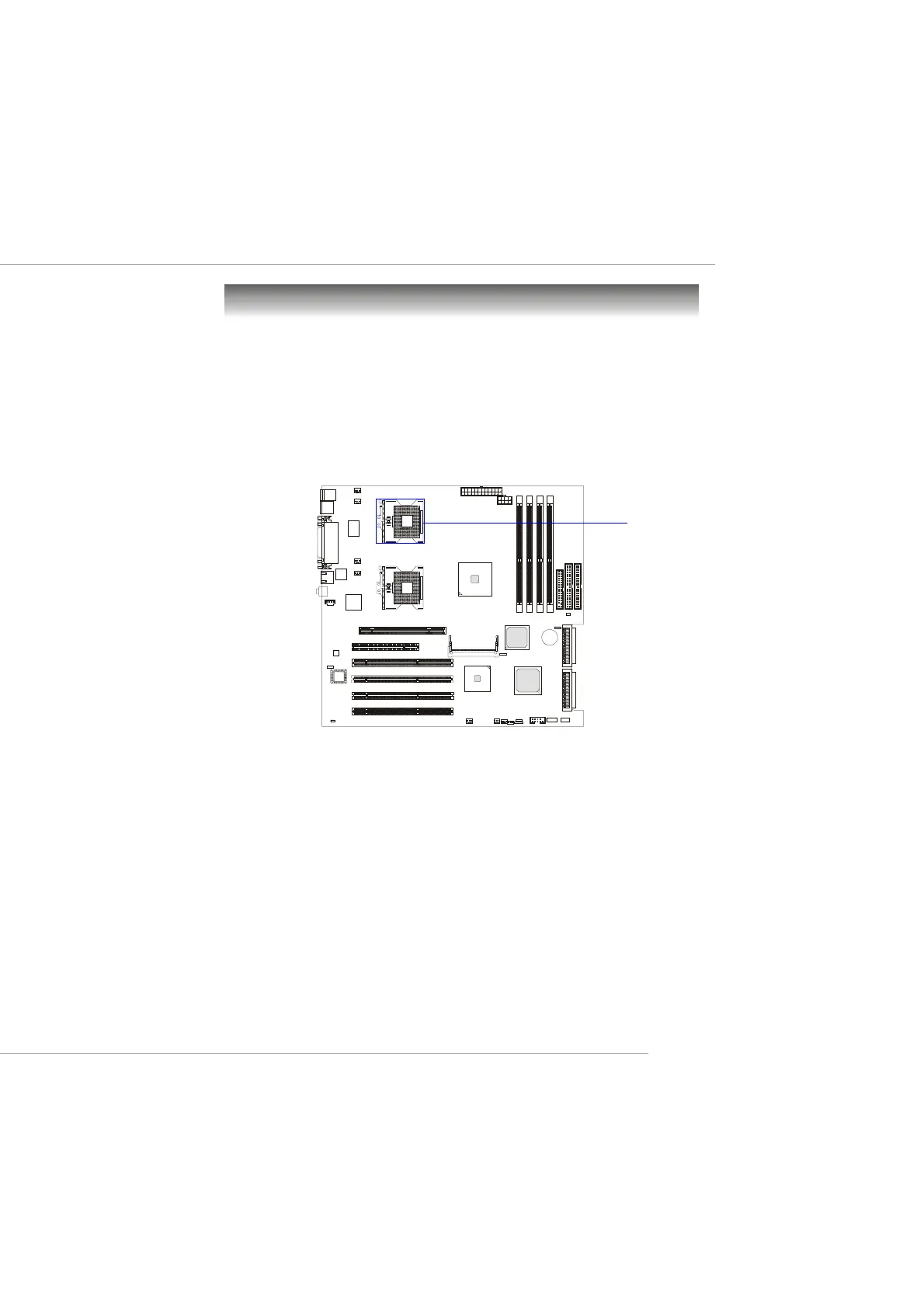
The mainboard supports Single/Dual Intel
®
Xeon™ processors and uses
two CPU sockets called Socket 604 for easy CPU installation. You can install
SINGLE or DUAL CPUs on the board to meet your own needs. Keep the
following points in mind before installing CPU(s):
1. If SINGLE CPU is intended, always install the CPU on the CPU1
socket.
2. To install DUAL CPUs on the board, you must use the same type
of CPUs running at the same FSB frequency.
When you are installing the CPU, make sure the CPU has a Heat Sink
and a cooling fan attached on the top to prevent overheating. If you do
not find the Heat Sink and cooling fan, contact your dealer to purchase and
install them before turning on the computer.
Central Processing Unit: CPU
CPU1
This manual downloaded from http://www.manualowl.com



 To Next Page