3-19
BIOS Setup
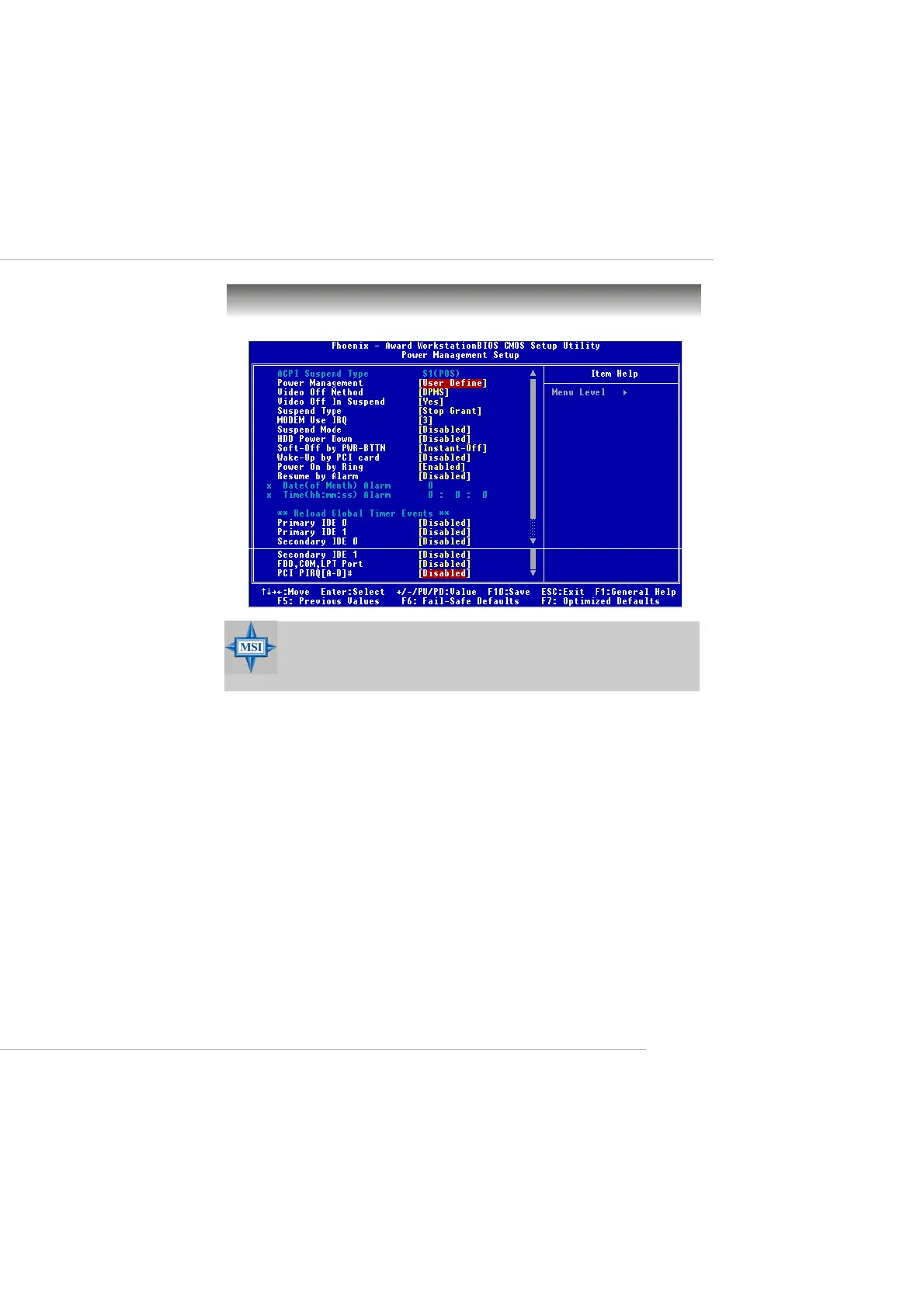
Power Management Setup
ACPI Suspend Type
This setting specifies the power saving mode for ACPI function if your oper-
ating system supports ACPI, such as Windows 98SE, Windows ME and Win-
dows 2000. The default setting:
S1/POS The S1 sleep mode is a low power state. In this state, no
system context is lost (CPU or chipset) and hardware
maintains all system context.
Power Management
This item is used to select the degree (or type) of power saving and is related
to these modes: Suspend Mode and HDD Power Down. There are three op-
tions for power management:
Min Saving Minimum Power Management. Suspend Mode = 1 Hour.
Max Saving Maximum Power Management. Suspend Mode = 1 Min.
User Define Allows end users to configure each mode separately.
MSI Reminds You...
S3-related functions described in this section are available only
when your BIOS supports S3 sleep mode.
This manual downloaded from http://www.manualowl.com



 To Next Page