3-15
BIOS Setup
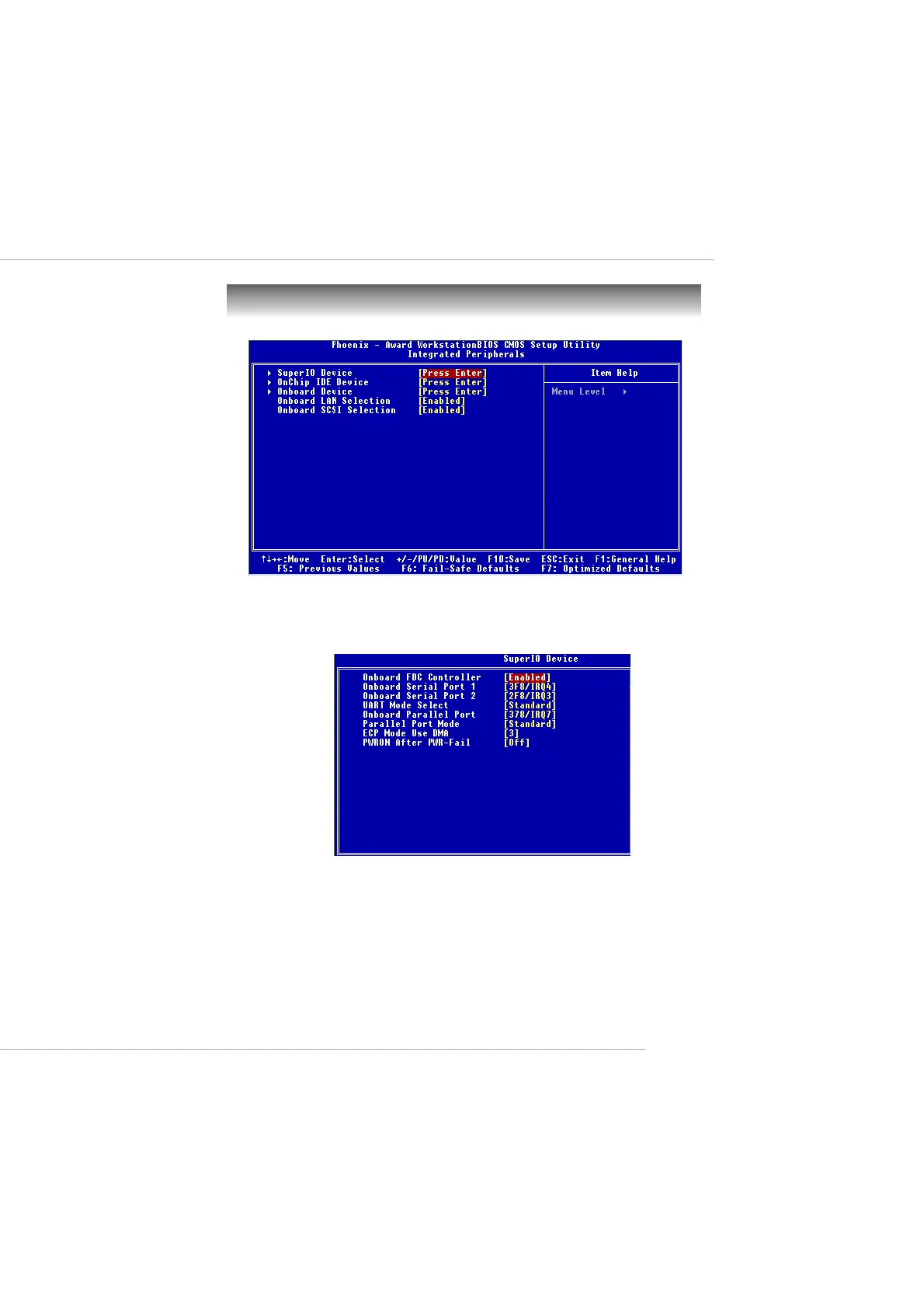
Super IO Device
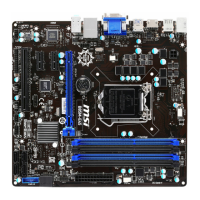
Press <Enter> to enter the sub-menu and the following screen appears:
Onboard FDC Controller
Select Enabled if your system has a floppy disk controller (FDD) in-
stalled on the system board and you wish to use it. If you install add-on
FDC or the system has no floppy drive, select Disabled in this field. The
settings are: Enabled and Disabled.
Onboard Serial Port 1/Port 2
Select an address and corresponding interrupt for the first and second
Integrated Peripherals
This manual downloaded from http://www.manualowl.com



 To Next Page