1-11
7797
Chapter 1
Important
Do not touch the CPU socket pins.
Conrm that the CPU cooler has formed a tight seal with the CPU before booting
your system.
Whenever the CPU is not installed, always protect the CPU socket pins by covering
the socket with the plastic cap.
Please refer to the documentation in the CPU cooler package for more details about
CPU cooler installation.
•
•
•
•
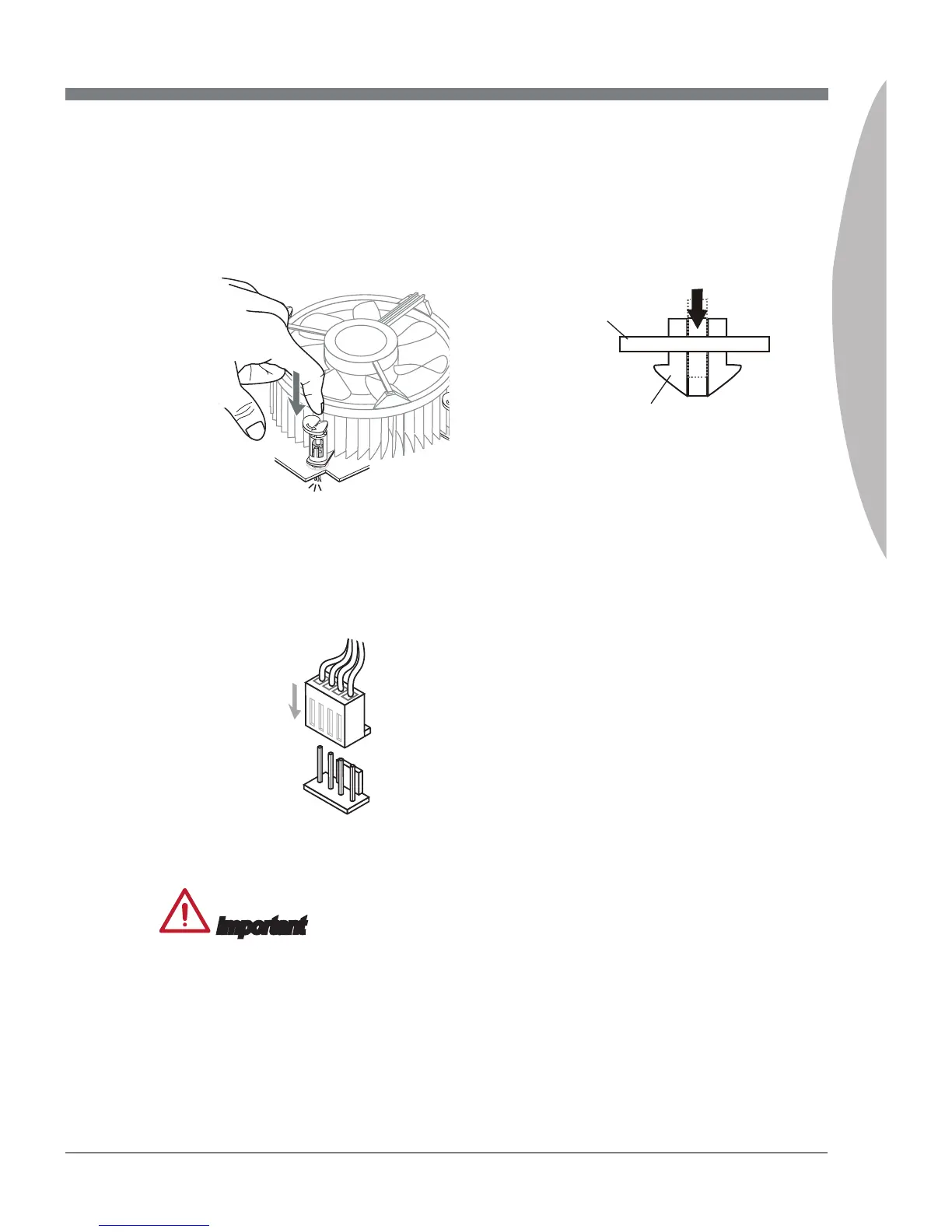
Push down on the heatsink until the
four clips get wedged into the holes
on the mainboard. Press the four
hooks down to fasten the cooler. As
each hook locks into position a click
should be heard.
9. Inspect the mainboard to ensure that
the clip-ends have been properly
locked in place.
10.
Finally, attach the CPU fan cable
to the CPU fan connector on the
mainboard.
11.
Mainboard
Hook


 To Next Page