1-14
Getting Started
Memory
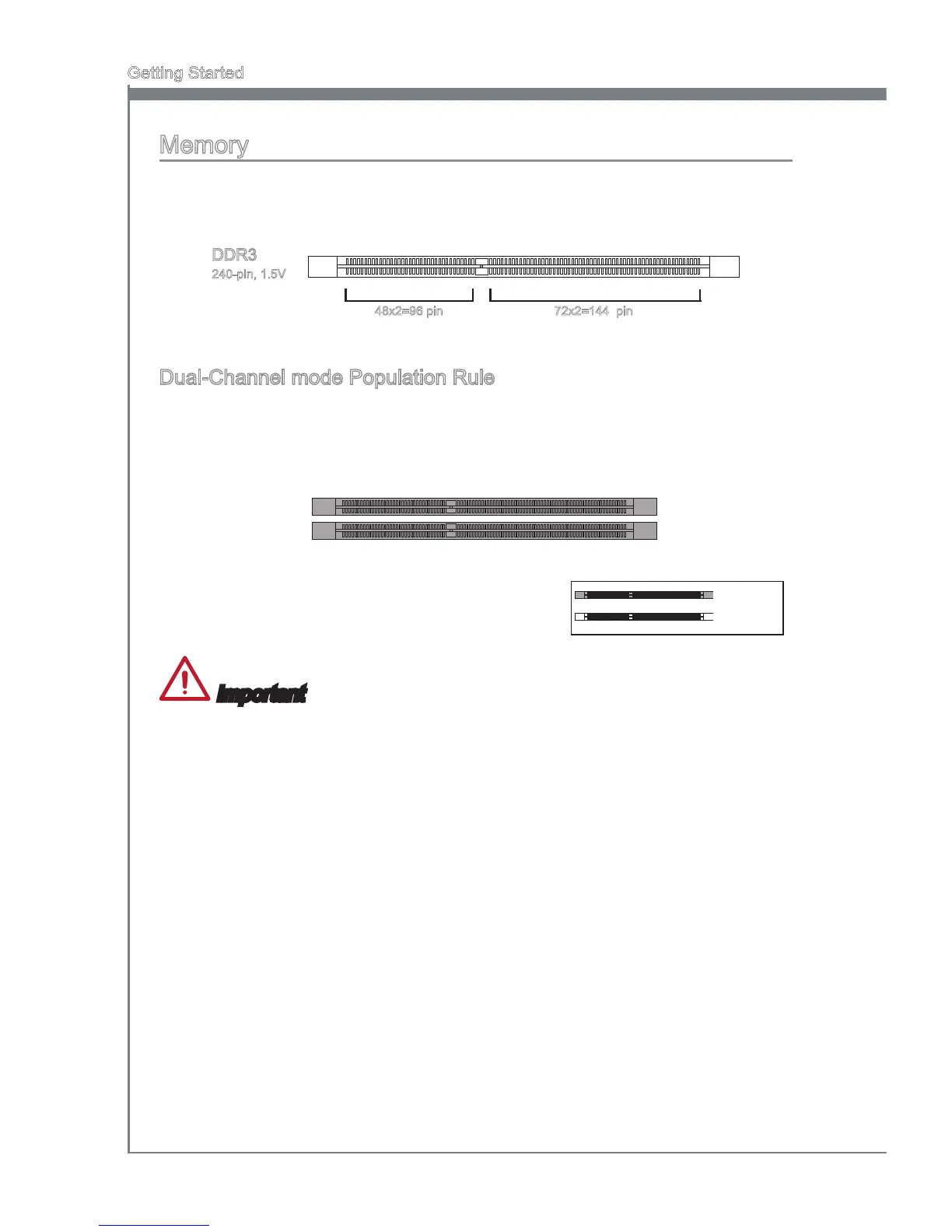
These DIMM slots are used for installing memory modules. For more information on
compatible components, please visit http://www.msi.com/service/test-report
DDR3
240-pin, 1.5V
48x2=96 pin 72x2=144 pin
Dual-Channel mode Population Rule
In Dual-Channel mode, the memory modules can transmit and receive data with two
data bus channels simultaneously. Enabling Dual-Channel mode can enhance system
performance. The following illustrations explain the population rules for Dual-Channel
mode.
DIMM1
DIMM2
Important
DDR3 memory modules are not interchangeable with DDR2, and the DDR3 standard
is not backward compatible. Always install DDR3 memory modules in DDR3 DIMM
slots.
To ensure system stability, memory modules must be of the same type and density
in Dual-Channel mode.
Due to chipset resource usage, the system will only detect up to 15+ GB of memory
(not full 16 GB) when all DIMM slots have 8GB memory modules installed.
•
•
•
Installed
Empty


 To Next Page