1-18
Getting Started
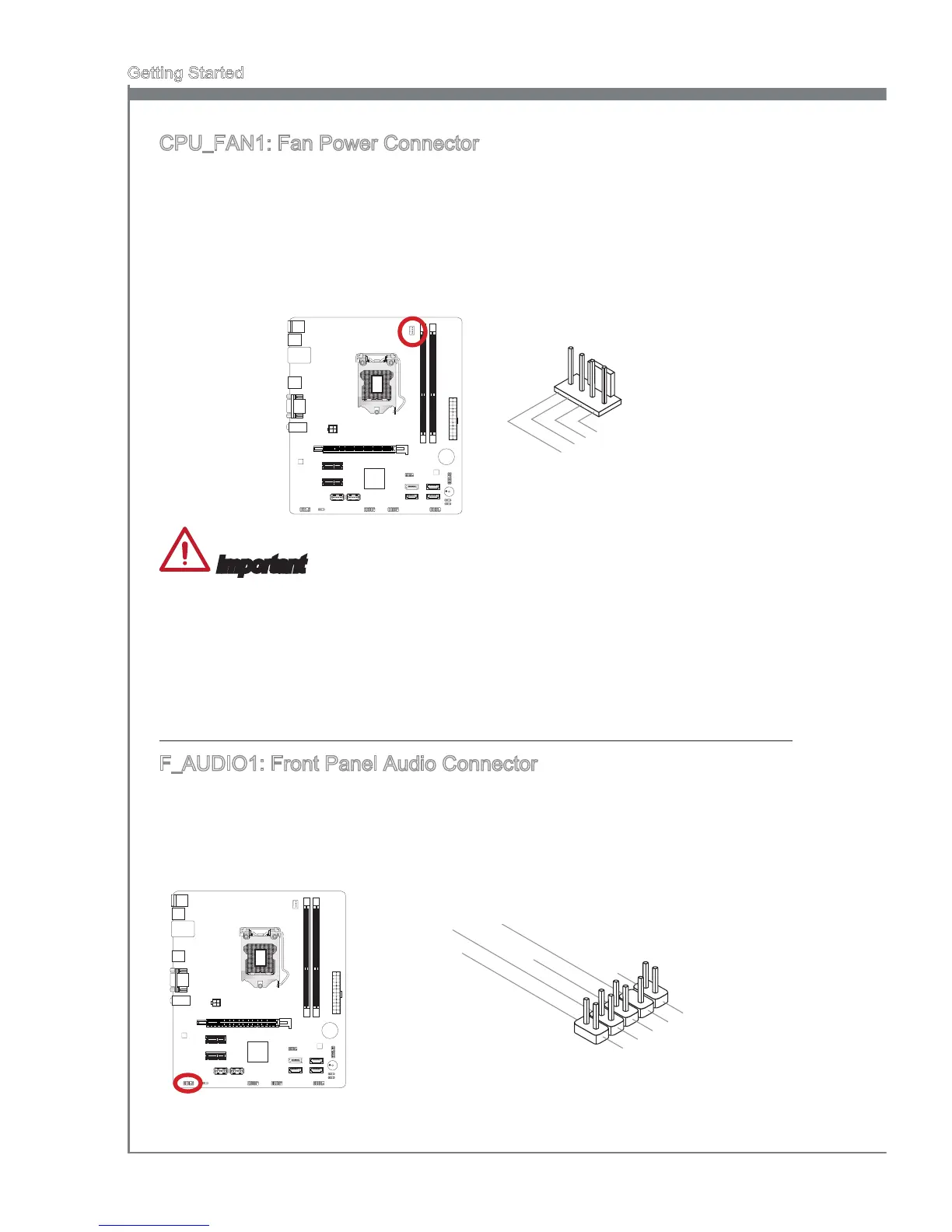
CPU_FAN1: Fan Power Connector
The fan power connectors support system cooling fans with +12V. If the mainboard has
a System Hardware Monitor chipset on-board, you must use a specially designed fan
with a speed sensor to take advantage of the CPU fan control. Remember to connect
all system fans. Some system fans may not connect to the mainboard and will instead
connect to the power supply directly. A system fan can be plugged into any available
system fan connector.
Important
Please refer to your processor’s ocial website or consult your vendor to nd recom-
mended CPU cooling fans.
If there are not enough ports on the mainboard to connect all system fans, adapters
are available to connect a fan directly to a power supply.
Before rst boot up, ensure that there are no cables impeding any fan blades.
F_AUDIO1: Front Panel Audio Connector
This connector allows you to connect the front audio panel located on your computer
case. This connector is compliant with the Intel
®
Front Panel I/O Connectivity Design
Guide.


 To Next Page