1-15
7797
Chapter 1
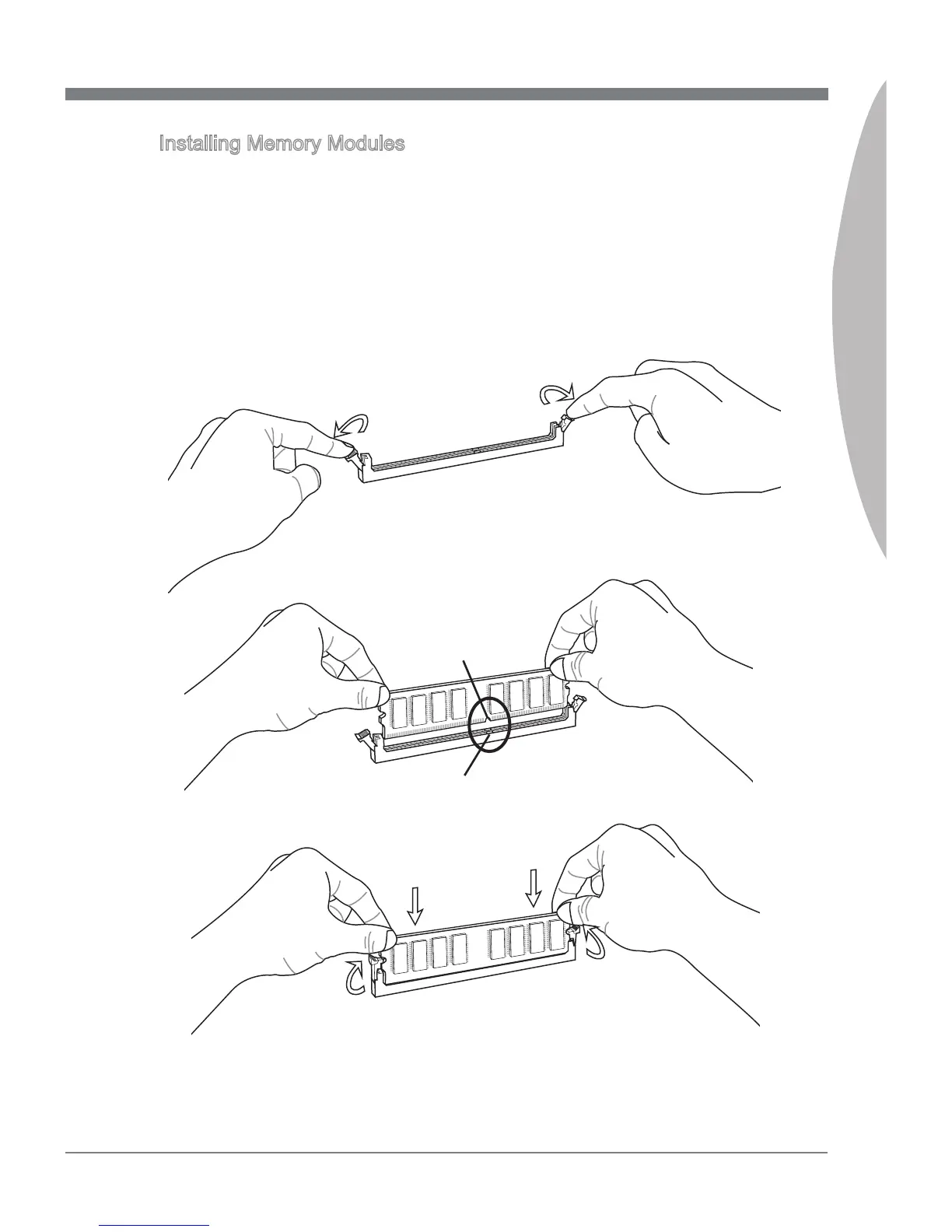
Installing Memory Modules
Unlock the DIMM slot by pushing the mounting clips to the side. Vertically insert the
memory module into the DIMM slot. The memory module has an o-center notch on
the bottom that will only allow it to t one way into the DIMM slot.
Push the memory module deep into the DIMM slot. The plastic clips at each side
of the DIMM slot will automatically close when the memory module is properly seat
and an audible click should be heard.
Manually check if the memory module has been locked in place by the DIMM slot’s
side clips.
1.
2.
3.
Notch
Volt


 To Next Page