WI-FI DCS USER’S GUIDE 17
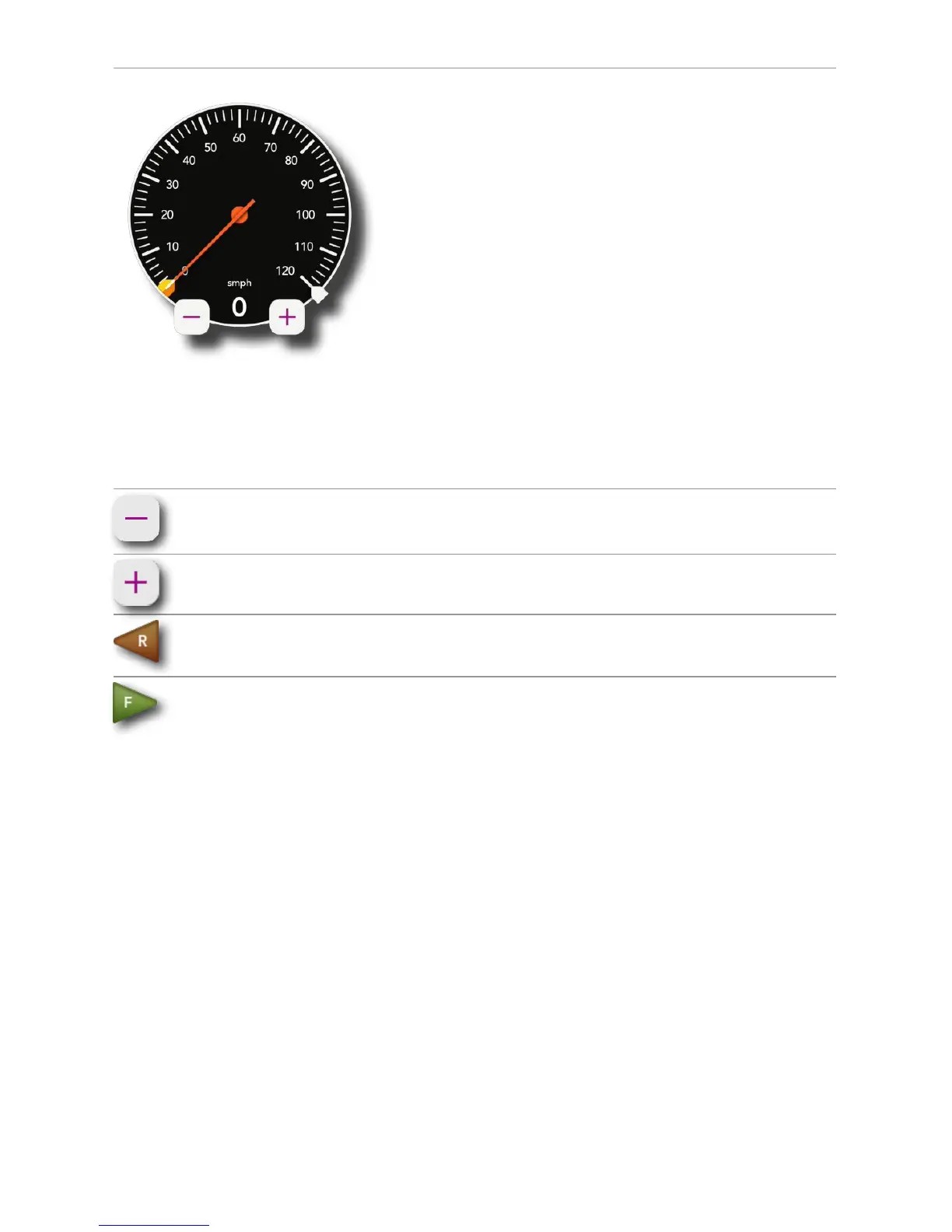
Speedometer: There are several ways to control the
speed of your locomotives.
Tap once anywhere around the circular bezel once to
set the speed. The engine will accelerate or decel-
erate at the default rate. (See Page 53 in the DCS
Manual)
Tap twice anywhere around the circular bezel to set
the speed at faster rate.
Touch, hold, and drag from the tip of the speed
indicator needle around the circular bezel in either
direction to select the desired speed.
Regardless of how you set the speed, the digital
speed is displayed between the “-“ and “+” icons.
Incidentally, speeds are in actual scale miles per
hour (smph) in DCS!
- icon: Tapping here decreases speed in
increments of 1 smph.
+ icon: Tapping here increases speed in
increments of 1 smph.
Reverse: Tapping here sets the direction of the
engine to reverse.
Forward: Tapping here sets the direction of the en-
gine to forward.
Note: If you are moving in forward, tapping reverse is
a good way to bring the engine to a stop. The same
is true if you tap forward while moving in reverse. Go
ahead. Try it.



 To Next Page