WI-FI DCS USER’S GUIDE 13
11. After waiting a full 3 minutes, it is now safe to remove power from the DCS Explorer
and reconnect it to your layout.
Note: LuCI will never tell you that the step is complete. It will remain on the
system ashing screen indenitely. This is why you must wait 3 minutes.
Changing the SSID and Network Key for MTH Wi-Fi Network Mode
For security purposes, like operating in a public setting, you may want to change the SSID
and Network Key. These are also known as the Network Name and Password for those of us
who are less technical. Either way, it’s easy.
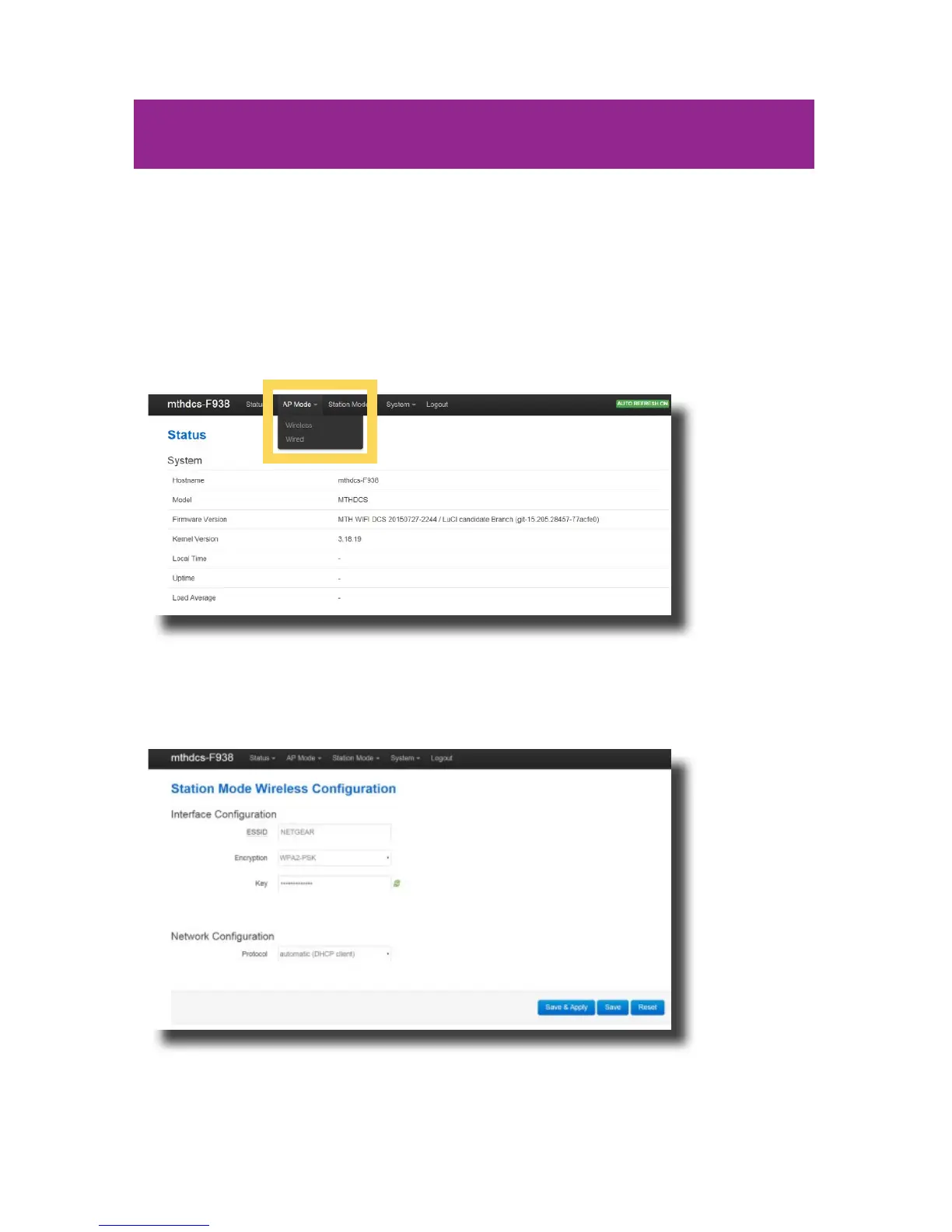
1. Access LuCI (see instructions above in this section).
2. Select the AP MODE tab at the top of the page.
3. Select WIRELESS from the drop down menu.
4. Scroll to the top of the page.
5. In the ESSID box, delete the contents and enter the new SSID or network name.



 To Next Page