EasyManua.ls Logo

MTHTrains DCS EXPLORER - Product Overview

MTHTrains DCS EXPLORER
27 pages
Print Icon
To Next Page IconTo Next Page
To Previous Page IconTo Previous Page
Loading...
WI-FI DCS USER’S GUIDE 3
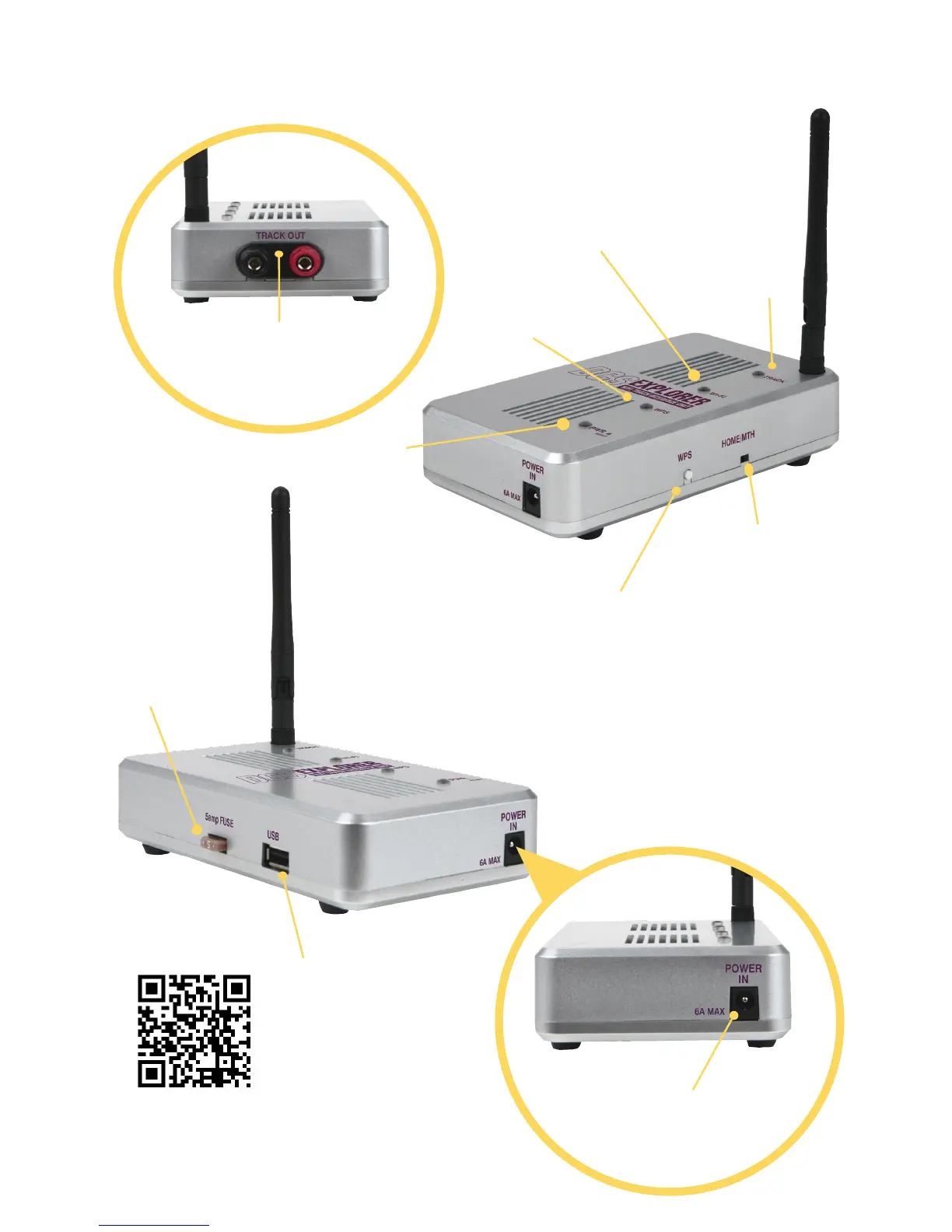
Wi-Fi
Blue when
Wi-Fi available
POWER
Green when
plugged in
WPS
White when
WPS initiated
DCS Explorer
Product Overview
WPS
“Wi-Fi Protected Set Up”
Press to connect to your
WPS capable router
TRACK OUT
Connect
directly to your
track
HOME/MTH
Selects between
HOME and MTH
networks
PWR
Connect wall
adapter here
FUSE
Replaceable if
necessary
USB
Connect to Ethernet
(requires adapter)
Track
Purple when
track power and
signals on
Red when track
is overloaded
Off until a
command is sent
from the app
FOR MORE PRODUCT INFORMATION, INTRUCTIONS AND
SUPPORT, VISIT WWW.MTHTRAINS.COM/50-1035
Reset button
Press and release for Reboot
Press and hold 10 seconds for
factory reset