WI-FI DCS USER’S GUIDE 19
Adding New Engines
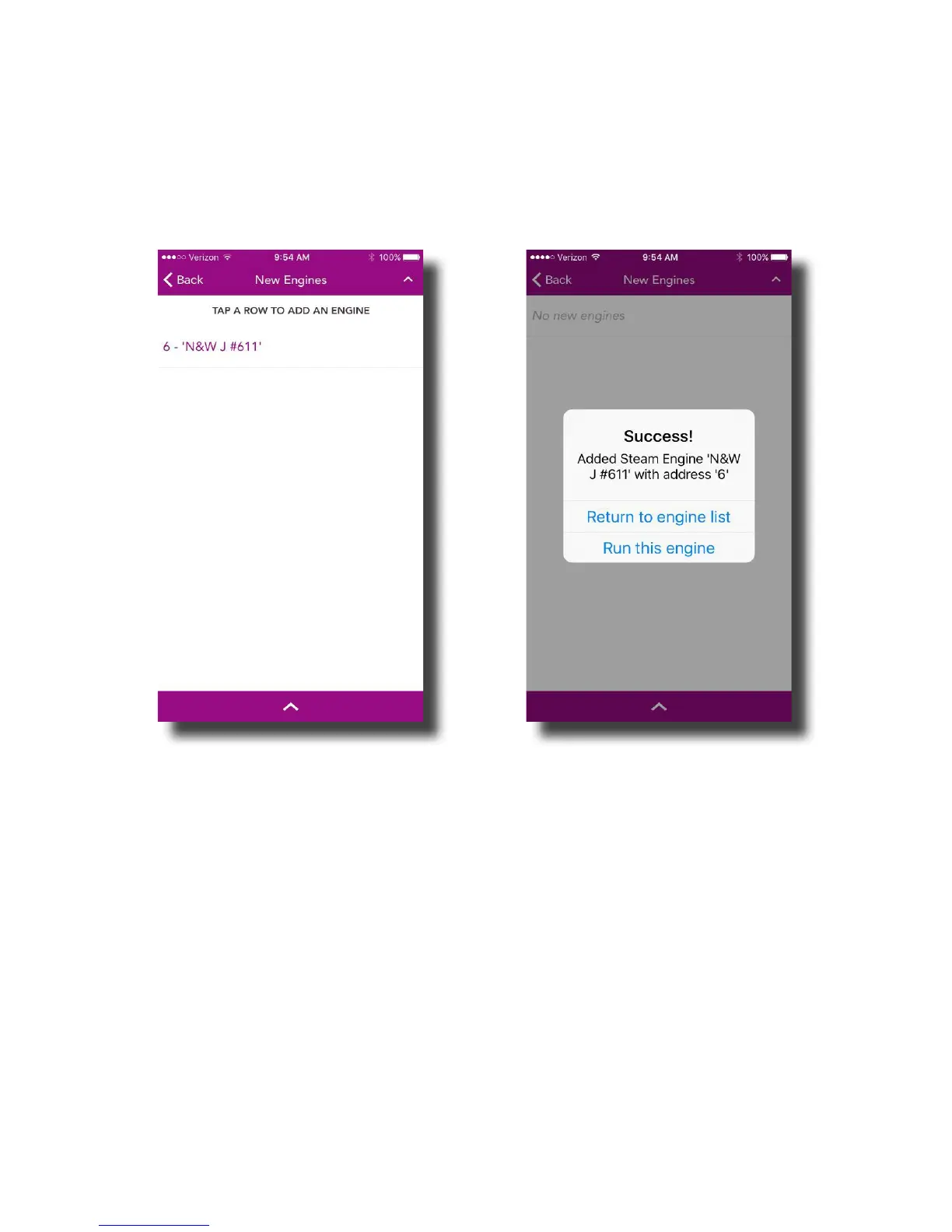
After tapping ADD MTH ENGINE from the ENGINE LIST SCREEN, a list of new engines found
will be displayed.
From this screen, simply tap the engine name you would like to add. This will bring up the
Conrmation screen.
From here, you can tap RETURN TO ENGINE LIST which will take you back to your
ENGINE LIST or RUN THIS ENGINE which will take you to the MAIN CONTROL SCREEN for the
newly added engine.
Note: If you are adding multiple engines, the additional option of ADD ANOTHER
ENGINE appears. Tap to go back to the list of new engines to add.



 To Next Page