WI-FI DCS USER’S GUIDE 23
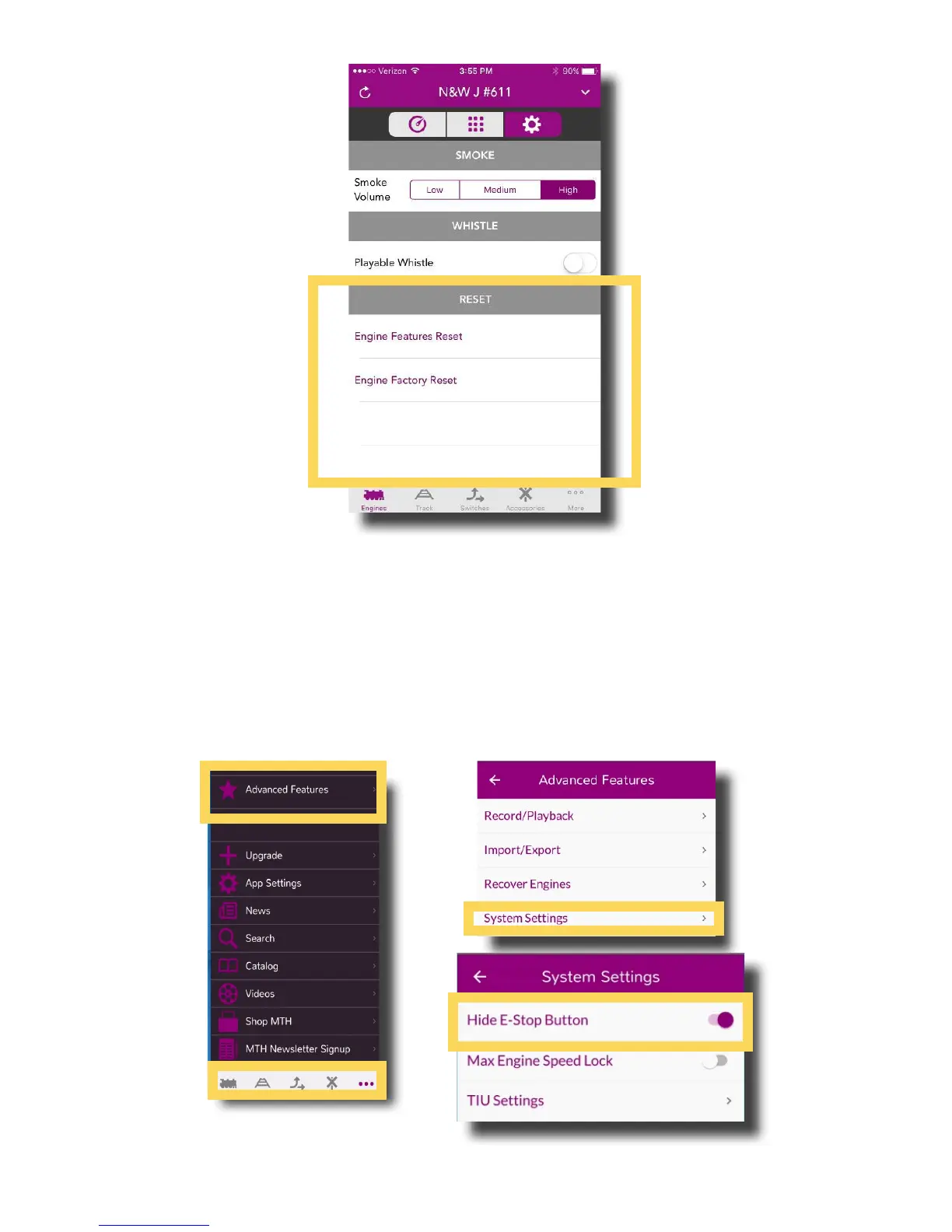
Reset Settings
Engine Features Reset: Tap to reset all features of your engine except the address and
custom name.
Engine Factory Reset: Tap to reset the engine to factory defaults.
To Unhide or Hide the E-Stop Feature:
Unhiding E-stop, or Emergency Stop, displays an icon on the main control screen that
when pressed for 1 second or more, removes power from the track.



 To Next Page