Chapter 2: Using the Fax Client Software
FaxFinder Client User Guide 19
Checking FaxFinder Status
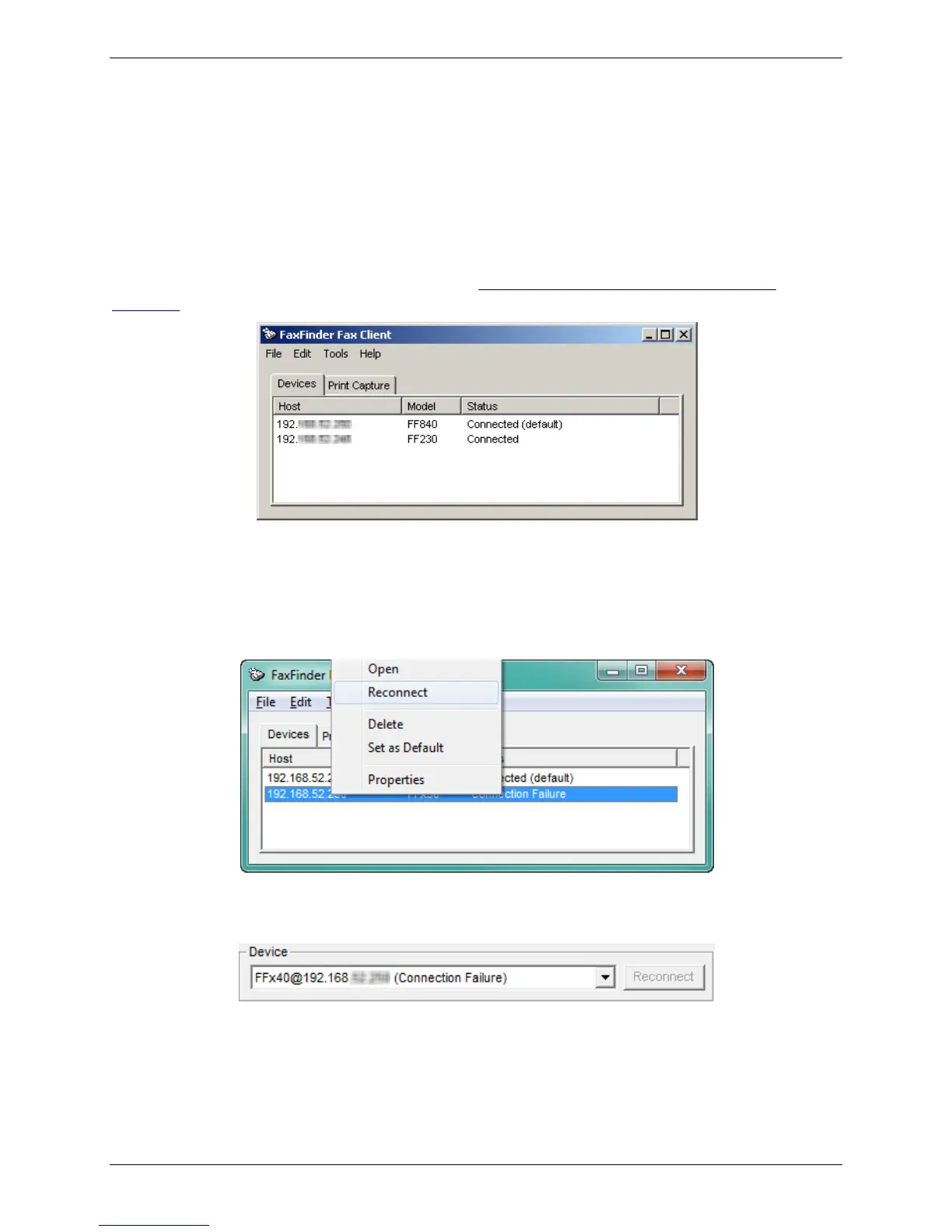
When you start the fax client, the Devices tab lists all FaxFinders that are associated with your fax client
software. For each unit, it shows:
● Host, which is the name or IP address of a FaxFinder unit
● Model, which is the model number of the FaxFinder unit
● Status, which indicates the current connection state and identifies the default unit
To add another FaxFinder unit to your fax client, see Associating the Software and a User with a
FaxFinder.
Reconnecting a FaxFinder
If the FaxFinder status is disconnected, attempt to reconnect. To do this:
● Right-click on the disconnected FaxFinder and select Reconnect.
● You can also click Reconnect through the Send Fax window. The Reconnect button will be available
if the FaxFinder is not connected.
Deleting a FaxFinder from the Fax Client
To delete a FaxFinder from your fax client software:
● On the Devices tab, right-click on the FaxFinder you want and select Delete. You will be prompted to
confirm the deletion.



 To Next Page