Chapter 2: Using the Fax Client Software
20 FaxFinder Client User Guide
Setting a Default FaxFinder
To make a FaxFinder the default unit for sending faxes from this fax client:
● On the Devices tab, right-click on the FaxFinder you want and select Set as Default.
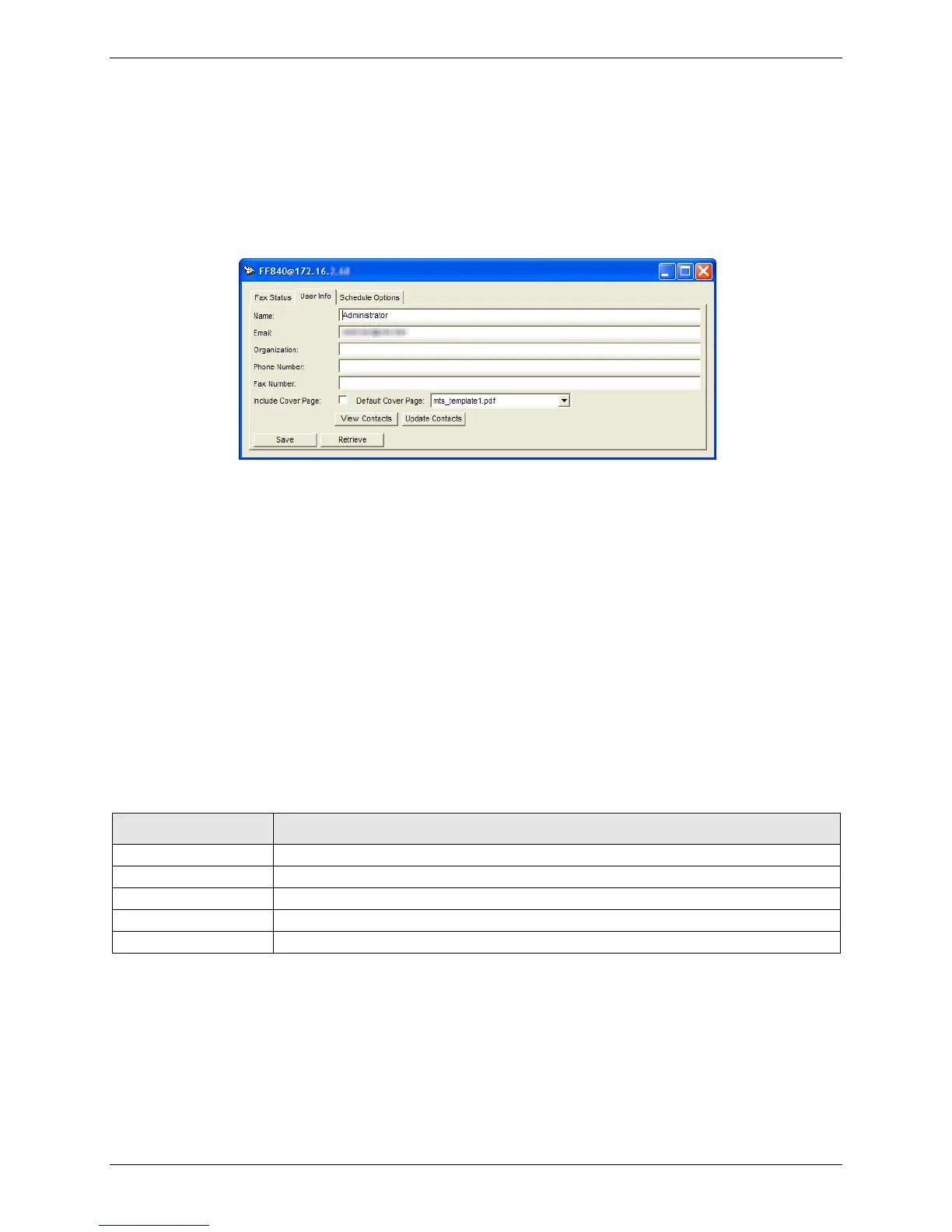
Editing User Information
To update your user information from the FaxFinder unit:
1. On the Devices tab, right-click on the FaxFinder you want and click Open.
2. Click User Info.
3. Click Retrieve.
To enter your user information:
1. On the Devices tab, right-click on the FaxFinder you want and click Open.
2. Click User Info.
3. Enter user information.
4. Click Save. This will save changes on the FaxFinder unit.
User Info Fields
Enter your full name. FaxFinder uses this name as the fax sender’s name.
Enter your email address.
Setting a Default Cover Page for Your User Account
To include a cover page with every fax by default:
1. On the Devices tab, right-click on the FaxFinder you want and click Open.
2. Click User Info.
3. Check Include Cover Page.



 To Next Page