7
7.1. Allocating Ip Number To Room Monitors
NOTICE: DEVICE SHOULD BE PROGRAMMED BY THE INSTALLATION TECHNICIAN. TO ASSING A ROOM
NUMBER TO A DEVICE, YOU HAVE TO KNOW THE BLOCK AND ROOM NUMBER OF THE ROOM. NO
ADDITIONAL INFORMATION IS NEEDED.
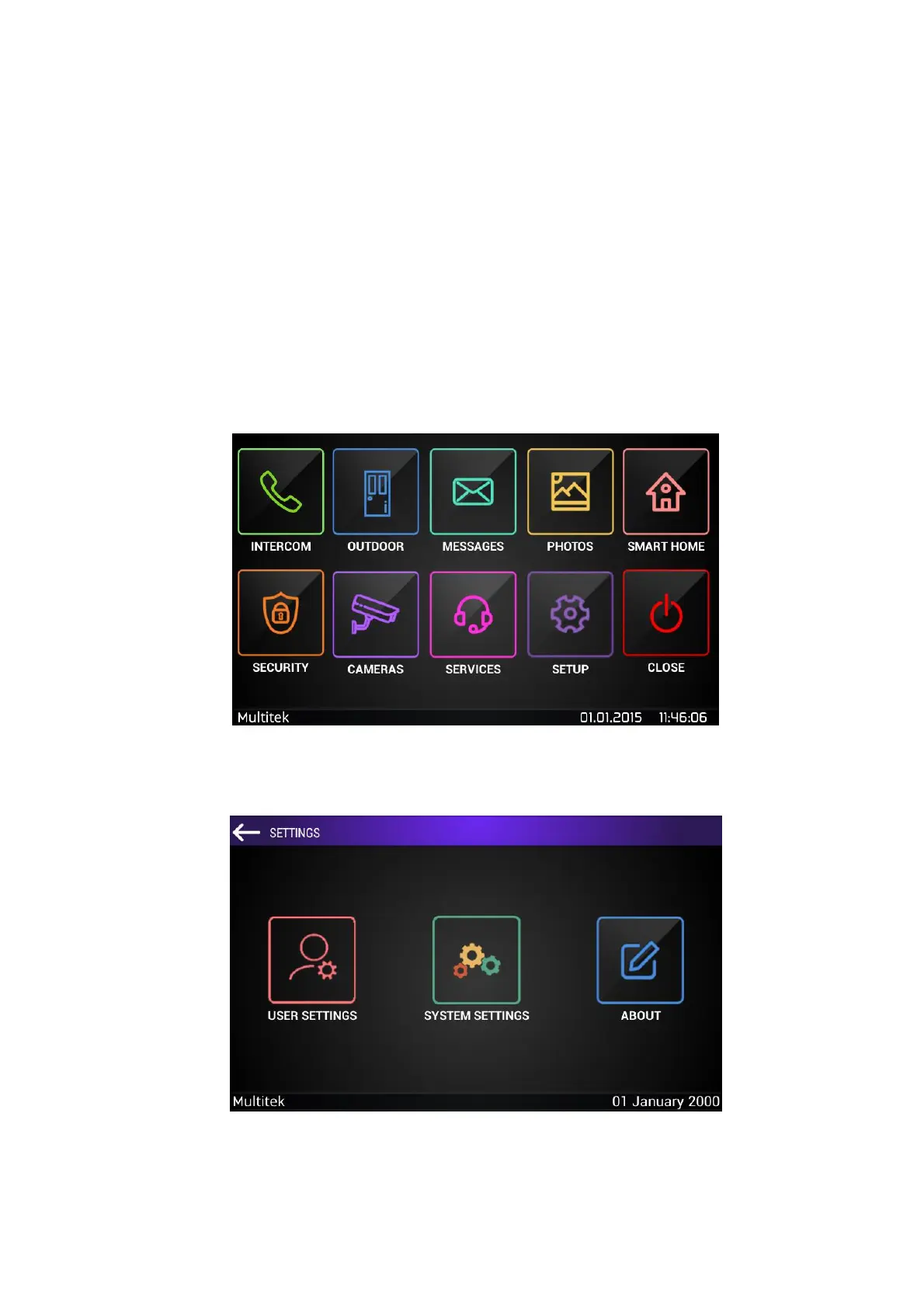
To assign a block and room number to a device, follow the menu pages below:
MAIN MENU/ SETUP/ System Settings / Device Number
(default keyword to enter systems settings is “0000”)
Figure 2: Main screen
Figure 3: Settings



 To Next Page