TM1215 Iss. 6.0 RPR750
20
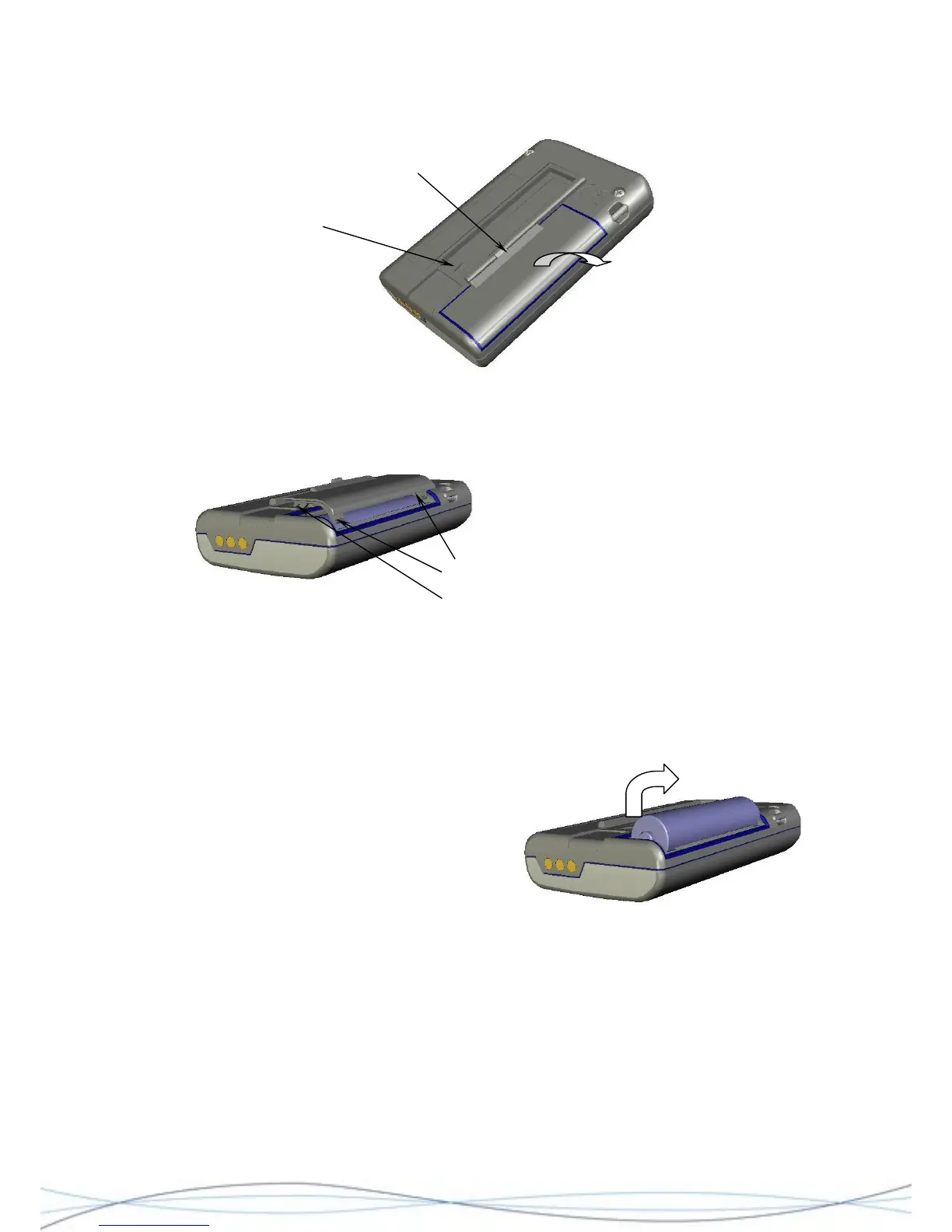
Using the Battery Door Tool, lift and release the battery-door catch and with forefinger,
pull the door away from the case, in the direction shown in the illustration.
Clip back-plate retaining slot
Batter
door catch
Figure: 2.3 Battery Door Removal
Ensure that the battery door lugs are
lifted clear of the case and remove the
door.
Battery door
locating/locking lugs
orefinger
Figure: 2.4 Battery Door Lug Positions
Remove the battery by placing your forefinger onto the positive end-cap and lifting the
battery upwards, at the same time pushing slightly backwards against the negative
contact spring.
Remove the battery by placing your f
onto the positive end-cap and lifting the
battery upwards, at the same time pushing
slightly backwards against the negative
contact spring.
Figure: 2.5 Battery Removal
Battery replacement is the reverse of the above sequence. Place the battery base against
the negative contact spring and compress slightly, at the same time pushing the battery
into the compartment and engaging the positive end-cap against the positive contact of
the pager.



 To Next Page