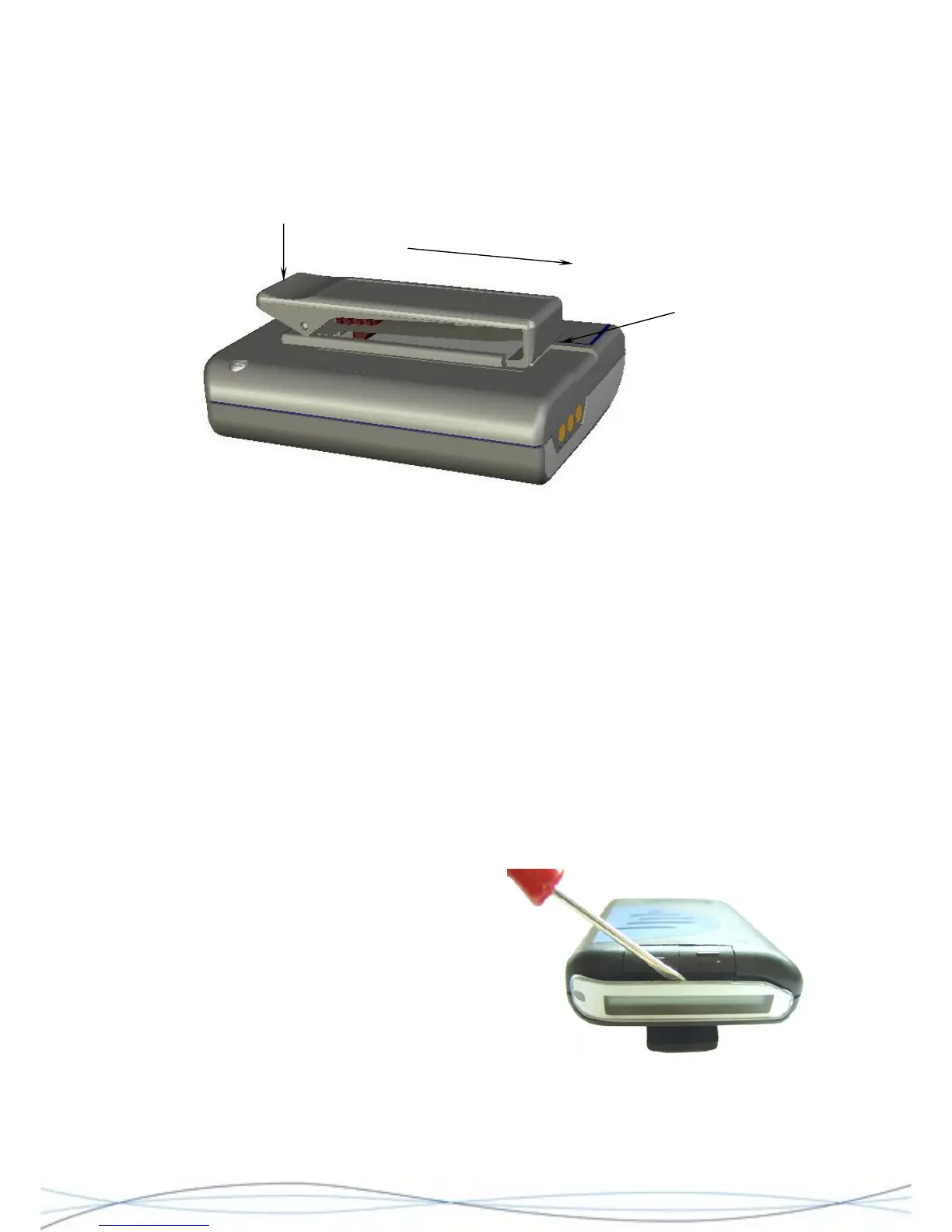
Slide Clip Assembly to remove
Insert Battery
Door Tool or b
under the edge o
the metal retaining
clip and lift
lade
f
Figure: 4.1
Removal - Refer to Fig. 4.1. Hold the pager in one hand and push down on the top of the
clip, to raise the bottom "grip-edge". Gently insert the Battery Door Tool edge marked
"clip" or similar blade, under the metal back-plate of the clip and lift enough to release the
retaining catch. Once the catch has lifted sufficiently, slide the clip towards the bottom of
the pager, by applying thumb pressure to the clip top.
Replacement - Before attempting clip replacement, ensure that the grip adjustment slider
is set to the top of the clip and that the metal back-plate has been straightened. To
replace the clip, insert the top of the metal back-plate into the grooves of the clip housing.
Slowly push the clip home, until the retaining catch locks into position.
4.4.2 Case Removal
Remove the clip assembly (as described in 4.4.1) and the battery door. The next stage of
removal varies according to the age of the equipment under repair and is determined by
the type of OCR/Mute button fitted.
For older equipments fitted with the “flush”
style of button, proceed as follows. Do not
try to remove the window by this
method on later units, as it is moulded
as part of the case rear.
Insert the blade of a small screwdriver, or
similar blunt blade, between the edge of
the window and behind the buttons. Gently
lift the blade and prise the open the edge
of the window. Once lose, lift the window
away from the unit and discard. Do not
re-use the window, replace with a new component.
29



 To Next Page