TM1215 Iss. 6.0 RPR750
WARNING
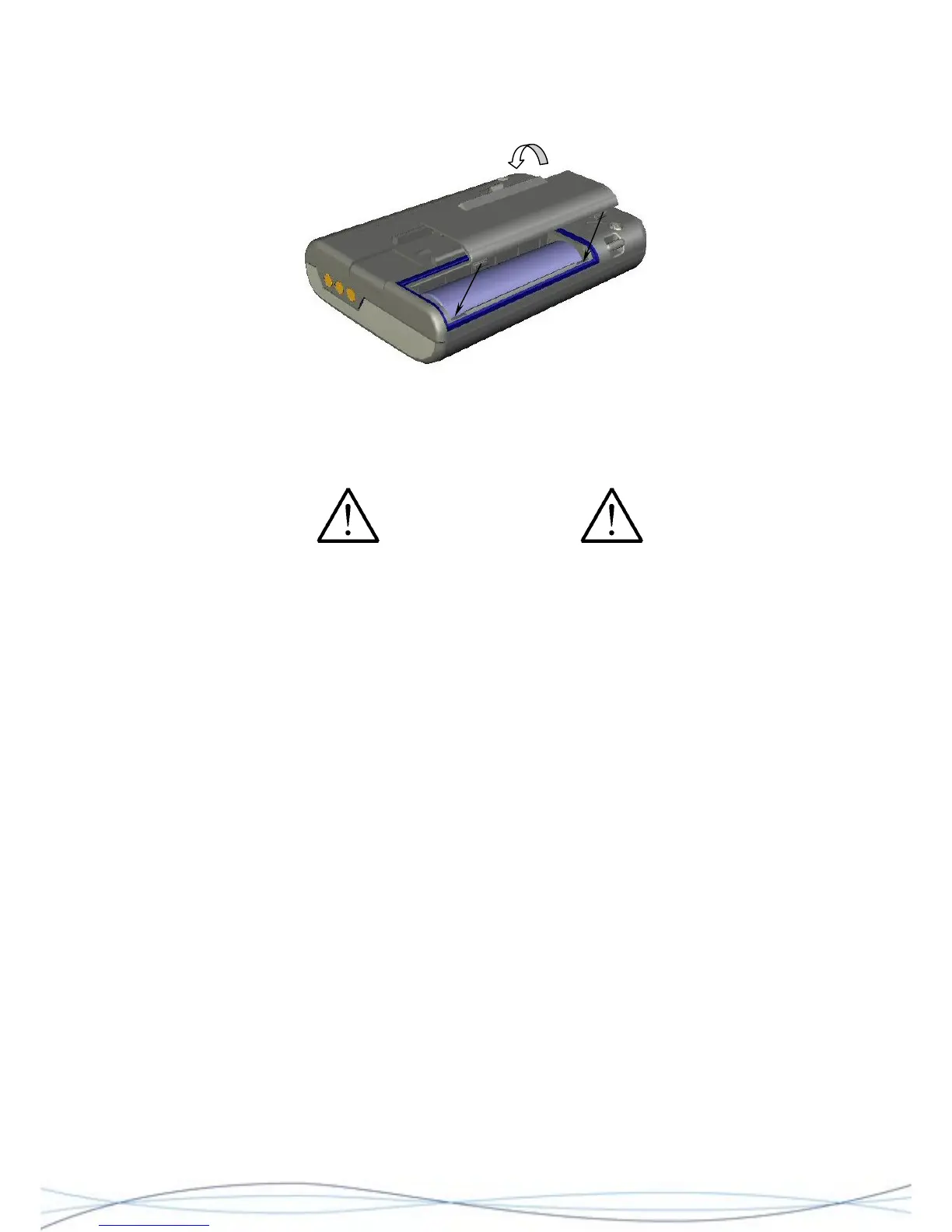
To replace the battery door, firstly locate the battery door lugs into the positions shown
and then rotate the door downwards, compressing the battery and surrounding gasket.
Push until the second set of lugs and the catch engage and hold the door closed.
Figure: 2.6 Battery Door Re-fitting
Finally, whilst holding the battery door in place, re-insert the metal clip-back into the
guides on the case-rear and slide the clip into place, ensuring that the retaining lug re-
locates into the slot in the case-back.
For the Intrinsically safe variants of the pager, only specific types of cell are to be
used, as these form part of the safety certification. Do not use any other cell types,
as this may contribute to a hazardous situation. Refer to the User Guide for battery
options.
21



 To Next Page