Page20of33
IMC08 Banknote Counter & Sorter User Manual
Version 1.03
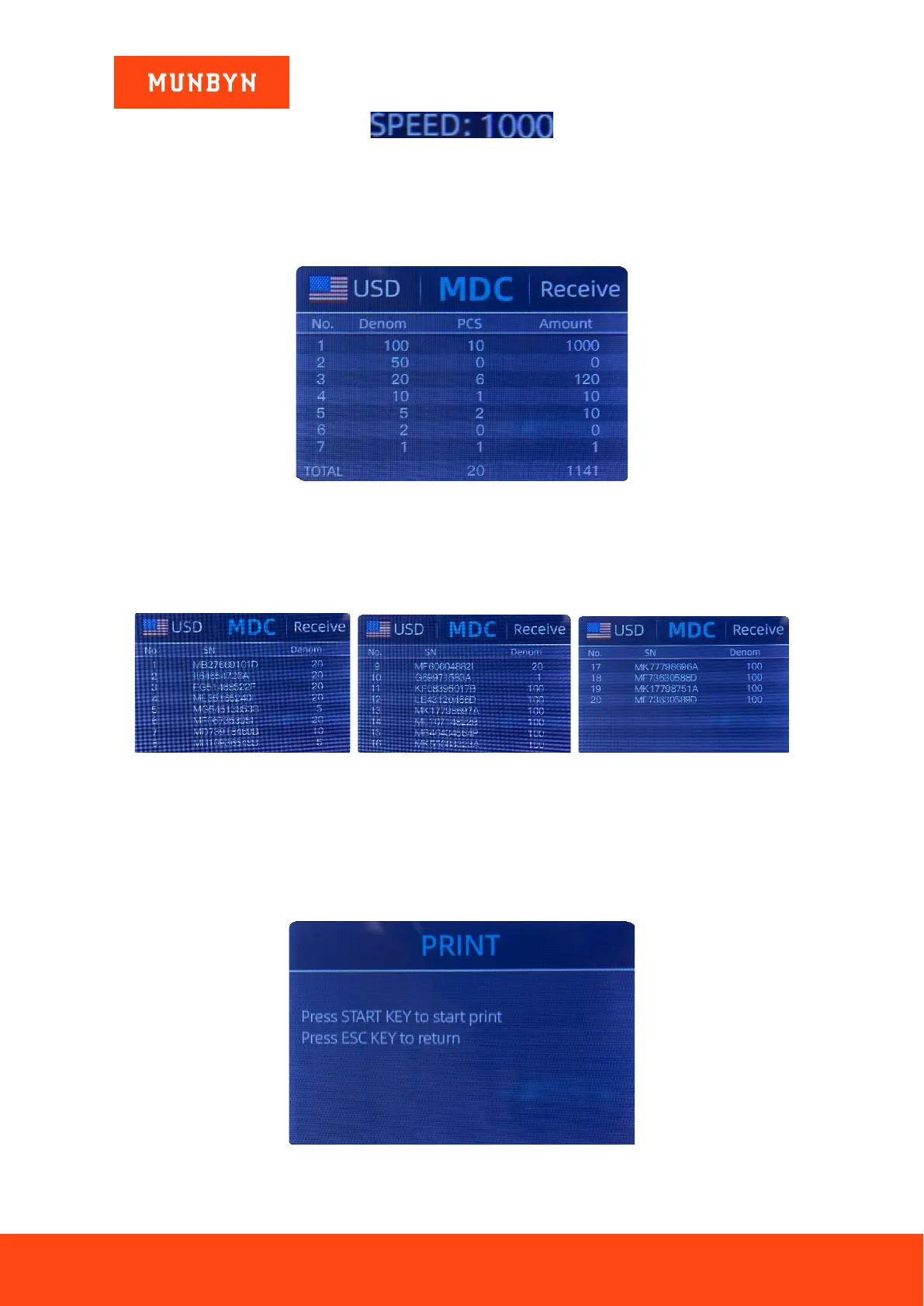
Figure 5-23 IMC08 Speed Indicator
5.7. Check Detail of Counting
In the MDC, SDC or SDCV mode, press the REC key upon the completion of counting to enter the interface
shown in the following figure to check the details of counting.
Figure 5-24 Detail Denomination Information
5.7.1. Check the Serial Number
As shown in the above figure, if the SN reading is on, press the REC key again, and the banknote’s serial
numbers will be shown as in the following figure. Press the ↓ ↑ key to browse the listed serial numbers.
Figure 5-25 Serial Number Information
5.8. Print Information
5.8.1. Printer prints banknote data
When the external printer has been connected press the PRINT key after counting. This enters the print
interface. To print, press the PRINT key again, the printer starts printing.
Figure 5-26 Printer Interface



 To Next Page