Page24of33
IMC08 Banknote Counter & Sorter User Manual
Version 1.03
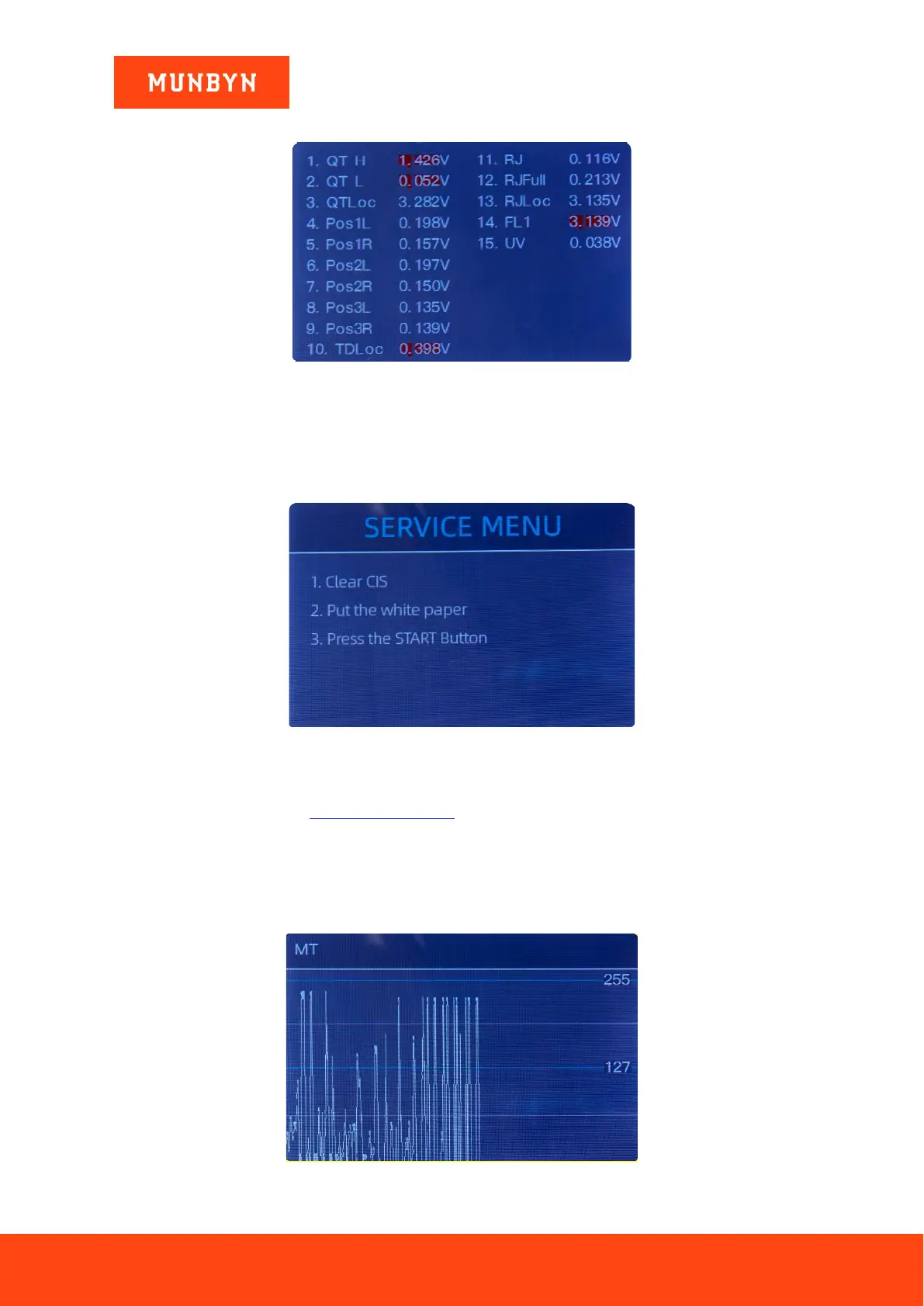
6.1.1. Read Sensor Values
Figure 6-4 Sensor Values
Tech support may ask you to provide this information. As shown in the above figure, the sensors values
are for the engineers to check whether any sensor has a malfunction. If you meet any problem about use,
please take a photo of this page and contact us.
6.1.2. CIS Calibration
Figure 6-5 CIS Calibration Steps
If you have problems with banknote detection errors, please try to calibrate the CIS. The CIS calibration
steps are shown in Figure 5-5. For more detail instruction, we recommend you to review the reference manual
or watch the following video: https://bit.ly/2C17fom.
The contact image sensor (CIS) of the machine has been calibrated properly from the factory. With regular,
use, the sensor’s sensitivity decreases which can lead to image errors. To resolve the issue, the IMC08 can
be re-calibrated using the white calibration paper that came with the machine.
6.1.3. MG MT Waveforms
Figure 6-6 MG MT Waveforms



 To Next Page