Page9of33
IMC08 Banknote Counter & Sorter User Manual
Version 1.03
3.0. Packing Open and Installation
3.1. Packing List
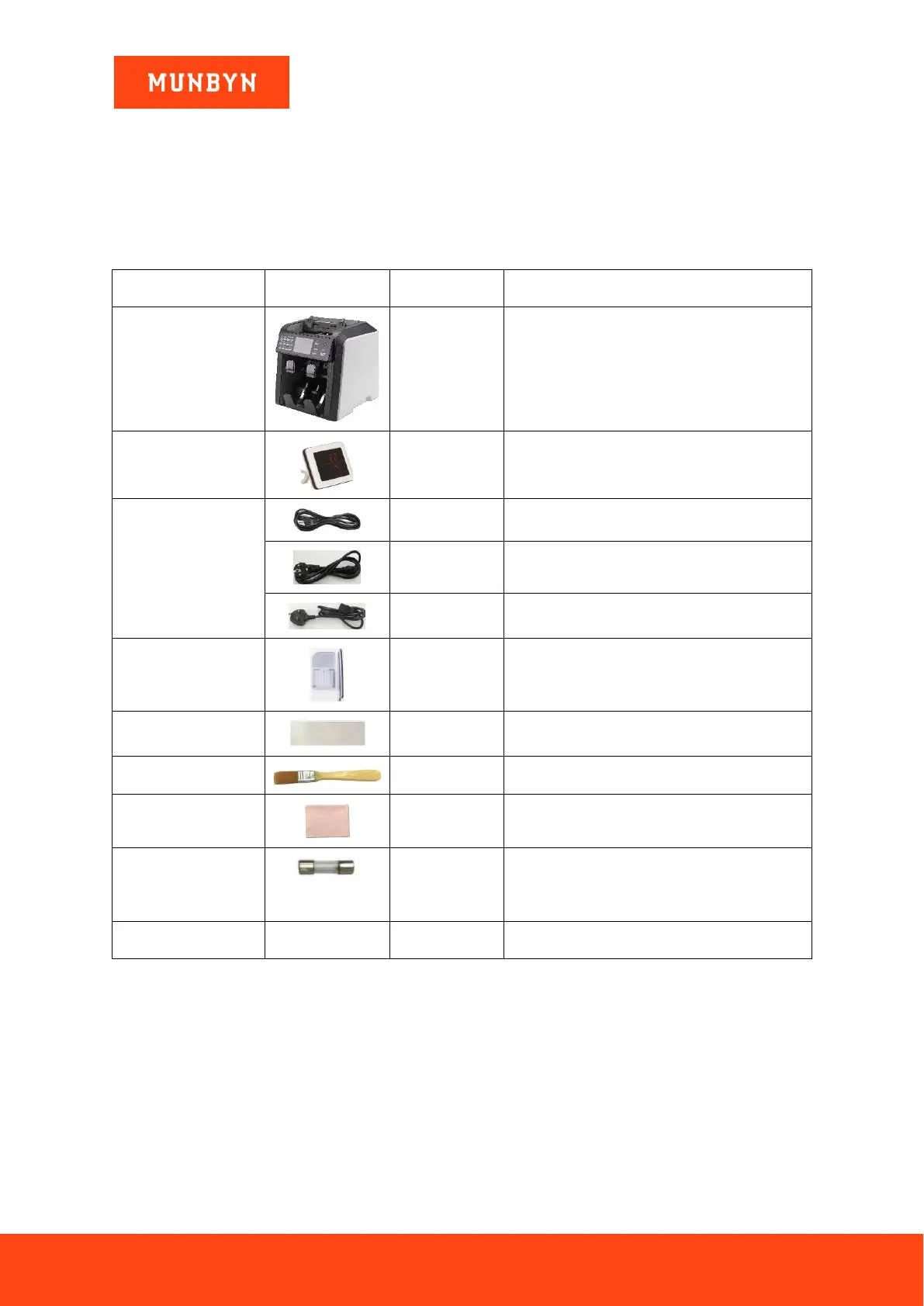
When you receive the package, open and check the packing list in the package. If any item is damaged or
missing, contact us.
Table 3-1 Packing List
External LED display screen with RJ12 cable
U.S. Standard Power Supply Cable
European Power Supply Cable
Guides on top of the hopper
Used for machine cleaning
Used for cleaning the CIS sensors.
This is a spare fuse. A fuse is already
installed. Fuses ensure power protection and
are required by electrical standards.
3.2. Installation Instructions
3.2.1. Safety Precautions
When using this product, the following basic safety precautions should always be followed to reduce the risk
of fire, electric shock or injury to persons or animals.
1) Place the machine on a flat and stable surface.
2) Do not place the machine in dusty or dirty environments.
3) Do not place the machine in direct sunlight or near heat sources.
4) Always disconnect the power cord before performing maintenance on the machine.
5) Always connect the machine to a grounded electric outlet.



 To Next Page