Page21of33
IMC08 Banknote Counter & Sorter User Manual
Version 1.03
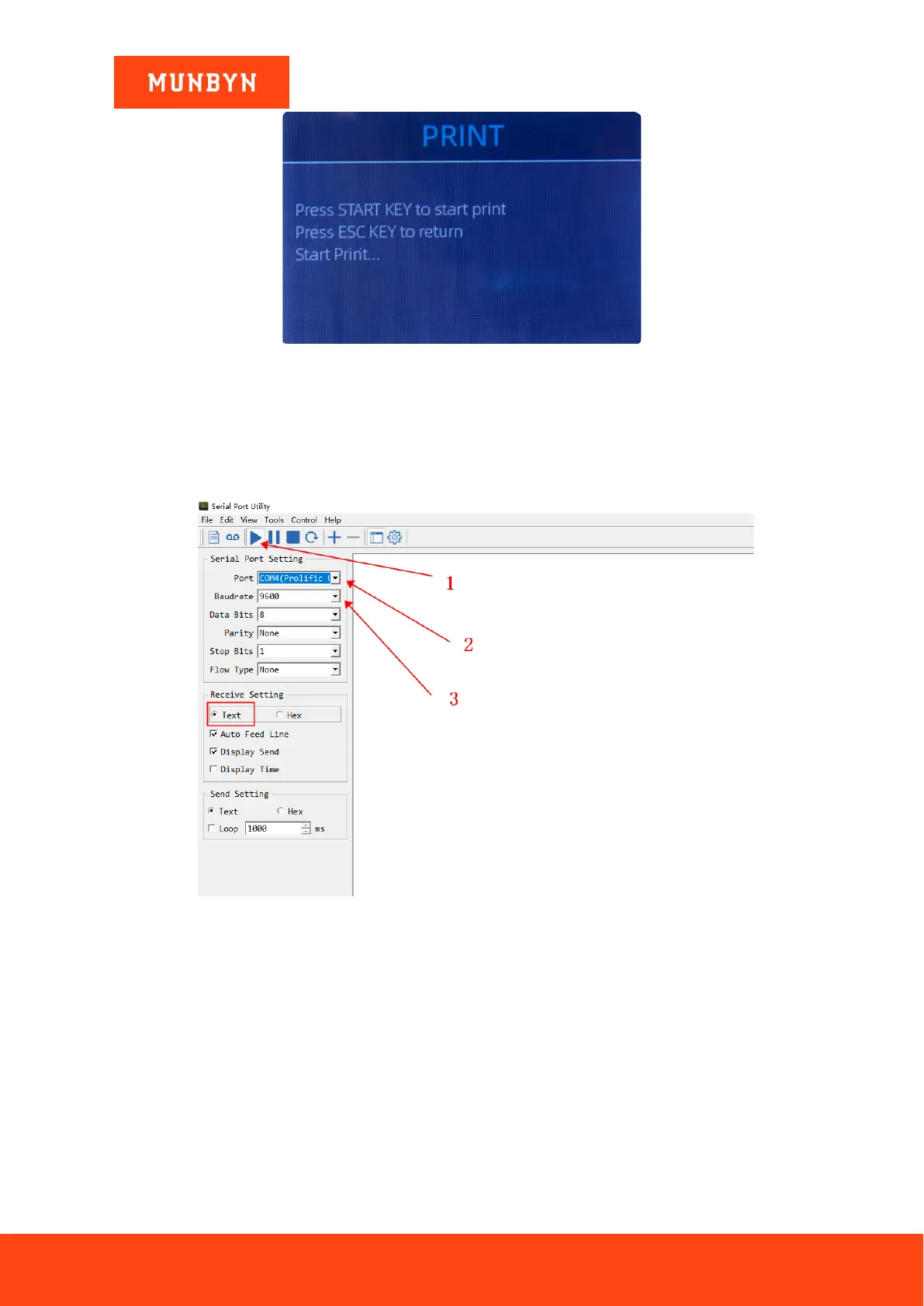
Figure 5-27 Start Printing
5.8.2. Data transfer to PC
The data is transmitted to the computer for display through the DB9 serial cable.
1) Use the DB9 serial cable to connect the IMC08 to the computer, then turn on the computer.
2) Open the serial port tool (such as RS232 Hex Com Tool), select the serial port corresponding to the IMC08,
and set the baud rate to 9600, as shown in the figure below.
Figure 5-28 The serial port tool settings
3) Click the "PRINT" button of IMC08, and then click the "RESTART" button, IMC08 will transmit the data
to the serial port tool, as shown in the figure below.



 To Next Page