2-3Network settings
1
2
3
4
5
6
7
8
9
10
11
12
13
14
A
Network settings
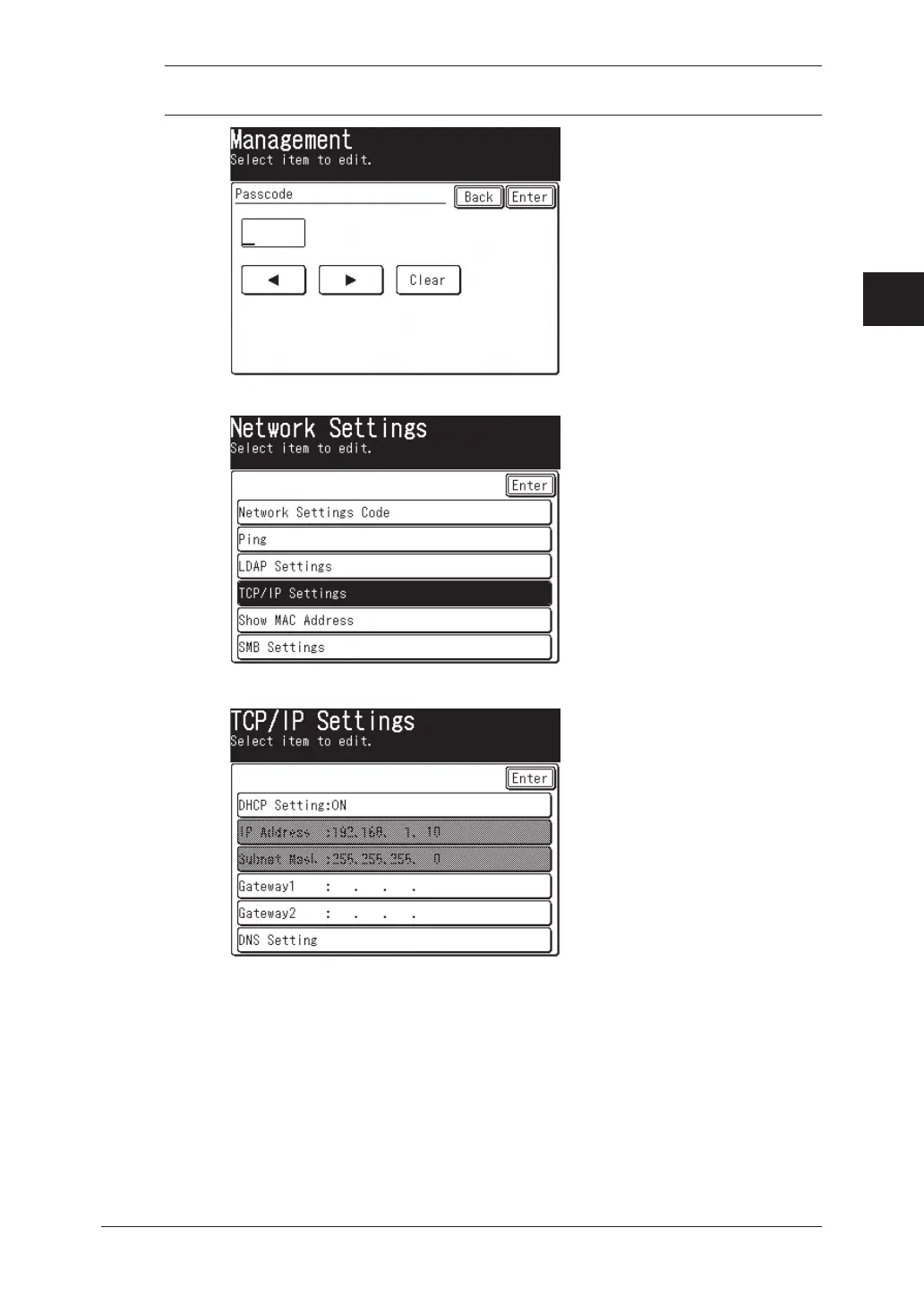
NOTE: If the network settings code (see page 2-19) has been set, you must enter the
proper four-digit passcode using the numeric keys and press [Enter].
4
Press [TCP/IP Settings].
5
The TCP/IP setting menu appears.
6
Register these settings.
7
After you have finished configuring the network settings, reboot the machine
to activate the new settings. To reboot the machine, turn the machine “Off” and
after three or more seconds, turn the machine back “On”



 To Next Page
 Loading...






