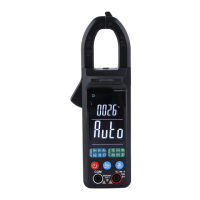
AC and DC voltage measurement
When the measured voltage exceeds the “safety voltage” (24VDC/AC), the warning information
“ ” will be displayed to remind users of “safety”.
• To avoid damage to the instrument, never apply 700V AC or 1000V DC voltage on the measuring
end for more than 10 seconds.
1. Plug the banana plug of the black test line into the negative COM socket and the banana plug of the red test line
into the positive “V” socket.
2. Rotate the rotary knob to select the “ ” function. A sign of “VOLTAGE” will appear on the top of the
screen to remind user that the function of voltage measurement is currently available.



 To Next Page