VJ-2638/1638/1638W OPERATION MANUAL Product overview
2.2 Names of parts and functions 7
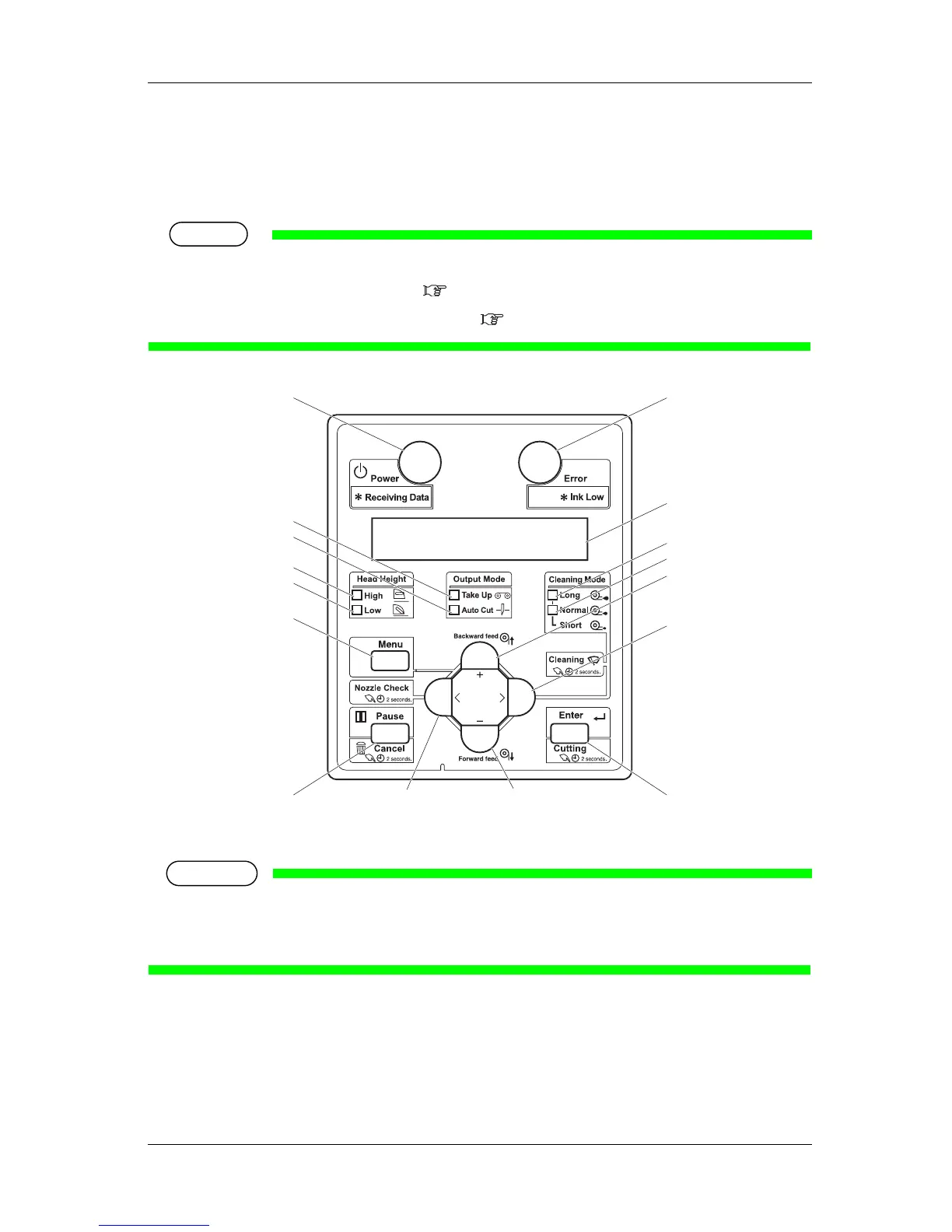
2.2.3 Operation panel
Used to set the operating conditions, to display the status of the printer, and to set various functions.
Explains names of each operation key and status display along with the functions.
TIP
Refer to the following for details regarding the operation method of Operation panel.
•When setting the menu from Operation panel:
4.3 Menu setups on Operation panel
•When performing various operations in Operation panel: 4.4 Operating from Operation panel
(1) Operation keys
NOTE
• Operation keys are assigned with different functions and names depending on the printer status
(Normal or Setup menu display).
For details about the printer status, refer to
2.3 Printer status outline.
8, 9
3
15
17
16
6
5
11
12
1
13
14
10
27
4















 To Next Page