Before using VJ-2638/1638/1638W OPERATION MANUAL
50 3.3 Filling ink
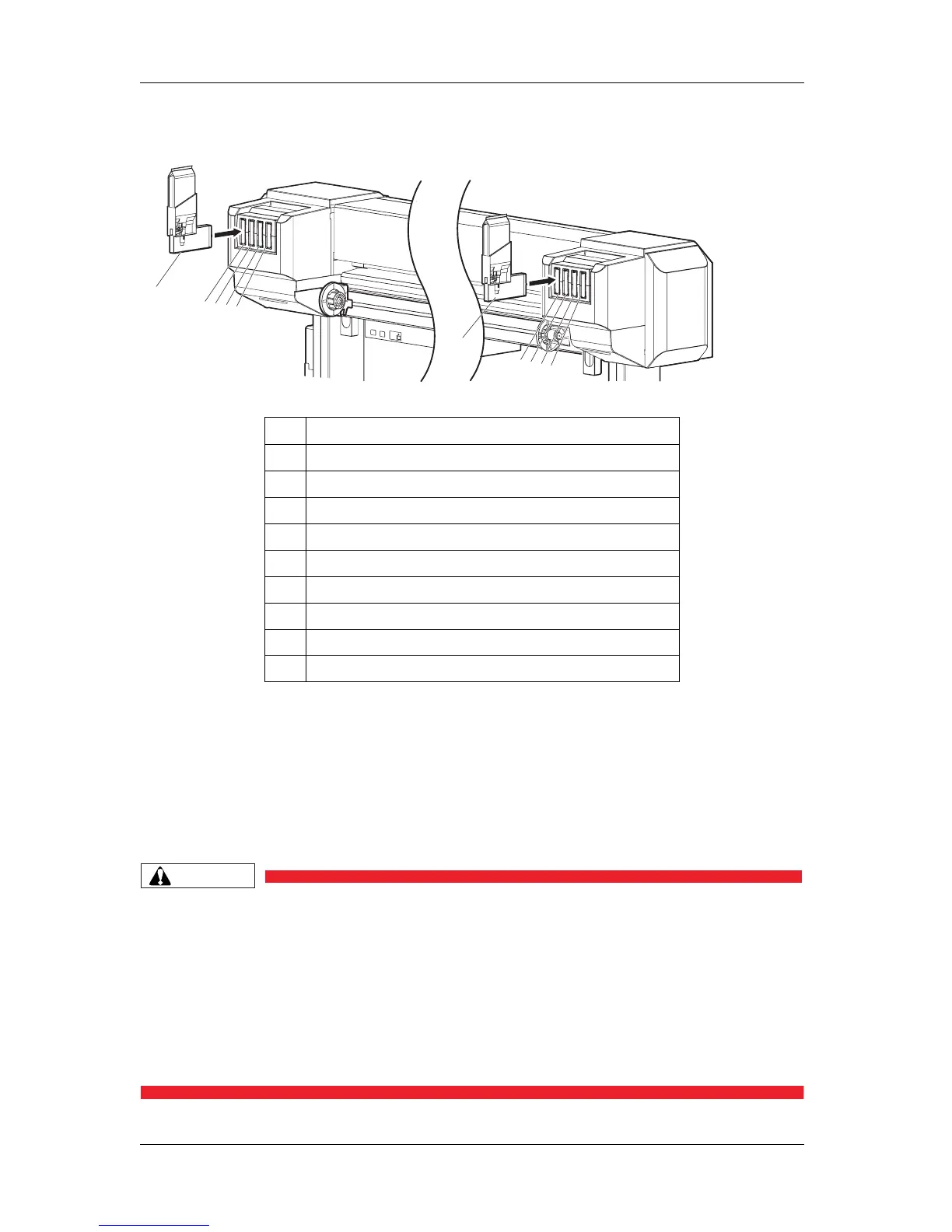
• Insert High-capacity ink pack adapters all the way in Ink cartridge slots.
• When a High-capacity ink pack adapter is installed, "Ink Refill **%" is displayed on Operation
panel and ink replenishment starts.
• Initial filling takes about 17 minutes.
Ink filling operation and pause operation are repeated during the initial ink replenishment.
• When "100%" is displayed, the initial ink replenishment is complete.
• After the initial ink replenishment is complete, "Media End" is displayed on Operation panel.
CAUTION
• Comply strictly with the following during ink filling. If filling is interrupted, ink will
be lost when filling is resumed.
• Do not turn OFF the power of the printer.
• Do not unplug the power cord set of the printer.
• Do not open Front cover.
• Do not open Maintenance cover.
• Do not raise Media loading lever.
No. Name
1 High-capacity ink pack adapter
2 Ink cartridge slot K1
3 Ink cartridge slot K2
4 Ink cartridge slot C1
5 Ink cartridge slot C2
6 Ink cartridge slot M1
7 Ink cartridge slot M2
8 Ink cartridge slot Y1
9 Ink cartridge slot Y2
1
5
4
3
2
1
9
8
7
6















 To Next Page