ValueCut KullanımKılavuzu
Installation 2-8
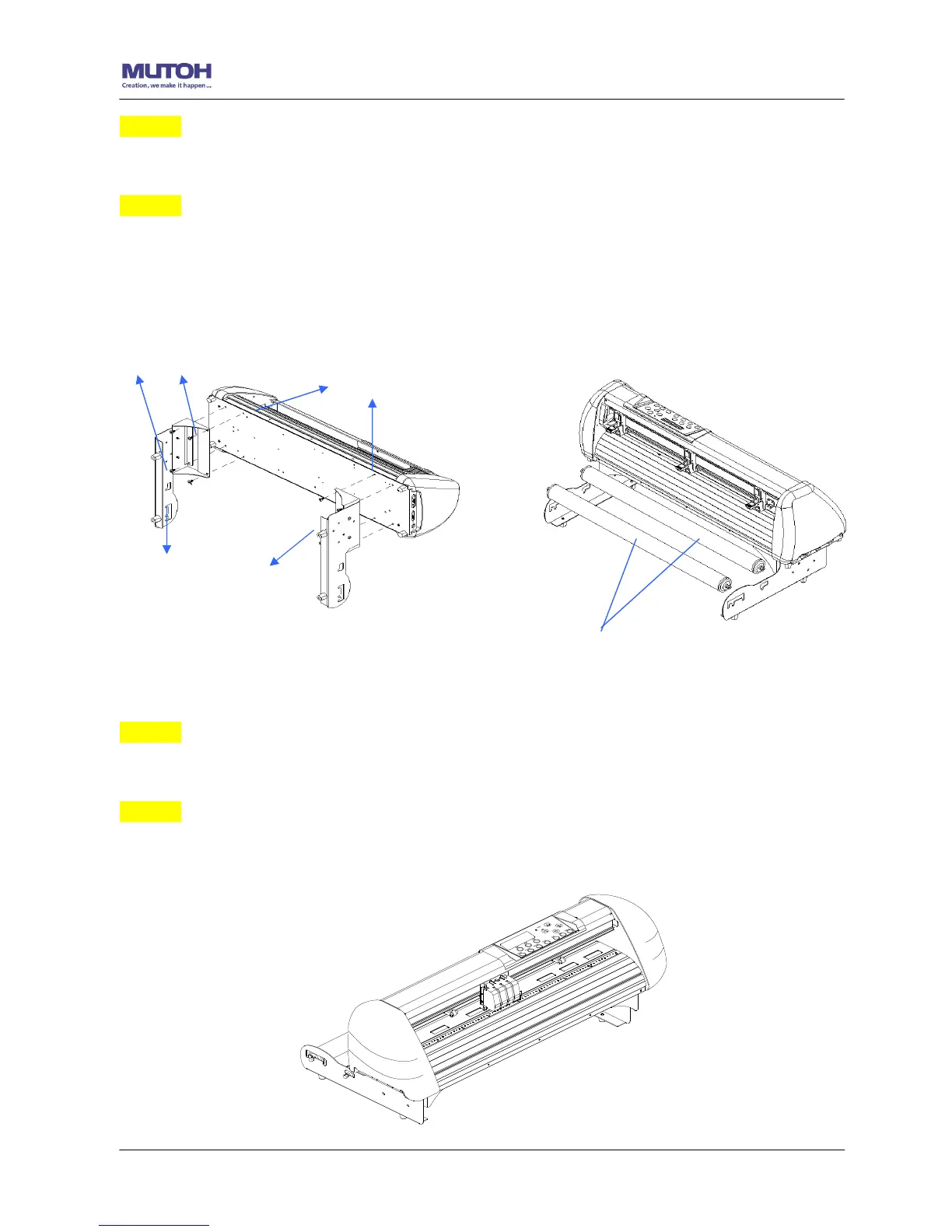
Adım 3 Position the Desktop Support Brackets beside the Roll Holder Support and insert
M6 screws into the Roll Holder Support and tighten them with M6 L-shape screw driver. (Refer
to Şekil 2-9 at the left).
Adım 4
Put the bottom of machine in lateral, and position the Roll Holder Assembly beside the bottom
of the machine. Then, insert the M6 screws into the holes of Roll Holder support assembly
and tighten them with M6 L-shape screwdriver. Like Şekil 2-10.
Adım 5
Place the two roll holders into the holes of Roll Holder Support (Şekil 2-10).
Adım 6
The complete Desktop Media Support System will be shown as in Şekil 2-11.
Şekil 2-11
Şekil 2-9
M6 screws
Screw holes
Roll Holder Assembly
Şekil 2-10










 To Next Page