ValueCut Kullanım Kılavuzu
Installation 2-17
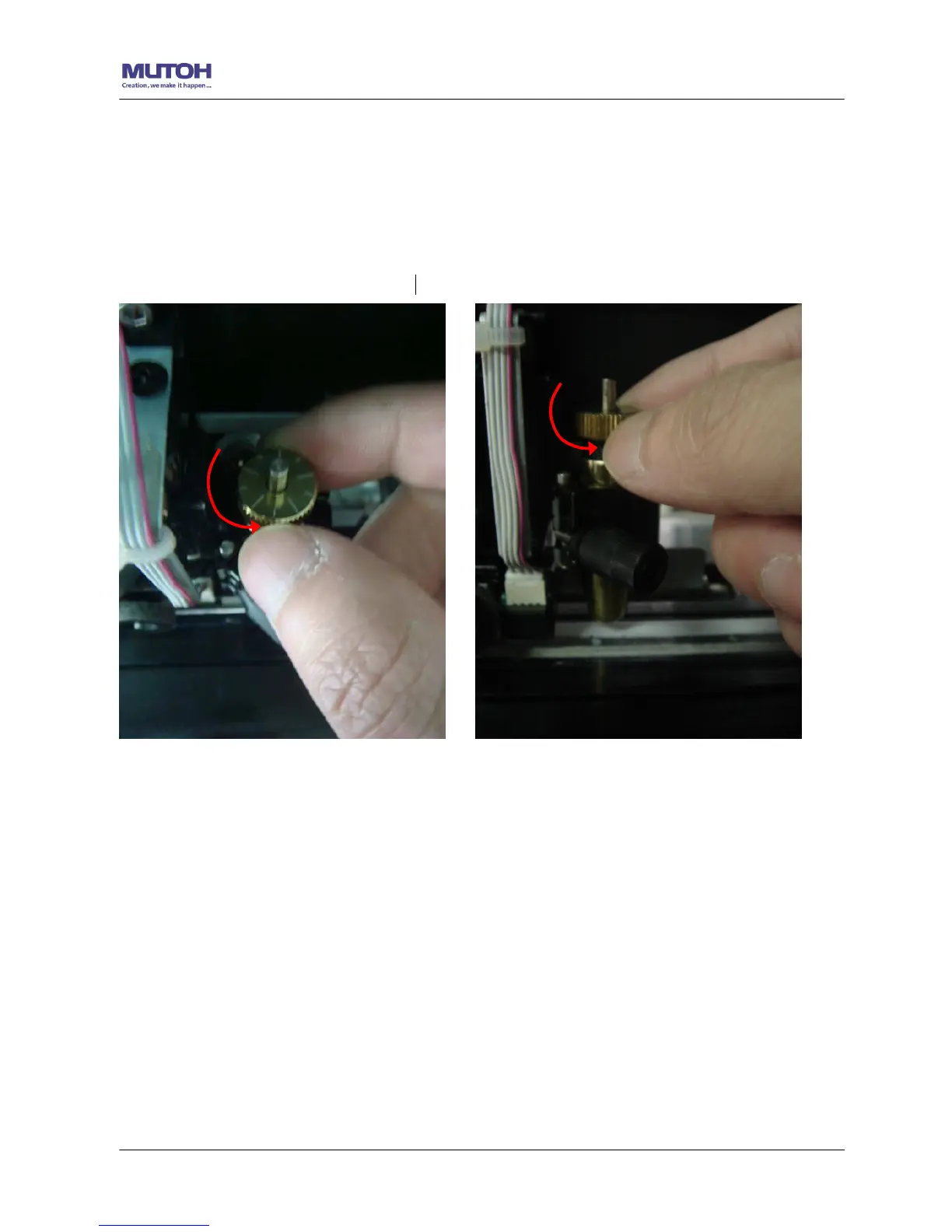
Şekil 2-30
Şekil 2-29
4. When blade holder and blade length tests are finished, the screen will show you to what
degree (the unit of the value following “CW” or “CCW” is “circle”) and in which direction
[CW (clockwise) or CCW (counterclockwise)] you should turn the adjustment knob.
EG, Turn CW 5 is telling you that you should turn the knob for 5 units clock-wisely (Şekil
2-28, Şekil 2-29).
5. The screen will show "Adjustment completes" when the value on the screen is 0, the blade length
is perfect and no more adjustment needs to be made. Press "Enter" now to complete the process
and you may start cutting at this point.










 To Next Page