- 100 -
OPERATION 4
4
EN
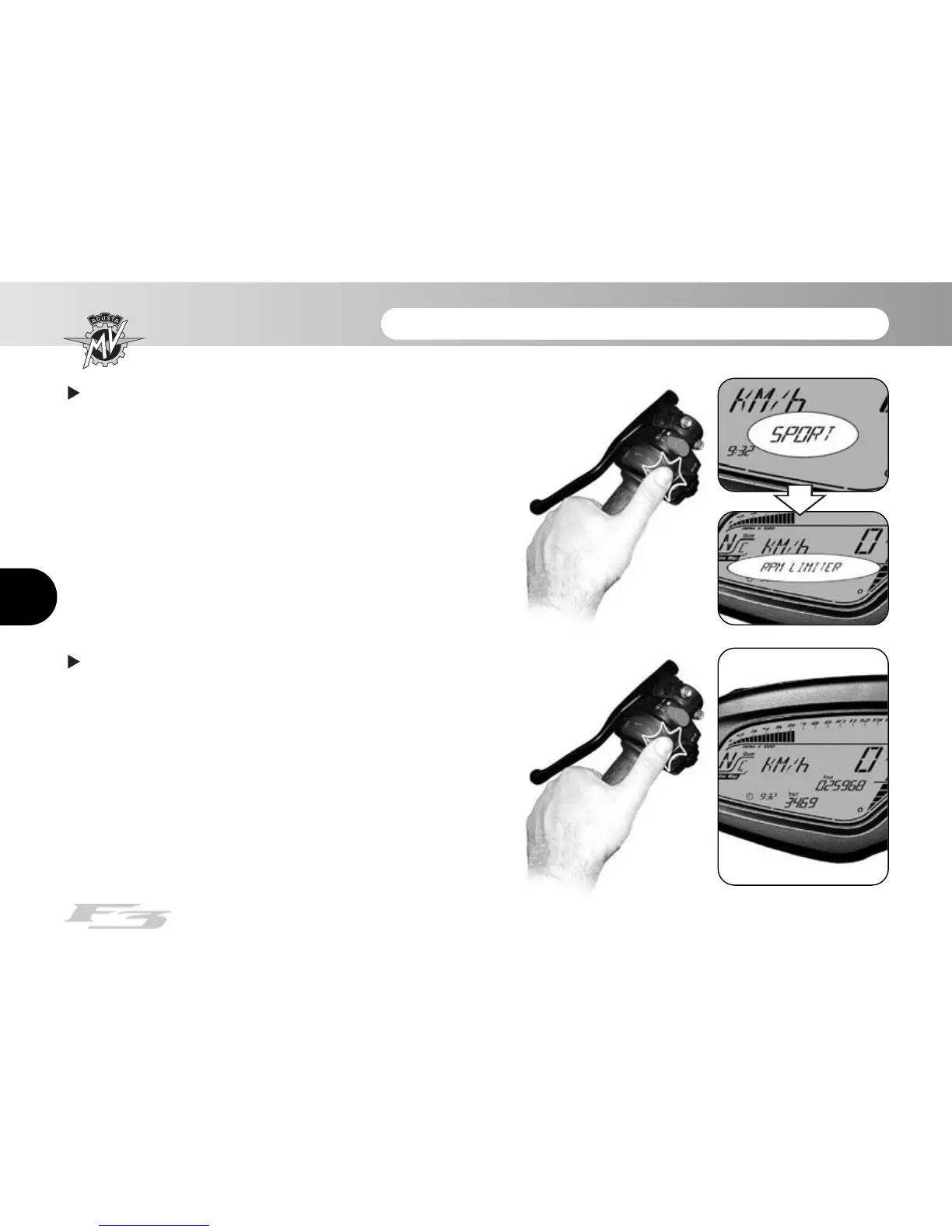
Press “OK” for more than three seconds; the new
setting will be confirmed. The displayed caption stops
flashing and after a few seconds the display returns to
“RPM LIMITER” mode.
Press “OK” for less than three seconds until the
display switches to the “RUN” mode. The setting of the
“Custom” mapping is completed.







 To Next Page