- 67 -
OPERATION 4
4
EN
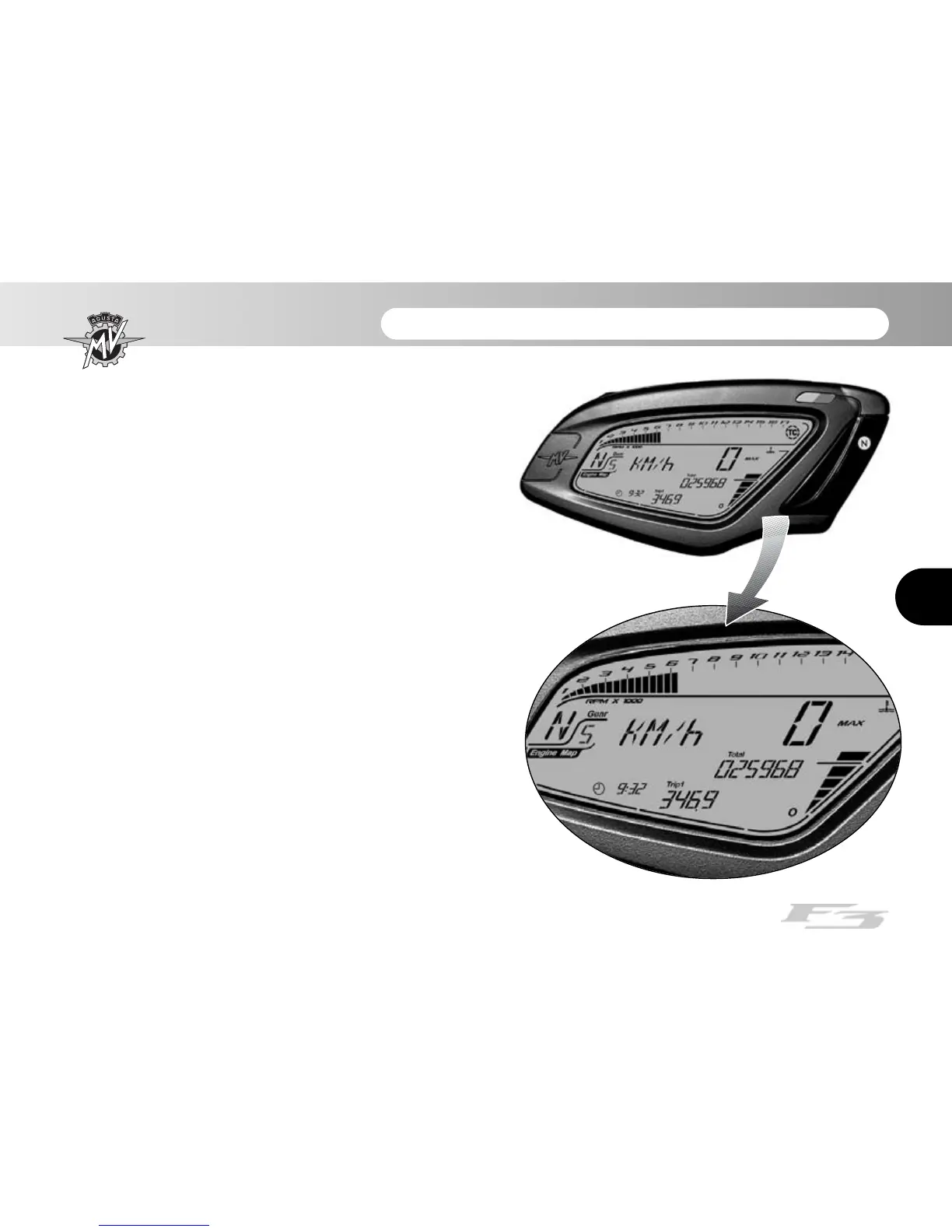
4.4. Selecting and setting the display functions
Some of the main measurements of the instruments
may be changed.
The available options include:
- Select an operating mode:
“RUN” (Odometer)
“SPEED LIMITER”
“TC” (Traction control)
“CHRONO” (Chronometer)
“QUICK SHIFT” *
“CLOCK” (Clock)
- Reset the trip counter:
Trip counter 1 “TRIP 1”
Trip counter 2 “TRIP 2”
- Turn on the chronometer
- Clock settings
- Control unit mapping selection
(*): This function is present only on certain models;
available in aftermarket on all models



 To Next Page