Maintenance
- 73 -
B
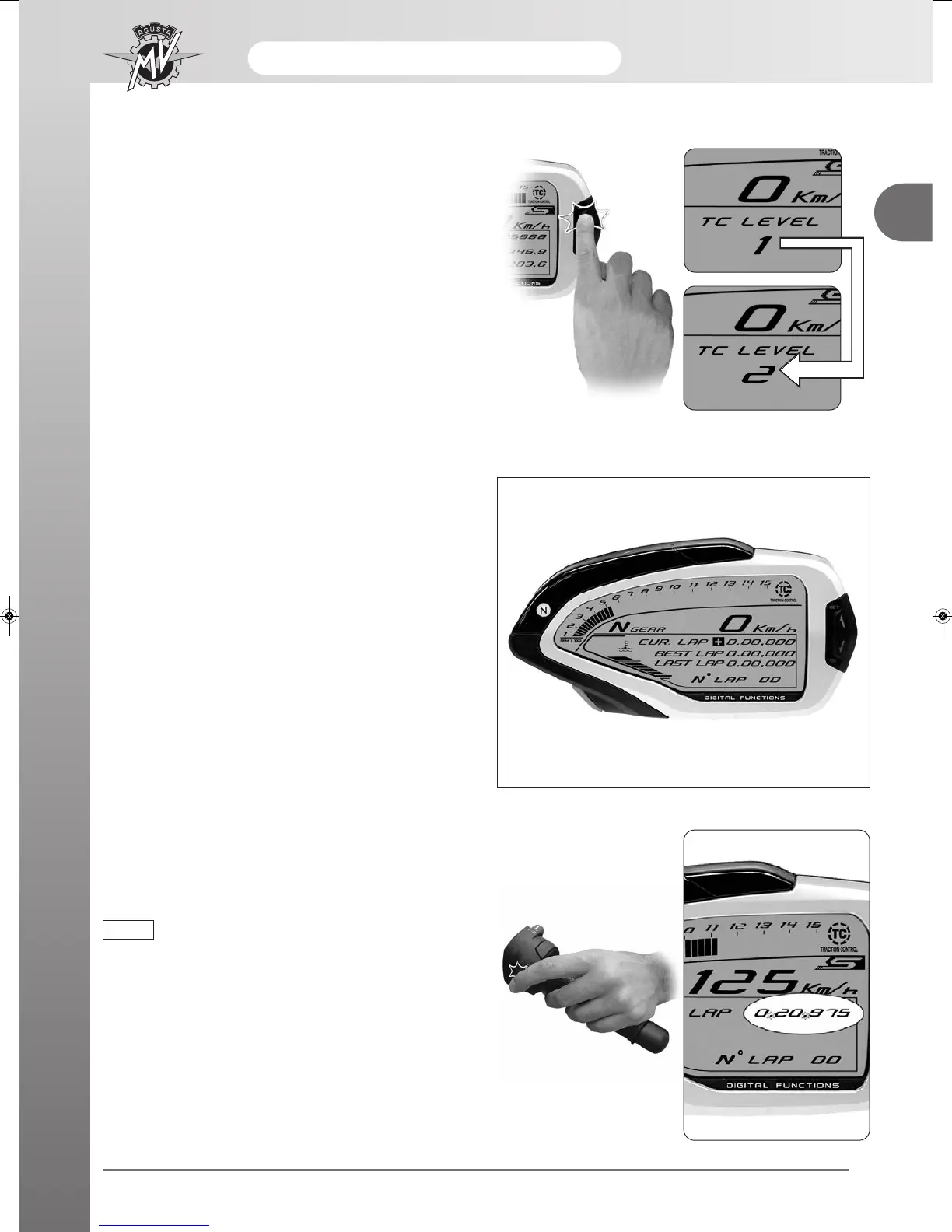
- Press “SET” for less than three seconds: the traction
control level rises up to the next value. Such value
may range between 0 and 8.
- Press “OK” for over four seconds to confirm the selec-
ted traction control level.
Chronometer
Lap timing acquisition
- Turn on the chronometer (“CHRONO” mode) to
record the time taken to cover a lap.
- Press the headlight button to start recording the time.
The colon that separates the minutes from the
seconds and from the tenths of a second will start
blinking. Now, the instrument is recording the time.
When the “CHRONO” mode is activated,
the first pressing of the headlight button
automatically enables the “TC” function.
From this moment on, it is possible to
immediately change the traction control
level by properly operate the “SET” and
“OK” buttons (see “TC Mode”).
NOTE





 To Next Page