PRODUCT MANUAL iCOOK - DT.MP.IC.2201.2
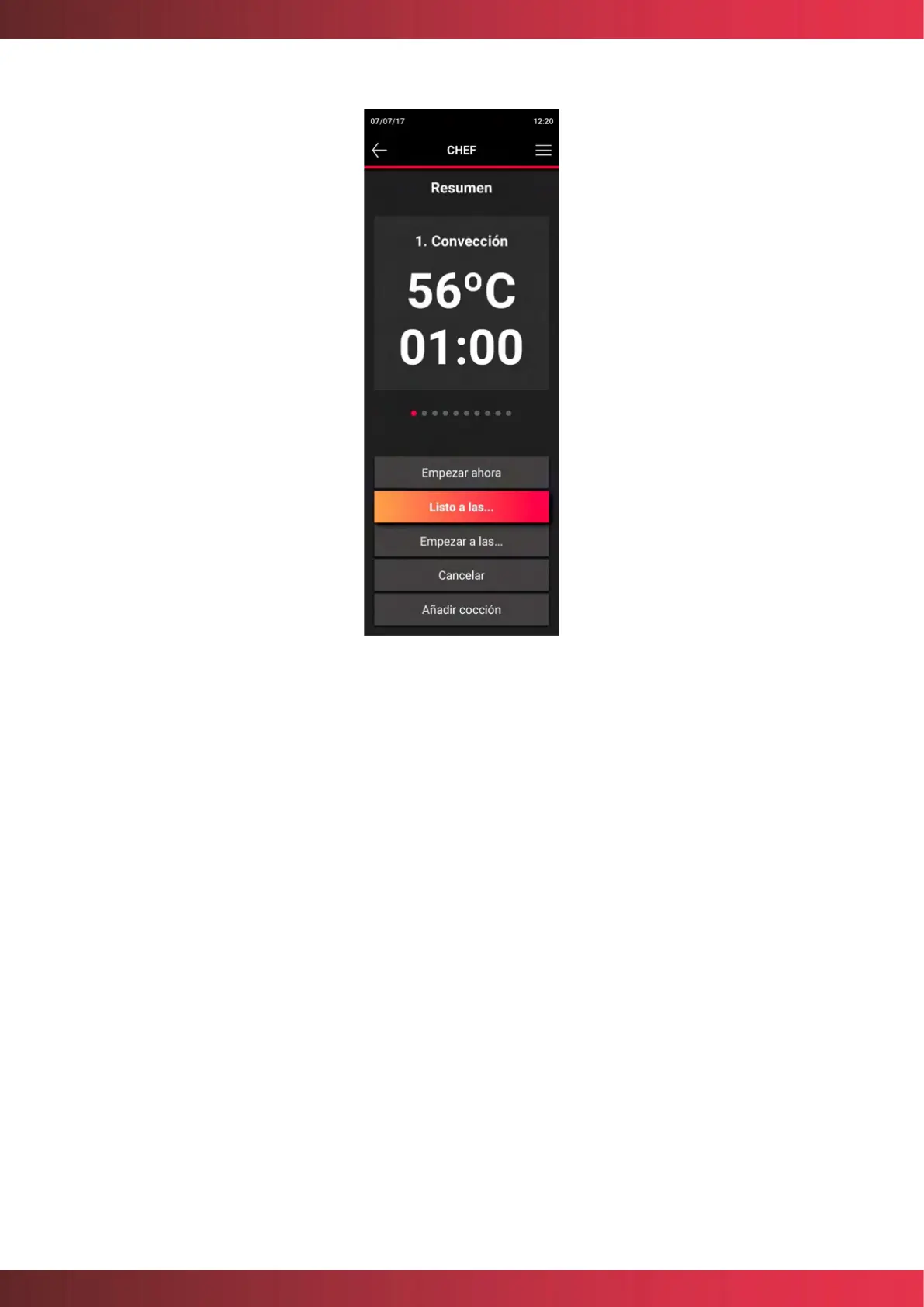
Figure 16. Screen of summary cooking cycles
This screen shows a summary of the programmed cooking cycles and allows you to view
and navigate between them to see the parameters in detail. Each time a cycle ends or
automatically moves to the next cycle, an acoustic signal is emitted.
If cooking is to be started, selecting "Start now" will start cooking, the LED will illuminate
and the cooking indicator in the header will activate.
If you want to program the start, i. e. set a time later than the current one for its start, you
can program it in two modes. First, with the "Ready to cook..." option, you can set a time of
one hour after cooking has finished, so that the oven automatically calculates the end of
cooking according to the cooking time. With the "Start at..." option, you can program the
start of cooking at any given time.
This screen also allows you to cancel the cooking and add a standby cooking. In the latter
case, the cooking will remain in standby, and a new cooking can be configured. Once the
programming of the next program has been completed, the cooking can be started.



 To Next Page