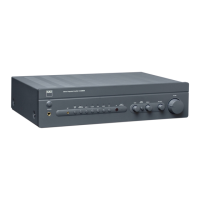
IDENTIFICATION OF CONTROLS
REAR
PANEL
14
IR
IN/OUT:
These
mini-jacks
accept
and
output remote-controlled
codes
in
electrical
format,
using
industry-standard
protocols,
for
use
with 'IR-repeater'
and
multi-room
systems
and
related
technologies.
IR
IN:
This
input
is
connected to the output of
an
IR
(infrared)
repeater
(Xantech
or
similar)
or
the
IR
output ofanother component to allow
control ofthe C
37SBEE
from
a
remote
location.
IR
OUT:
When
connected to the
IR
IN
of
an
ancillary
equipment, direct
the
ancillary
equipment's own
remote
control to the C
37SBEE's
infrared
receiver
to command or control the linked unit.
All
NAD
products with
IR
IN/IR
OUT
features
are
fully compatible with
the C
37SBEE.
For
non-NAD
models,
please
check
with
your
other
product's
service
specialists
as
to their compatibility with the C
37SBEE's
IR
features.
15
+1
2V
TRIGGER
OUT:
The
+
12VTRIGGER
OUT
is
used
for
controlling
external
eqUipment
that
is
equipped
with a+
12Vtrigger
input.
This
output
will
be
12Vwhen
the
C
37SBEE
is
ON
and
OVwhen
the
unit
is
either
OFF
or
in
standby.
This
output
can
drive
a
load
up
to
SOmA
at
12V
16
R5-232:
Connect
thiS
interface
via
RS-232
serial
cable
(not
supplied)
to
any
Windows·
compatible
PC
to
allow
remote
control
of
the
C
37SBEE
through
NAD's
proprietary
PC
software
or
other
compatible
external
controllers.
NAD
is
a
certified
partner
of
MAX
and
Crestron
and
fully
supports
these
external
devices.
See
your
NAD
audio
specialist
for
more
information.
17
Me
INPUT:
Input
for
a Moving
Coil
phono cartridge. Connect the twin
RCA
lead
from
your
turntable to this input if
you
are
using
a Moving
Coil
cartridge.
18
MC-MM
SWITCH:
Slide
this
switch
to either
MM
(MOVing
Magnet)
or
MC
(Moving
Coil)
depending upon the phono cartridge
being
used.
19
PHONO
GROUND
CONNECTOR:
Turntables
normally
includes
a
single
wire
earth
lead.
Use
the C
37SBEE
phono ground connector to connect
this
lead.
Unscrew
the terminal to
expose
the
hole,
which will
accept
the
lead.
After
insertion, tighten the terminal to
secure
the
lead.
20 MM
INPUT:
Input
for
aMoving Magnet phono
cartridge.
Connect
the twin
RCA
lead
from
your
turntable to this input if
you
are
using
a
Moving Magnet cartridge.
21
SPEAKERS
A,
B:
The
C
375BEE
is
equipped with two
sets
of
speaker
connectors.
Use
the
Speakers
Aterminals
for
the
"main"
speakers
and
use
the
Speakers
Bterminals
for
a
second
pair,
for
example,
extension
speakers
located
in
another
room.
Connect
the right
speaker
to the
terminals
marked"R
+"
and
"R-"
ensuring that the"R+"is connected to the "+"terminal
on
your
loudspeaker
and
the
"R-"
is
connected to the
loudspeaker's
'-"terminal.
Connect the
terminals
marked
"I.
+"and
"L-"
to
the left
speaker
in
the
same
way.
In
Bridge
Mode,
connect the
single
speaker
to the terminals
marked
"R
+"
and
"L+"ensuring that the"L+"is connected to the"+" terminal
on
your
loudspeaker
and
the
"R+"
is
connected to the
loudspeaker's
"-"
terminal.
Refer
also
to the
section
above
about
"BRIDGE
MODE~
Always
use
heavy
duty
(16
gauge;
l.5mm,
or
thicker)
stranded
wire
to
connect
loudspeakers
to your C
375BEE.
The
high-current binding
post
terminals
can
be
used
as
a
screw
terminal
for
cables
terminating
in
spade
or
pin
sockets
or
for
cables
with
bare
wire
ends.
10
22
AC
MAINS
INPUT:
The
C
375BEE
comes
supplied
with a
separate
AC
Mains
cable.
Before
connecting
the
cable
to a
live
wall
socket,
ensure
that
it
is
firmly
connected
to
the
C
375BEE's
AC
Mains
input
socket
first.
Connect
only
to
the
prescribed
AC
Outlet,
i.e.,
120V
60
Hz
or
230V
50
Hz.
Always
disconnect
the
AC
Mains
cable
plug
from
the
live
wall
socket
first,
before
disconnecting
the
cable
from
the
C
375BEE's
Mains
input
socket.
23
POWER
SWITCH:
The
POWER
switch
supplies
the
master
AC
mains
power
for
the C
375BEE.
When
this
switch
is
at
ON
position, the
C
375BEE
is
in
standby
mode
as
shown
by
the
amber
status
condition
of the standby
LED.
Toggle
the front
panel's
STANDBY
button to switch
ON
the C
375BEE
or
back
to
standby
mode.
If
you
intend not to
use
the
C
375BEE
for
long
periods
oftime
(such
as
when
on
vacation),
switch
the
POWER
switch to the
OFF
position.
When
the
POWER
switch
is
at
OFF
position, the front
panel
power button
or
SR
B
remote
control
cannot activate the C
375BEE.
24
SWITCHED
AC
OUTLET
(120V
version
only):
This
convenience
outlet
can
supply
switched
power to another component
or
accessory.
With
the
Power
switch
at
the
rear
panel
set
to
ON
position,
this
outlet
is
powered
ON
or
OFF
by
the front
panel
STANDBY
switch
or
by
the
SR
8's
[ON/OFF]
buttons.
The
total draw of
all
devices
connected to
this
outlet
must not
exceed
100
watts.
25
FUSE
HOLDER:
In
the
unlikely
event
a
fuse
may
need
to
be
replaced,
unplug the
AC
cord
from
the
wall.
Then,
remove
all
connections
from
the
amplifier.
Use
a
fiathead
screw
driver or
similar
to
open
the
fuse
holder
via
the
slot
indicated.
With
the
screw
driver
in
place,
push
and
turn counterclockwise to
open
the
fuse
holder.
Only
replace
the
fuse
with the
same
type,
size,
and
specification -
T1
OAL
250V
for
120V
version
or
T5AL
250V
for
230V
version.
IMPORTANT
NOTICE
Do
not
use
any
substitute
fuses
of
different
types
or with different
ratings
or
values.
Failure
to
observe
this
precaution
may
cause
damage
to
the
amplifier
circuits
andmay
create
a
fire
hazard
and/or
defeat
the
safety
built into
the
C
375BEE
and
may
void
the
warranty.



 To Next Page