EasyManua.ls Logo

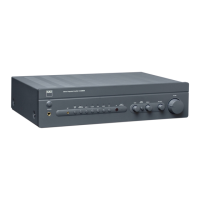
NAD C375BEE - Rear Panel; Rear Panel Connections and Features

NAD C375BEE
20 pages
Print Icon
To Next Page IconTo Next Page
To Previous Page IconTo Previous Page
Loading...
IDENTIFICATION
OF CONTROLS
REAR
PANEL
ATTENTION!
Please
make
sure
that
the
C
3758EE
is
powered
offor unplugged
before
making any
connections.
It
is
also
advisable
to
power-down or unplug all
associated
components
whife
making orbreaking any signal or
AC
power
connections.
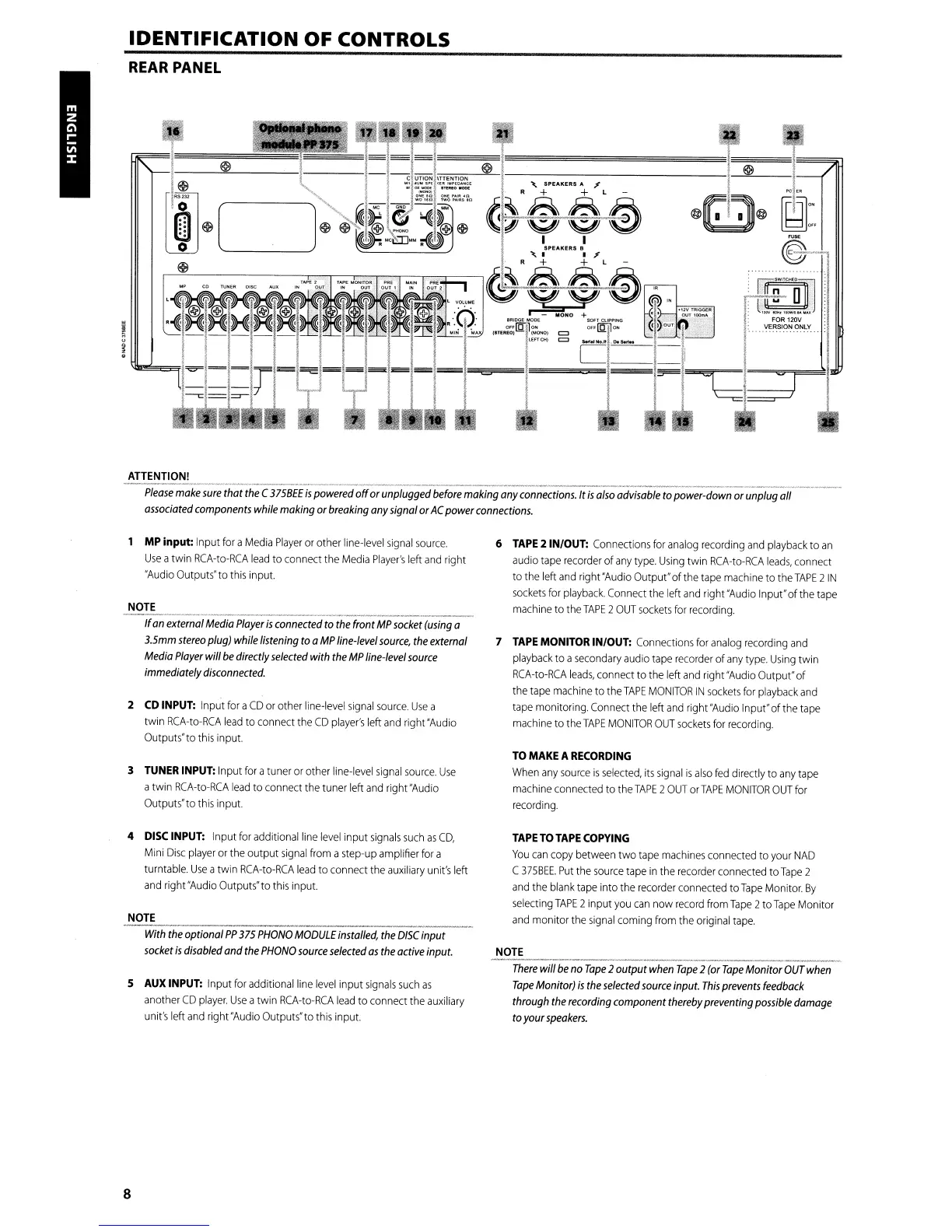
MP
input: Input
for
a
Media
Player
or
other
line-level
signal
source.
Use
atwin
RCA-to-RCA
lead
to connect the
Media
Player's
left
and
right
"Audio
Outputs"
to
this
input.
NOTE
If
an
external
Media
Player
is
connected
to
the
front
MP
socket
(using
a
3.5mm
stereo
plug)
whife
listening
to
a
MP
line-level
source,
the
external
Media
Player
will
be
directly
selected
with
the
MP
line-level
source
immediately
disconnected.
2
CD
INPUT:
Input
for
a
CD
or
other
line-level
signal
source.
Use
a
twin
RCA-to-RCA
lead
to
connect the
CD
player's
left
and
right
"Audio
Outputs"to
this
input.
3
TUNER
INPUT:
Input
for
atuner
or
other
line-level
signal
source.
Use
atwin
RCA-to-RCA
lead
to connect the tuner left
and
right
"Audio
Outputs" to
this
input.
4
DISC
INPUT:
Input for additional
line
level
input
signals
such
as
CD,
Mini
Disc
player
or
the
output
signal
from
astep-up amplifier
for
a
turntable.
Use
atwin
RCA-to-RCA
lead
to connect
the
auxiliary
unit's
left
and
right
"Audio
Outputs"to
this
input.
NOTE
With
the
optional
PP
375
PHONO
MODULE
installed,
the
DISC
input
socket
is
disabled and
the
PHONO
source
selected
as
the
active input.
5
AUX
INPUT:
Input
for
additional line
level
input
signals
such
as
another
CD
player.
Use
atwin
RCA-to-RCA
lead
to connect
the
auxiliary
unit's
left
and
right
"Audio
Outputs" to
this
input.
8
6
TAPE
2 IN/OUT:
Connections
for
analog
recording
and
playback
to
an
audio
tape
recorder
of
any
type.
Using
twin
RCA-to-RCA
leads,
connect
to the left
and
right
"Audio
Output" of the
tape
machine
to
the
TAPE
2
IN
sockets
for
playback.
Connect
the left
and
right
"Audio
Input"of the
tape
machine
to
the
TAPE
2
OUT
sockets
for
recording.
7
TAPE
MONITOR
IN/OUT:
Connections
for
analog
recording
and
playback
to a
secondary
audio
tape
recorder
of
any
type.
Using
twin
RCA-to-RCA
leads,
connect
to
the
left
and
right"Audio Output"of
the
tape
machine
to the
TAPE
MONITOR
IN
sockets
for
playback
and
tape
monitoring.
Connect
the left
and
right
"Audio
Input"of the
tape
machine
to the
TAPE
MONITOR
OUT
sockets
for
recording.
TO
MAKE
A
RECORDING
When
any
source
is
selected,
its
signal
is
also
fed
directly
to
any
tape
machine
connected to the
TAPE
2
OUT
or
TAPE
MONITOR
OUT
for
recording.
TAPE
TO
TAPE
COPYING
You
can
copy between two
tape
machines
connected to
your
NAD
C
375BEE.
Put
the
source
tape
in
the
recorder
connected to
Tape
2
and
the
blank
tape
into the
recorder
connected
to
Tape
Monitor.
By
selecting
TAPE
2 input
you
can
now
record
from
Tape
2to
Tape
Monitor
and
monitor the
signal
coming
from
the
original
tape.
NOTE
There
will
be
no
Tape
2 output
when
Tape
2
(or
Tape
Monitor
OUT
when
Tape
Monitor)
is
the
selected
source
input.
This
prevents
feedback
through
the
recording
component
thereby
preventing
possible
damage
to
your
speakers.

Other manuals for NAD C375BEE

Related product manuals