11. Case Sensitivity Setting
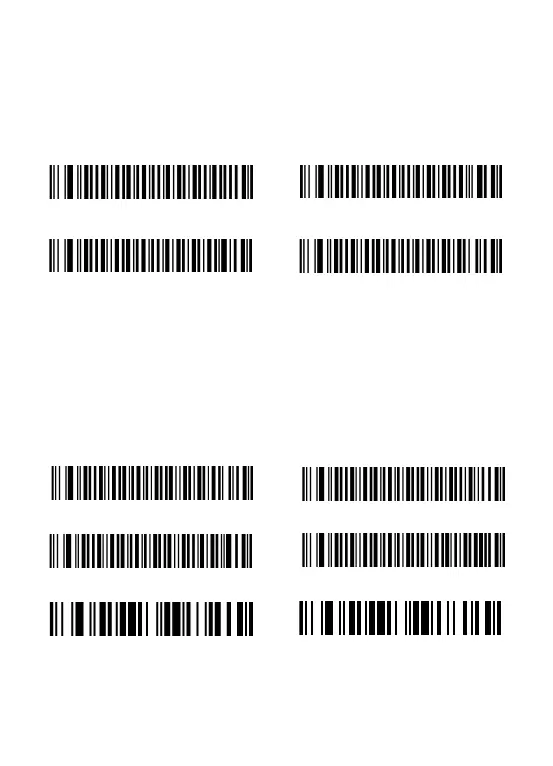
The scanner can change all the letter cases of barcode into uppercase or lowercase.
Letter case of barcodes can be altered through scanning correspondent bar code
below.
Cancel capital/lowercase settings
12. Power Off Setting
The scanner will be powered off if there is no operation on it in 2 mins by default. Short
press on the trigger can wake it up.
Scan one of the following barcode to set the time interval,when it's idle exceeding the
time interval you set,the scanner will be power off.
5mins Automatic power off
30mins Automatic power off


 To Next Page