EasyManua.ls Logo

Nakajima AE-710 - Inserting;Ejecting Paper

Nakajima AE-710
36 pages
Print Icon
To Next Page IconTo Next Page
To Previous Page IconTo Previous Page
Loading...
Inserting/Ejecting
Paper
@.8
Inserting
paper
I
)
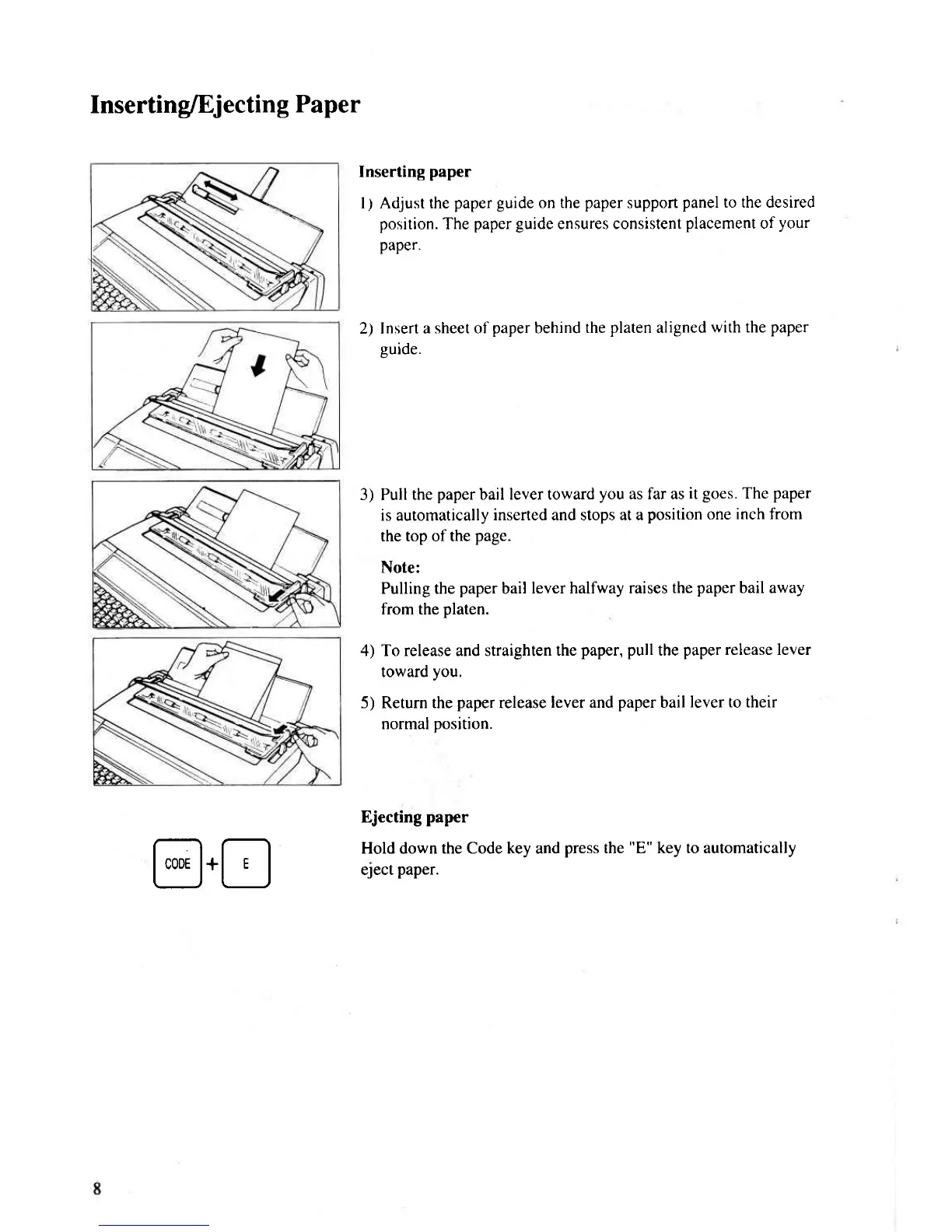
Adjust the
paper
guide
on the
paper
support
panel to the desired
position.
The
paper guide
ensures consistent
placement
of
your
paper.
2) Insert a
sheet of
paper
behind
the
platen
aligned
with the
paper
euide,
3) Pull
the
paper
bail lever toward
you
as far as
it
goes.
The
paper
is automatically
inserted and stops at a
position
one
inch from
the top of the
page.
Note:
Pulling the
paper
bail
lever halfway raises
the
paper
bail away
from the
platen.
4) To release and straighten
the
paper, pull
the
paper
release lever
toward
you.
5) Return the
paper
release
lever and
paper
bail
lever to their
normal
position.
Ejecting
paper
Hold down the Code key and
press
the
"E"
key to automatically
eJect
paper.

Related product manuals