EasyManua.ls Logo

Nakajima AE-710 - Decimal Tabulation

Nakajima AE-710
36 pages
Print Icon
To Next Page IconTo Next Page
To Previous Page IconTo Previous Page
Loading...
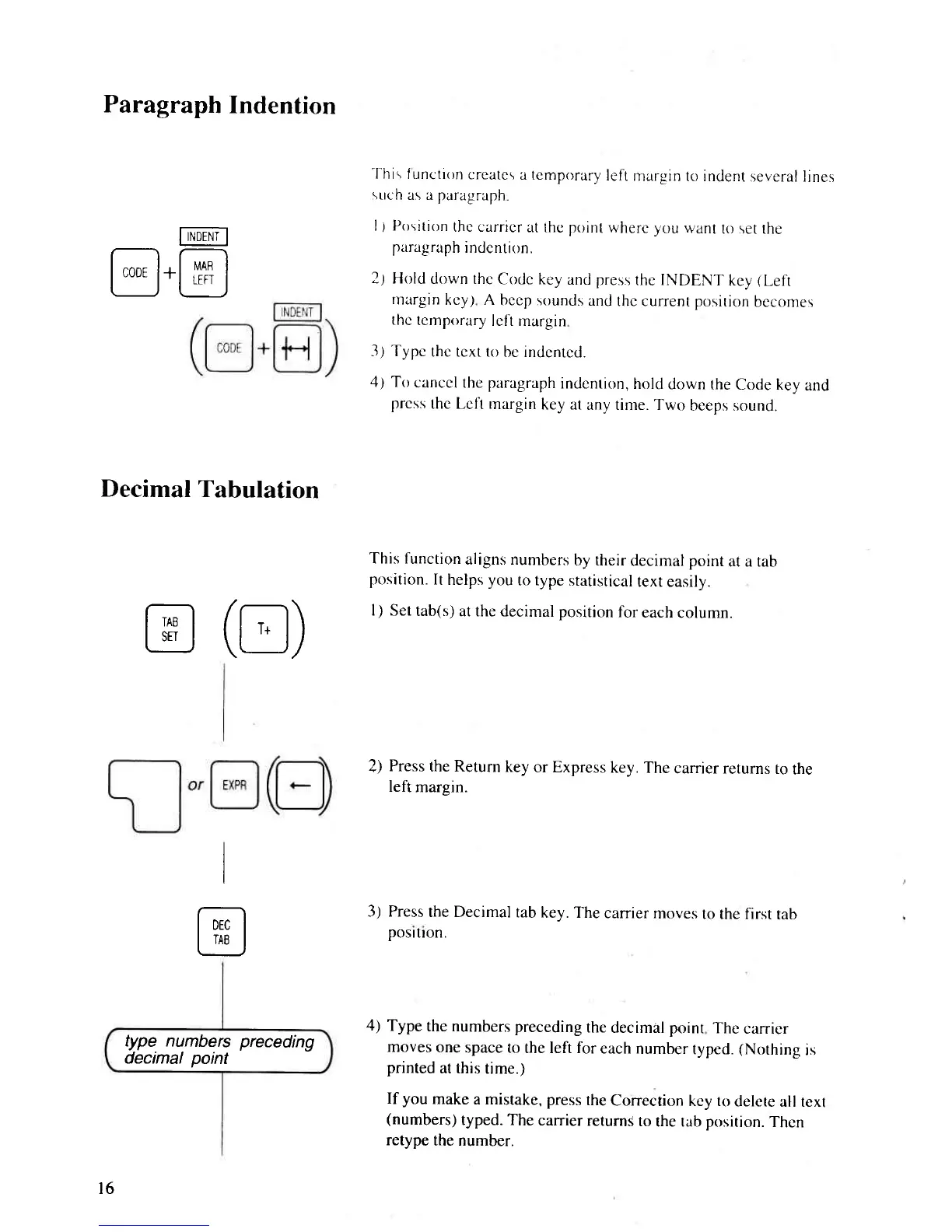
Paragraph
Indention
I-r'rpENT-l
@
(tr)
I
@
type numbers
preceding
decimal
point
@.@
Decimal
Tabulation
-l-his
f unction
crcatcs
a tcmporary
left
margin
to indent
several
lines
such
as a
paragraph
l) Position
thc carricr
at thc
point
wherc
vclu
want
to set the
paragraph
indcntion.
2,) Hold
down thc
Codc key
and
press
the INDENT
kcy
(Left
rnargin
kcy.l A
bccp sounds
and
thc current position
becomes
thc
tcrnprlrary
lcl't margin
3.t Typc
thc tcxt to
be indentcd.
4; To
canccl
the paragraph
indcnrion,
hold
down the
Code key
and
prcss
thc Lcli
margin
key
at any tinte. Two
beeps sound.
This function
aligns numbers
by their
decimal point
at a tab
position.
It
helps
you
to type
statistical
text easily.
l) Set
tab(s)
at the decimal position
for
each
column.
2)
Press
the Return
key
or Express
key.
The
carrier returns
to
the
left
margin.
3) Press
the Decimal
tab
key. The
carrier
moves
to the first
tab
posrtron.
4)
Type
the numbers preceding
the
decimal
point
The
carrier
moves
one
space to
the left for
each
number
typed.
(Nothing
rs
printed
at this
time.)
If
you
make
a mistake, press
the
Correction
key to
delete
all text
(numbers)
typed. The
carrier
returns
to
the tab
position.
Then
retype
the number.
l6

Related product manuals