EasyManua.ls Logo

Nakajima AE-710 - Correction Tape

Nakajima AE-710
36 pages
Print Icon
To Next Page IconTo Next Page
To Previous Page IconTo Previous Page
Loading...
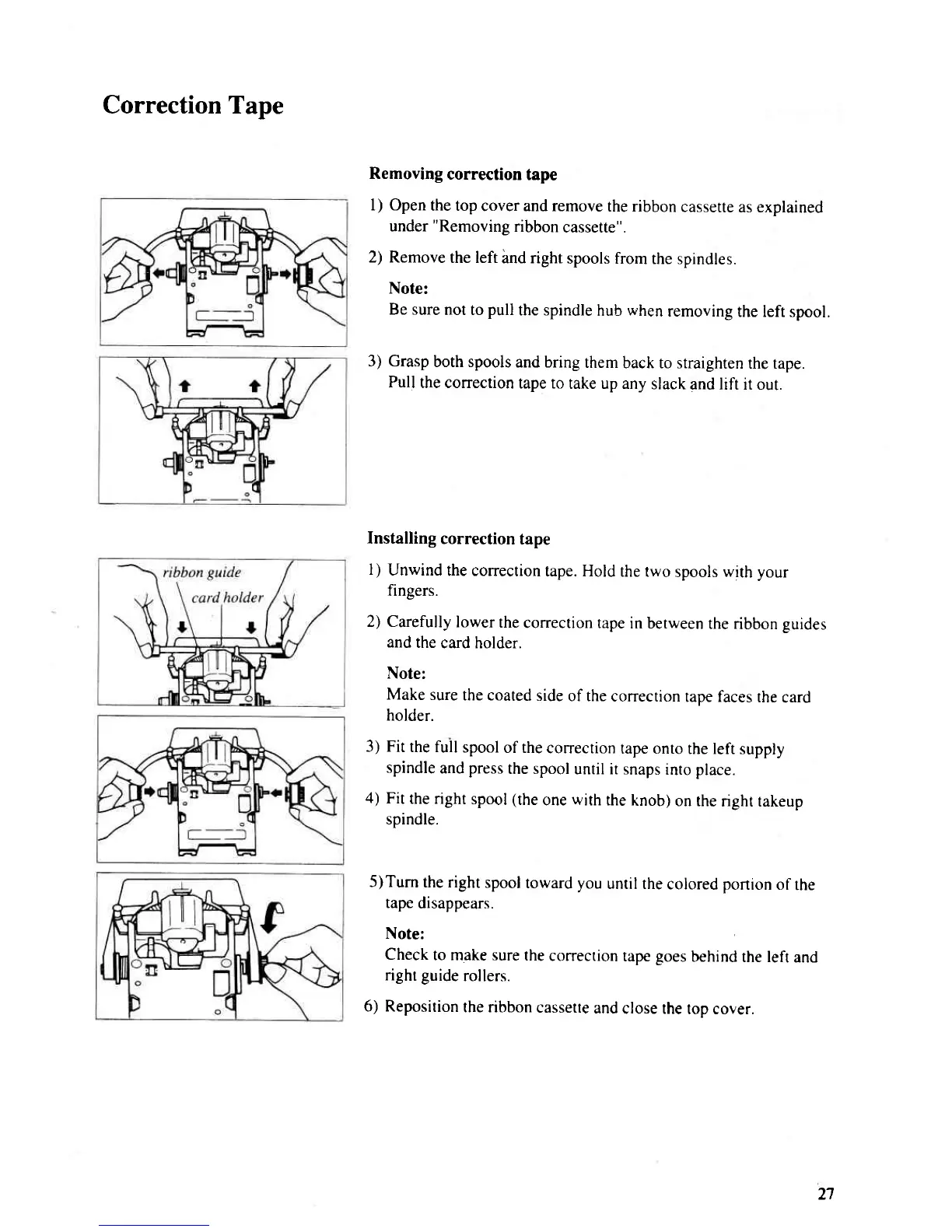
Correction Tape
Removing
correction
tape
l) Open
the top
cover and remove
the ribbon
cassette
as explained
under
"Removing
ribbon
cassette".
2) Remove
the left
hnd right
spools from
the spindles.
Note:
Be sure
not to
pull
the spindle
hub
when
removing
the left spool.
3) Grasp
both spools
and bring
them
back to straighten
the tape.
Pull
the correction
tape to
take up any
slack
and lift it out.
Installing
correction
tape
1)
Unwind
the correction
tape. Hold
rhe rwo
spools
with your
fingers.
2) Carefully
lower
the
correction tape
in berween
the ribbon guides
and
the
card holder.
Note:
Make
sure
the coated
side
of the
correction
tape faces
the
card
holder.
3) Fit
the full
spool
of the
correction
tape onro
rhe left supply
spindle
and
press
the spool
until it snaps
into place.
4)
Fit
the right
spool
(the
one
with
the
knob)
on the
right takeup
spindle.
5)Tum
the right
spool
toward you
until the
colored
portion
of
rhe
tape
disappears.
Note:
Check
to make sure
the
correction
tape
goes
behind
the left
and
right guide
rollers.
6) Reposition
the nbbon
cassetre
and
close the
top cover.
2'l

Related product manuals