EasyManua.ls Logo

Nakajima AE-710 - Automatic Underlining; Keyboard II (Special Characters)

Nakajima AE-710
36 pages
Print Icon
To Next Page IconTo Next Page
To Previous Page IconTo Previous Page
Loading...
Automatic
Underlining
I-u I
tr
@.8
Keyboard
II
(Special
Characters)
ffx I
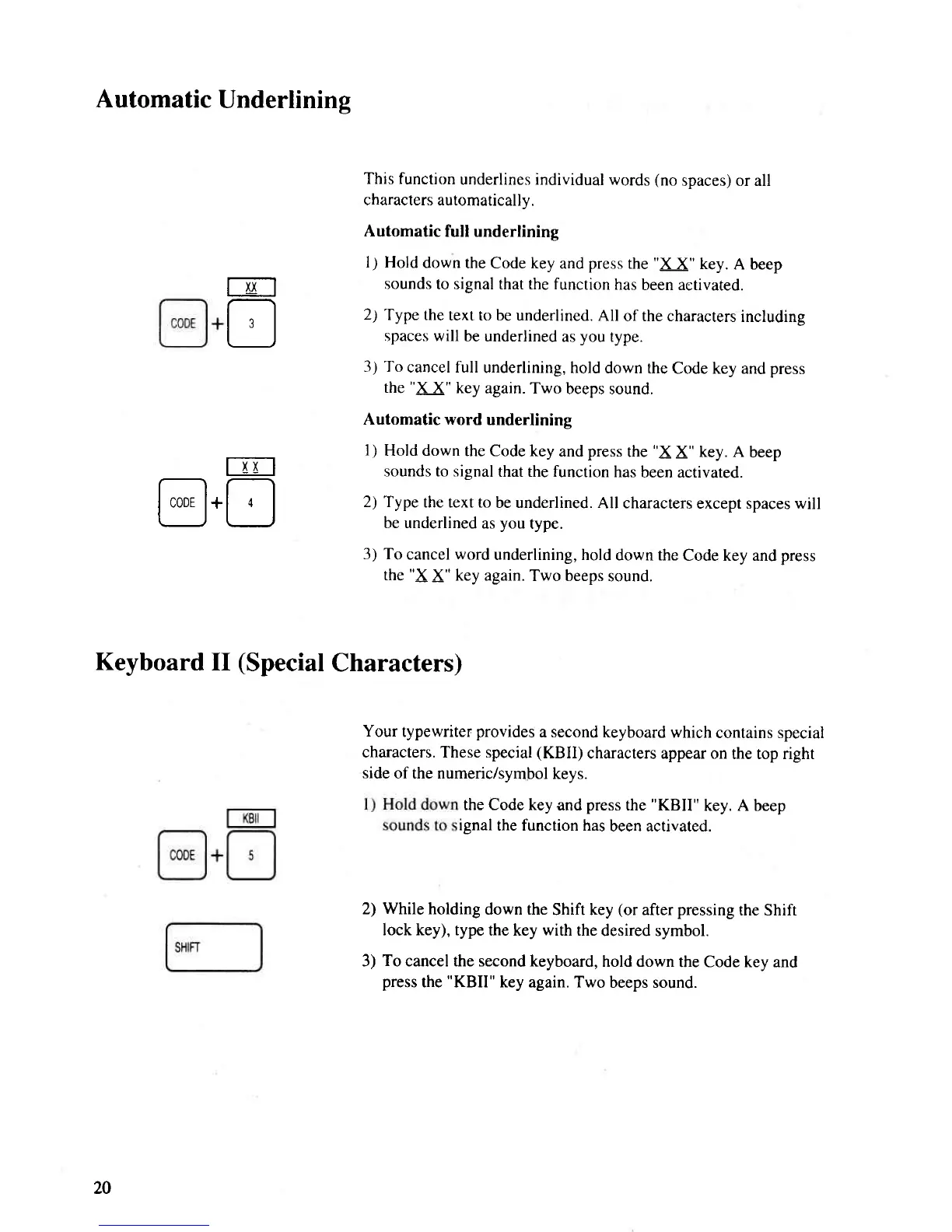
This function
underlines individual
words
(no
spaces) or all
characlers automatically.
Automatic
full underlining
I
)
Hold
down
the Code key
and
press
the
"X
X" key.
A beep
sounds
to signal that the function
has
been activated.
2)
Type the
text to be underlined.
All
of the characters
including
spaces will
be underlined
as
you
type.
3) To
cancel full
underlining, hold
down the
Code key and press
the
"X
X" key
again. Two
beeps sound.
Automatic word
underlining
1)
Hold down
the Code key
and
press
the
"X
X" key. A
beep
sounds to signal
that the function
has
been activated.
2) Type
the text to
be underlined.
All characters
except spaces will
be underlined
as
you
type.
3) To
cancel
word
underlining, hold
down the
Code key and
press
the
"X
X" key again.
Two beeps
sound.
Your
typewriter
provides
a second keyboard
which
contains special
characters. These special
(KBII)
characters appear on
the top right
side
of the numeric/symbol
keys.
the Code key
and
press
the
"KBII"
key. A beep
ignal
the function has
been activated.
2)
While
holding
down the
Shift key
(or
after
pressing
the Shift
lock key), type
the key
with
the
desired symbol.
3)
To
cancel the second
keyboard, hold down
the Code key and
press
the
"KBII"
key
again.
Two
beeps sound.
20

Related product manuals